
Is Jotform worth considering?
Yes if you recognize yourself here: organizations whose forms trigger real processes. Forms, payments and workflows. Less indicated for: need limited to a simple contact form. In this case, look at an alternative of the same category.
In this review
Jotform at a glance
Official visual of Jotform: what it represents
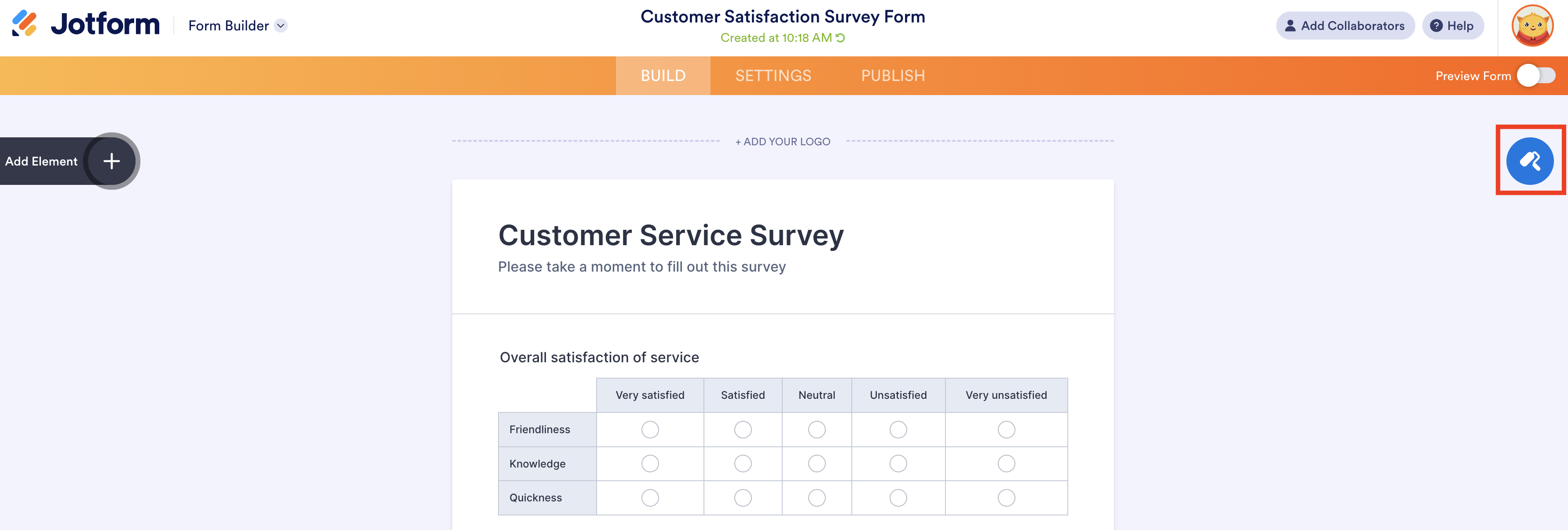
Jotform Form Designer presented in the official guide updated in June 2026. This is an official product visual, distinct from an interface screenshot. Logicelio relates it to the product’s positioning, “Forms, payments and workflows”, and to these features: a form builder, conditional logic and payments. It makes no claims about elements that are not visible in the image.
The visual comes from an official Jotform resource.
View Jotform on the official website →
What to remember before choosing Jotform
Choose Jotform based on what happens after a form is submitted. A useful request reaches the right person with the right supporting documents and a processing status. Creating the form is only the start of the workflow; notifications, access and data retention also need to be organised.
Price checked on 26 September 2026; check the current price before choosing.
Original Test Title: Jotform review
What Jotform offers on a daily basis
The pricing table distinguishes forms, submissions, storage and payment submissions. A form receiving few responses but large attachments may hit a different limit from a survey without files. Calculate each dimension using a representative month.
Prepare the main paths and answers that hide or display fields. Check that a person cannot send an incomplete file because of an undefined condition. A long form is not necessarily more reliable.
A bid through a payment integration follows a meter and an associated provider. Distinguish received form, attempted payment and confirmed payment. The person responsible must be able to handle a retained response when payment has not been successful.
Define notification, filing, delay and recovery of a file. Also test the absence of a colleague. An automated collection that feeds an unfollowed box does not solve the operational need.
When this option makes sense
Who it is for: teams who want to turn an entry into a really processed file.
When to look at another approach: Monthly bid ceilings and total storage are different. Delete or archive data to manage a meter must not be done without a retention rule.
Jotform: Select a campaign and its attachments
A form receiving few responses can still hit another account limit. For registration, payment or a submission with supporting documents, estimate views, submissions and storage separately. Choose the plan according to the limit most likely to block the campaign, not just the number of fields in the form.
What the vendor documents
Documentation consulted on
Jotform distinguishes the monthly limits from the total limits. The monthly bid quota applies to the account; deleting and purging responses does not restore the bid counter for the current cycle.
Jotform: meters and limits of the account ↗File space can be released by removing attachments or deleting and then purging corresponding submissions. This storage follows a different logic from the monthly response quota.
Jotform: Manage storage of ↗ files
Previous editorial version: .
| Your situation | Key point to check | Decision proposed by Logicelio |
|---|---|---|
| A widely distributed form | Expected views, expected answers and other active forms on the same account. | Dimension the account for the campaign peak, then follow the relevant meter during its broadcast. |
| Records with supporting documents | Average file size, number of folders and useful shelf life. | Prepare a controlled archive; deleting files does not create new monthly submissions. |
| Registration with payment | Payment counter and form behavior when a limit is reached. | Provide an emergency channel and alert officer before sending invitations. |
Take this case: a campaign with files to file
In an illustrative scenario with 120 records and two attachments of 2 MB per record, the attachments alone initially require approximately 480 MB of storage. This calculation is neither a Jotform quota nor an observed volume; it helps you request the right capacity. Add the data and other forms in the account, then compare with the official price list at the time of purchase. Rejected submissions or repeat attempts may also affect your projected response count.
Assign someone to usage alerts and define where an applicant can find an alternative if the form stops accepting submissions. Before deleting data, check that the archive and its attachments open in the intended location with the necessary access. Set a retention policy for your business; being technically able to store a file does not justify keeping it indefinitely.
Jotform is relevant if its usage counters match your campaign volume and the files have a defined retention process. For a critical ongoing process, also examine monitoring and recovery if it becomes blocked. A free plan suitable for a prototype does not prove it can handle the public launch.
A small business receiving incomplete requests
Jotform can help if the form guides data entry and responsibility for subsequent processing is assigned. The pilot must show that someone can take over a record without searching through several emails. Adding fields without clarifying the process mainly risks increasing abandonment.
Price: what you really need to budget
Limits that may change your mind
Monthly submission limits and total storage are different. Do not delete or archive data to manage a usage counter without a retention rule. The pricing table distinguishes forms, submissions, storage and payment submissions. A form receiving few responses but large attachments may hit a different limit from a survey without files. Calculate each dimension using a representative month.
Sources of these limits
Three checks to see if Jotform suits you
Turn a quote request with attachment into an assigned and recoverable file.
- Reduce fields
Only ask for the information necessary for the next decision and explain the expected documents.
- Test Exceptions
Try missing field, too large file and conditional path on fictitious data.
- Check receipt
Check notification, access, export and processing status, then the relevant meters.
What TechRadar actually tested
This test was carried out by TechRadar, not by Logicelio. I cite it to provide a perspective based on actual use, without adopting its verdict as my own.
Old Source: this test dates from 5 July 2023 and exceeds the editorial threshold of 24 months. The product may have evolved.
The protocol announced: Test form builder, templates, data collection, payments and interface.
Jotform is considered simple to create rich forms and manage data, with a stronger learning curve for advanced functions.
Read the original test on TechRadar ↗Jotform at a glance
| Software | Positioning | Profile | Cost to watch |
|---|---|---|---|
| Jotform this review | Creation of forms with collection, integration and payments according to usage | teams who want to turn an entry into a really processed file | bids, storage, forms and payments concerned |
Read the replacement criteria →
Sources used for this review
Documentary review of 27 September 2026. No personal data collected or actual payment processed.