
In what case watch Leadpages?
Leadpages deserves a test if you are looking for quickly published capture pages and marketing forms. Reproduce your main scenario and check portability before adopting the tool.
In this review
Leadpages at a glance
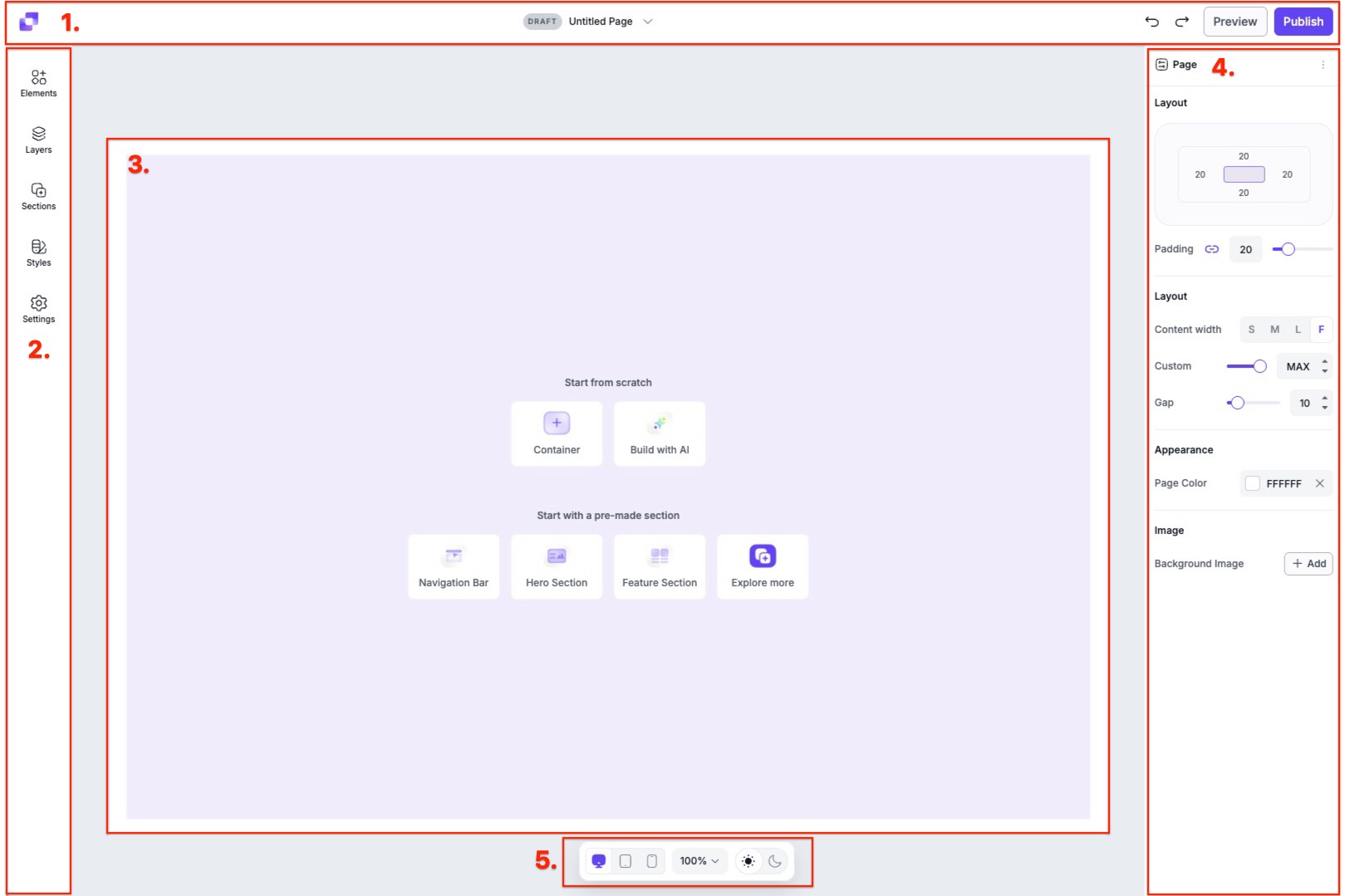
Leadpages interface: what this capture shows
Studio page published in the official help center Leadpages. Logicelio uses this capture as a visual cue to read with its position "Landing pages and collecting leads without code" and functions Document creation or processing, Data collection, signature or transformation, Workflow, validations and automations. This image is not a trial of the software.
The capture comes from an official Leadpages resource.
View Leadpages on the official website →
What to remember before choosing Leadpages
Leadpages is relevant to isolate a campaign: a promise, a page and an expected action. It does not alone resolve the lack of clear offer or qualified traffic. Before comparing the test functions, prepare the way a prospect will be welcomed after leaving its information.
version of the offer, domains and creative capabilities or AI.
What Leadpages offers on a daily basis
Define the expected action and remove the elements that make it ambiguous. The form, button and confirmation page must repeat the same promise. An efficient model in another sector does not prove its relevance to your offer.
Leadpages features traffic testing and orientation functions. Compare one hypothesis at a time: promise, proof or form. With few visits and conversions, a one-time deviation does not show that a variant is lastingly better.
The new documentation describes offers and credits AI. Note the necessary domains, pages and functions before choosing. Large creative capacity is not useful if no one checks the information or exploits the requests received.
The help describes the deactivation of pages or domains beyond free capabilities after changing offer. Prepare this scenario before using a page in a long campaign. The link of an advertisement may continue to circulate after a subscription change.
When this option makes sense
Who it is for: teams with a clear offer and traffic to guide.
When to look at another approach: The help pages distinguish a new version of the product. Check the proposed account and plan before taking over the boundaries or functions of a former subscription.
A webinar campaign
The page must clearly state the content, date and what happens after signup. Leadpages is worth trying if the team can verify this process and track signups. Adding variants does not help while the promise and request handling remain unclear.
A campaign page must lead to a specific action: request for quotation, registration or purchase. The number of fields in a form is not enough to separate the solutions; also look at the path that leads the visitor to this action.
Budget: compare the right scope
Budget Leadpages: the version of the offer, domains and creative capabilities or AI.
Limits that may change your mind
The help pages distinguish a new version of the product. Check the proposed account and plan before taking over the boundaries or functions of a former subscription. Define the expected action and remove the elements that make it ambiguous. The form, button and confirmation page must repeat the same promise. An efficient model in another sector does not prove its relevance to your offer.
Three checks to see if Leadpages suits you
Publish a demo page and check that an enquiry reaches the sales manager.
- Writing the Promise
Set the audience, offer and action before choosing the model.
- Test transmission
Use an internal address and check confirmation, classification and notification.
- Preparing for monitoring
Define the useful metric, how leads will be handled and how the domain will be maintained during the campaign.
Define how an incoming request will be handled
With Leadpages, prepare the destination of the coordinates collected: email list, CRM or manual tracking assigned to a person. Match the fields in the form to what this person really needs to answer. A confirmation page can explain the delay and the continuation of the journey. When changing the campaign, check the links that are still being circulated and the associated form so as not to send requests to a completed offer.
Leadpages at a glance
| Software | Positioning | Profile | Cost to watch |
|---|---|---|---|
| Leadpages this review | Creating destination pages and optimizing their journey | teams with clear offer and traffic to guide | version of the offer, domains and creative capabilities or AI |
Read the replacement criteria →
Scope of the documentation
Leadpages pricing: no amount was recorded for this review.
Interface language: incomplete documentary verification.
No third-party test cited; documentary review only.
Sources used for this review
Documentary review of 27 September 2026. No page published, advertising launched or improved conversion measured.