
In what case watch Notion?
Notion is for teams that need to find decisions and documents related to projects. For a production follow-up requiring identical rules from the start, also compare a more prescriptive project manager rather than reconstructing each mechanism in your bases.
In this review
Notion at a glance
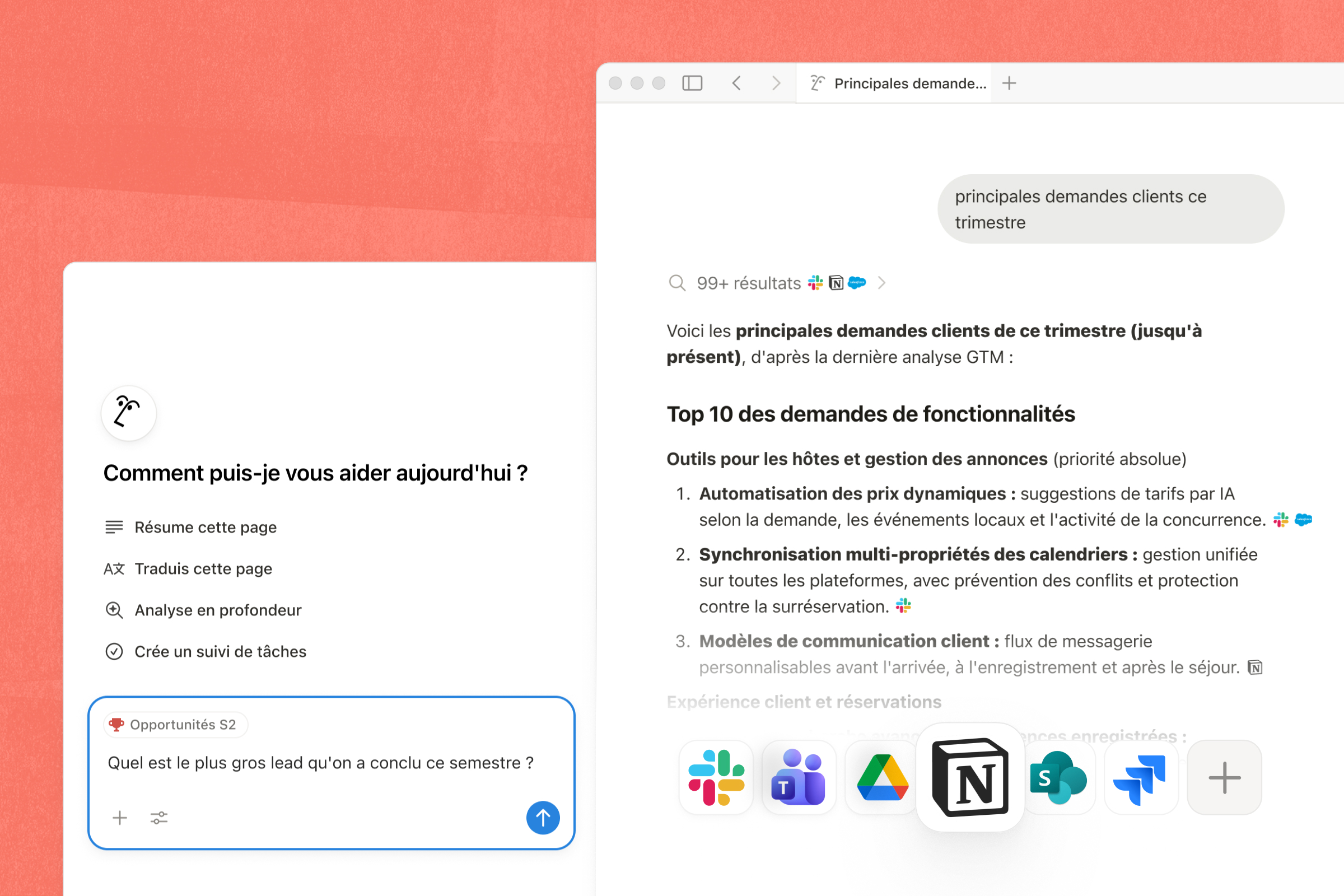
Notion interface: what this capture shows
Search and navigation in the Notion workspace presented on the official website. Logicelio uses this capture as a visual cue to read with its "page and base space to link documentation and current work" positioning and collaborative documents and wiki functions, Databases and Project Tracking, Research, Agents and Functions AI. This image is not a trial of the software.
The capture comes from an official Notion resource.
View Notion on the official website →
What to remember before choosing Notion
Notion is a track when project information is dispersed between notes, documents and tables. Freedom of construction, however, requires one owner for each base: someone has to decide the fields, clean the duplicates and explain where to store the new information. Without these rules, tool change can simply move the disorder into a more pleasant space.
Workspace members, AI functions and base maintenance.
What Notion offers on a daily basis
Notion brings together written content and structured data. First decide what constitutes a folder: a client page, a mission and a task are not interchangeable. An understandable organization makes it possible to find a decision without browsing dozens of pages with close titles.
Free limits blocks when there are two or more members, files to 5 MB and history to seven days. This combination calls for a team trial, not just a personal account containing a few notes. In particular, assess the size of the attachments you actually share and how long you normally take to notice a deletion.
Pricing is per member. The comparison distinguishes external guests and AI features, with a limited trial on the entry-level plans. List the people who administer the workspace, those who create content and those who consult it occasionally. Do not grant a broader role simply to avoid understanding sharing permissions.
The documentation describes HTML, Markdown, CSV and PDF exports. A workspace export does not include pages the person exporting cannot access. To assess whether you can move elsewhere, check attachments and the readability of relationships separately: recovering files does not prove that your setup can be rebuilt elsewhere.
What to know about Notion
- 01
Notion displays Free at 0 $, Plus at 10 $ and Business at 20 $ per member and per month on the grid consulted.
- 02
On Free, blocks become limited to two members and files are limited to 5 Mo.
- 03
The top plans increase the team, administration, file and AI functions.
When this option makes sense
Who it is for: teams to track project decisions and documents.
When to look at another approach: For a production follow-up requiring identical rules from the start, also compare a more prescriptive project manager rather than reconstructing each mechanism in your bases.
Example: formalizing a firm's procedures
A firm can start with answers to questions that most often interrupt the work: where the model is located, which is valid and which version to use. Give each procedure to a person in charge and schedule a review date. Adding a project base only becomes useful if it links these procedures to actual work. The value comes from the reliability of the information found, not the number of models installed.
Budget: compare the right scope
Budget Notion: Workspace members, AI functions and base maintenance.
Limits that may change your mind
The Free plan changes its scope when a second member joins the space. Also check for history retention and access to export pages. An archive produced by an administrator does not automatically contain all the private pages of the team. The documentation describes several formats, with separate processing of pages and bases. Open files out of Notion and pick up relationships or presentations to rebuild before centralizing your folders.
Sources of these limits
Three checks to see if Notion suits you
Connect a client brief, its deliverables and decisions made during a mission without duplicated information.
- Build a single pilot folder
Leave a completed mission. Sort the brief, decisions and deliverables; then ask an absent person to find the latest validated version.
- Test Rights on a Copy
Invite a demonstration account only within the required perimeter. Check the links between pages from this account, then remove the access. Control must be about what the recipient actually sees.
- Reread Archive Out of Notion
Export the folder in the proposed formats. Open the documents and write down the fields, relationships or presentations that should be recreated. Use this list to estimate the cost of a departure.
Notion at a glance
| Software | Positioning | Profile | Cost to watch |
|---|---|---|---|
| Notion this review | A workspace of pages and databases connecting documentation with everyday work | teams that need to find decisions and documents associated with projects | the workspace members, AI features and database maintenance |
Read the replacement criteria →
Scope of the documentation
Notion pricing: no amount was recorded for this review.
Interface language: incomplete documentary verification.
No third-party test cited; documentary review only.
Sources used for this review
Notion: Analysis of documents vendor consulted the 27 September 2026. No workspace client was used as a test; the organizational advice is proposals from Logicelio.