
In what case watch Zoom?
Zoom is relevant for independents and hybrid teams who regularly organize customer, internal or webinar meetings. Zoom does not replace a project manager or a database: if your problem is following up the work after the meeting, look at a dedicated tool.
In this review
Zoom at a glance
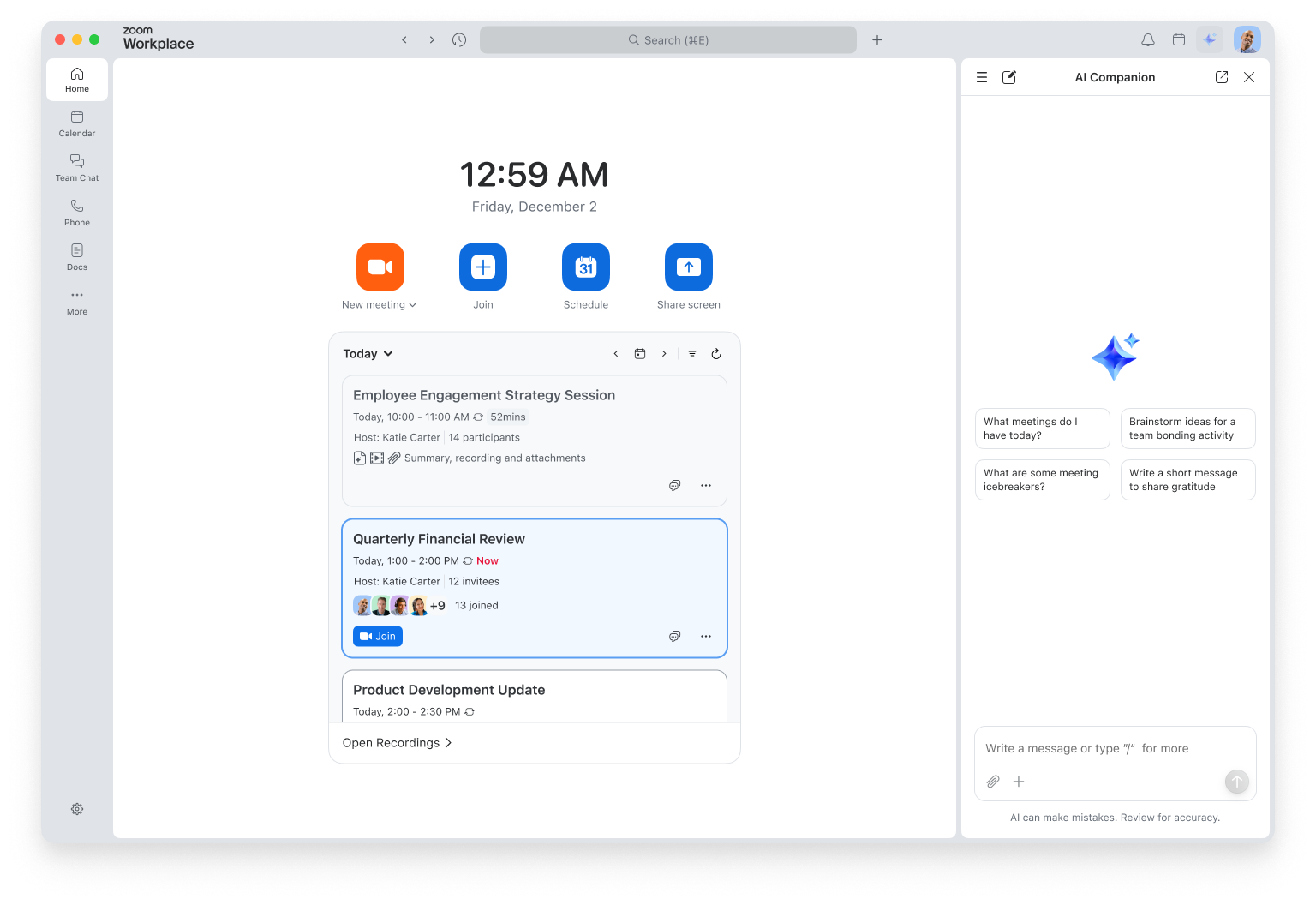
Zoom interface: what this capture shows
New Zoom Workplace interface presented by Zoom in December 2025. Logicelio uses this capture as a visual marker to read with its positioning "Video meetings and collaboration around distance exchanges" and the functions Audio and video meetings, Planning and access to a session, Collaboration during the meeting. This image is not a trial of the software.
The capture comes from an official Zoom resource.
View Zoom on the official website →
What to remember before choosing Zoom
The fact sheet covers Zoom Meetings and the course of a meeting, not a project planning tool. The decisive point is the simplicity of exchanges with your participants and the mastery of what is shared or preserved. An advanced function does not justify a broader offer when a regular, clearly animated appointment already covers the need.
the organising accounts, the duration of meetings and the really necessary options.
What Zoom offers on a daily basis
Zoom presents audio and video meetings as the core of Meetings. For a consulting business, what matters is the quality of the entire appointment: a clear invitation, client access and the ability to continue the conversation. A short meeting with an external contact is a more useful example than a schedule of eight tasks unrelated to the product.
The product documents planning and attendance at meetings with calendar tools. Distinguish the account that organizes the guest participant. The difficulty in joining an exchange can come from the transmitted link, from an account required by the settings or from the hardware: identifying the blocking step avoids assigning all the problems to the videoconferencing itself.
Zoom presents collaborative tools around documents, notes and whiteboards. For a commercial appointment, the need can be limited to submitting a document and deciding on the next action. The selection criteria are readability for the client and control of the facilitator, rather than the number of tools that can be used simultaneously.
Zoom describes continuous chat before, during and after meetings. Distinguish meeting messages, shared files and any recording. Defining what participants need to find afterwards is more useful than automatically keeping the entire conversation; viewing permissions and retention settings must match the team’s needs.
When this option makes sense
Who it is for: teams and independents who organize meetings with internal or external participants.
When to look at another approach: To monitor the tasks and deadlines of a project, videoconferencing is complementary to a monitoring tool; it does not replace it.
A client appointment is not a project management tool
Consider a remote sales demonstration. The salesperson needs to invite the right contact, show the relevant document and agree on an action with a date. Video conferencing supports that exchange; opportunity tracking remains in the sales system chosen by the business. Comparing Zoom with a task board solely by feature count would mix two separate decisions. To choose a meeting service, keep the participants, access constraints and presentation scenario the same. Then compare the organiser accounts required and the options that actually affect your meeting.
Budget: compare the right scope
Budget Zoom: organizing accounts, meeting time and the really necessary options.
Three checks to see if Zoom suits you
Organize a demonstration meeting with an external guest, present a document and agree on an identifiable suite.
- Replay an external participant's entry
Send a demonstration invitation to an authorized person and use the settings provided for your actual appointments. Control the link, access from the usual equipment and understanding instructions. Notes should describe the path observed, not conclude that the overall quality of the service is from a single call.
- Check animation and useful options
During the session, present a document without sensitive data and check what the guest sees. Identify who can intervene or share. Test only the functions useful for your appointment; a possible registration requires informing participants and checking the rules of your organization.
- Prepare for post-meeting
Write down who will receive the decisions and where the necessary items will be kept. Review the settings and rights associated with the messages or files used. The meeting is useful when it leads to a clear sequence; it does not need to become a complete archive for each exchange.
Zoom at a glance
| Software | Positioning | Profile | Cost to watch |
|---|---|---|---|
| Zoom this review | Video meetings and collaboration around remote conversations | teams and self-employed professionals organising meetings with internal or external participants | the host accounts, meeting duration and options actually needed |
Read the replacement criteria →
Scope of the documentation
Zoom pricing: no amount was recorded for this review.
Non-exhaustive list of plan restrictions.
Interface language: incomplete documentary verification.
No third-party test cited; documentary review only.
Sources used for this review
No meetings were scheduled or recorded for this literature review. The quotas and tariffs of a plan are not deducted from the list of functions.