In this guide
Plan for recovery of evidence from preparation
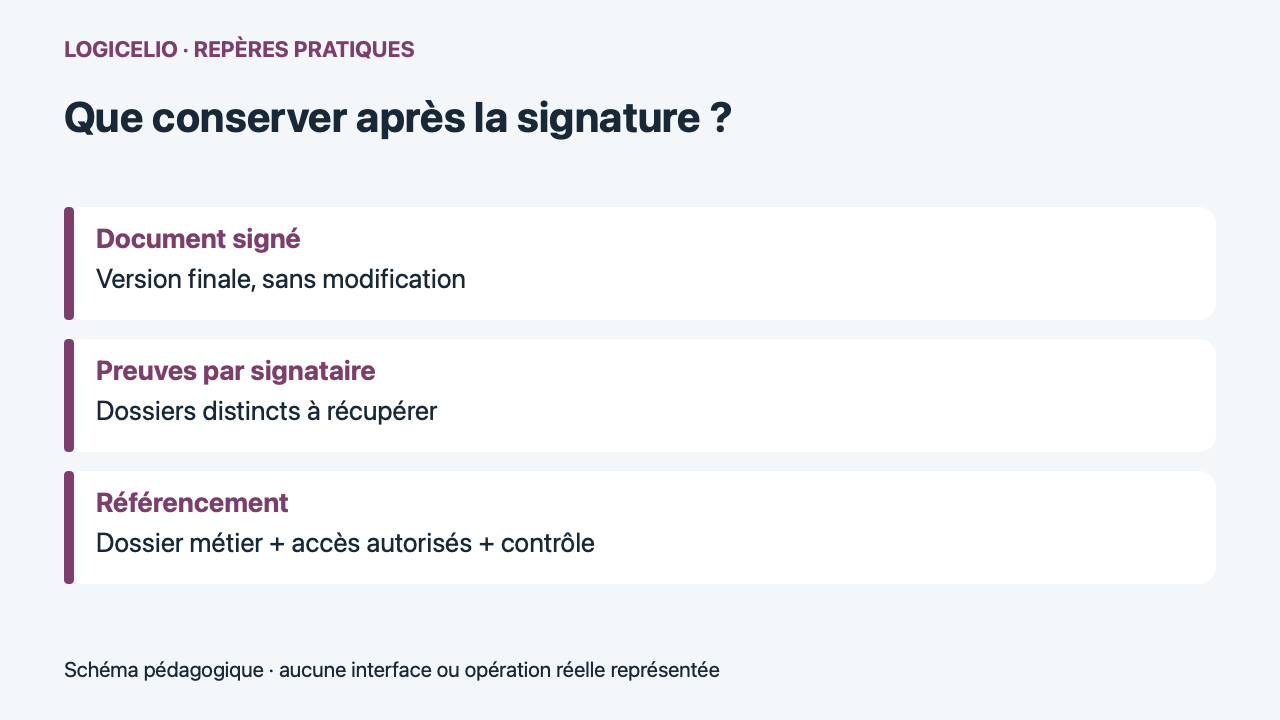
On Youtrust, keep the signed document and retrieve the proofs of the signature path separately. Prepare this recovery before sending: it depends on access to the account.
Analysis of official documentation, with no testing on a paid account.
Youtrust, presented on its website as the evolution of Yousign, offers signature and trust services. We consulted its pages and the selection guide ANSSI the 22 October 2026.
Select level from document and risk
Page Youtrust signature levels presents simple, advanced and qualified offers. The existence of multiple levels does not mean that the lightest meets all documents, or that a trade description is sufficient to confirm the requirement of a consignee.
TheANSSI recommends an analysis taking into account the document, the applicable obligations and the seriousness or likelihood of a dispute. His guide also distinguishes the advanced level based on a qualified certificate. Before choosing a subscription, ask for the signature form required for your use and the elements that make it possible to verify it.
For a sensitive act or formality with an imposed level, have the need confirmed by your counsel or the recipient organization. Describe the concrete document rather than asking for a general validation of the "electronic signature". Authentication of the signatory, its authority to engage the organization and content of the document are three issues to be addressed.
Check version and people before sending
Prepare a final version with its annexes and references. Identify the intended signatories, their contact details and their role in the agreement. If more than one person is involved in a business, clarify who approves the content and signs. A correct e-mail address is not enough to establish the power of representation.
Hypothetical case: a small business has a contract signed with two appendices. It first agrees the three files and their versions with the customer. After sending them, it discovers an error in an appendix and arranges to correct the signing process before treating the full set as accepted. Replacing the file in a local archive after signing does not create evidence of agreement to the new version.
Understand what the evidence file contains
TheHelp Youtrust indicates that a record is produced for each signatory. It includes, inter alia, invitation, authentication and signature information, document references and their footprint. The evidence file remains separate from the signed document.
| Element | Question to be resolved | Proposed organization |
|---|---|---|
| Contract signed and annexes | What version was accepted? | Keep files delivered by the service |
| Signatory evidence | What course was followed? | Recover Associated Files |
| Trade reference | How to find the whole thing? | Attach supporting documents to the correct contract |
Evidence alone does not guarantee the validity of all clauses or the outcome of a dispute. Their interest is to document the course actually followed. Have a specific legal requirement checked separately with the actual documents concerned.
Control access and file language
When the invitation is complete, the help documentation places the download in the invitation details, under the three-dot menu, then Download evidence files. The ZIP archive contains the signatories' evidence files. Account users with permission to view the invitation can access them; external signatories and approvers cannot.
The same help specifies that the proof of the application is available only in English and that the language setting concerns the API. Make sure your team and recipient know how to use these files. A commercial page in French does not promise that each exported item will be translated.
Organize a recoverable exploitable over time
After recovery, open the files, check their correspondence with the contract and keep the names or identifiers necessary for reconciliation. Attribute access to a manager and his or her replacement. This file may contain personal data: avoid public sharing and set its retention according to your obligations.
ANSSI presents processes for preserving validity over time, including probationary archiving and oversignature. A single folder on a disk should not be presented as equivalent to these services. For long or large commitments, specify the conservation solution and its cost before choosing the route.
Sources and method of this analysis
Youtrust: proposed signature levels ; Youtrust: proof file and download ; ANSSI: Select the signature level and retain its validity The Youtrust conservation path is put in perspective with the selection and validity criteria outlined by the ANSSI. Sources consulted on 22 October 2026. Methodology · Trade transparency · Report correction.