
Is Adobe Creative Cloud worth considering?
Yes if you recognize yourself here: professionals whose creation is a core business. Professional suite of photo, video and design creation. Less indicated for: casual users only need a simple vendor. In this case, look at an alternative of the same category.
In this review
Adobe Creative Cloud at a glance
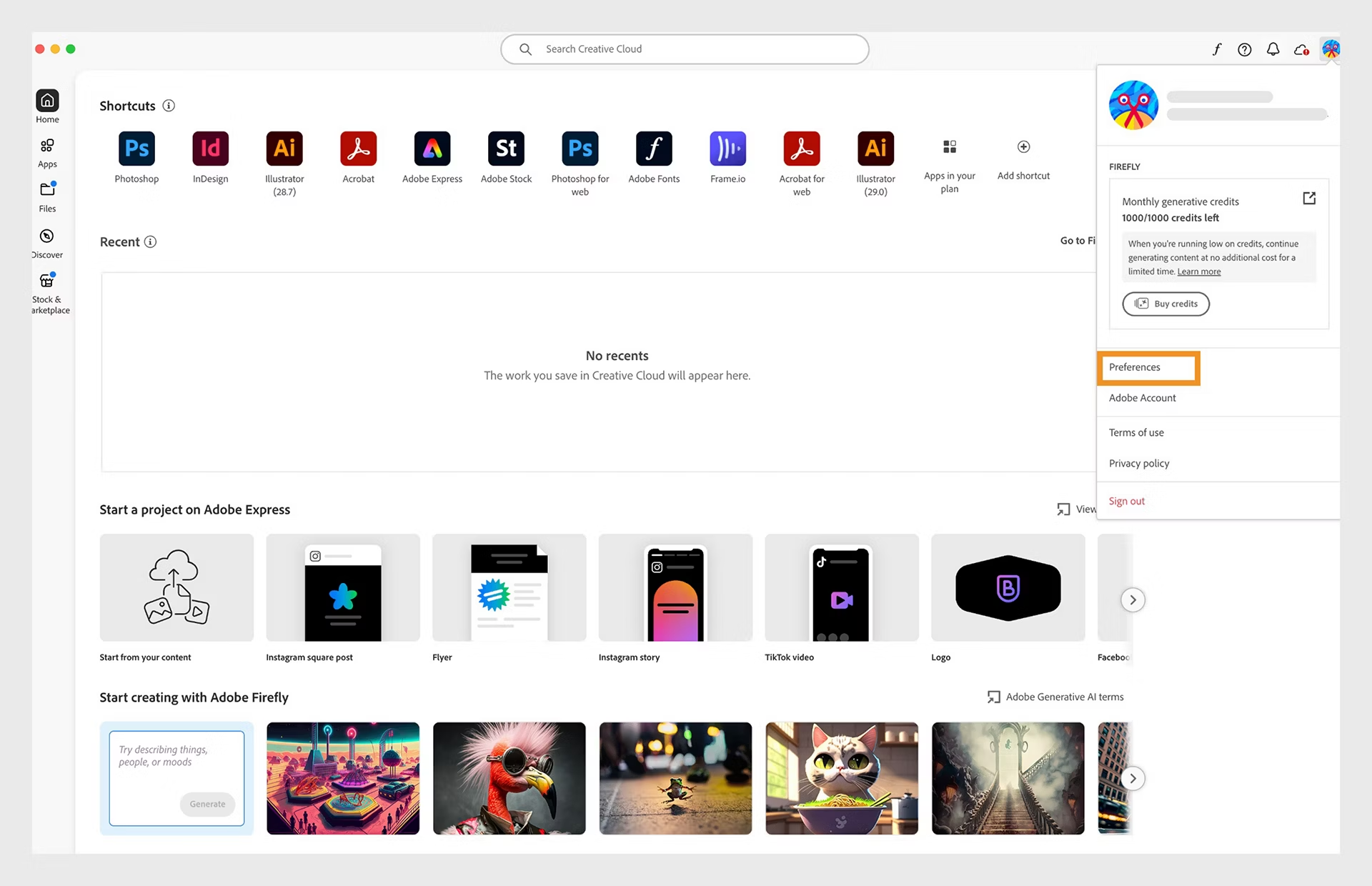
Adobe Creative Cloud interface: what this capture shows
Creative Cloud home screen preferences published in the official Adobe help. Logicelio uses this capture as a visual cue to read with its position "Professional suite of photo, video and design creation" and the functions Photoshop and retouch, Illustrator and vector creation, Premiere Pro and video. This image is not a trial of the software.
The capture comes from an official Adobe Creative Cloud resource.
View Adobe Creative Cloud on the official website →
What to remember before choosing Adobe Creative Cloud
Creative Cloud must be selected from the deliverables: editing, illustration, layout or editing. The entire suite can be relevant when several applications are actually used. For an isolated need, compare the subscription to the application concerned and the time needed to master its production circuit.
Price checked on 26 September 2026; check the current price before choosing.
Original Test Title: Adobe Creative Cloud review
What Adobe Creative Cloud offers on a daily basis
Adobe publishes different terms according to monthly subscription, annual paid monthly or annual prepaid. Note the committed total and the consequences of an early exit. A rate posted per month is not enough to describe your freedom to terminate.
Generating functions can consume credits according to plan and function. Prepare an estimate based on your actual operations, with several tests and corrections. The number of applications included does not guarantee unlimited AI consumption.
Set the formats expected by the client, printer or next editor. Keep the authorized sources and related elements. An exported image may be sufficient for a publication, but not for an editable cover or future version.
Name the versions, organize the media and check the export settings. The investment is not just the subscription: it includes learning time and the ability to find a project several months later.
When this option makes sense
Who it is for: creators who regularly produce professional files in several disciplines.
When to look at another approach: Monthly payments can involve an annual commitment. Check cancellation and renewal terms before comparing this plan with a monthly subscription that has no annual commitment.
An independent who mainly uses an application
The full suite is not automatically the best purchase. Compare the specialized plan next on your actual deliverables, then contractual flexibility. The choice must follow the work produced, not a list of applications that will remain unused.
Price: what you really need to budget
Limits that may change your mind
Monthly payments can involve an annual commitment. Check cancellation and renewal terms before comparing this plan with a monthly subscription that has no annual commitment. Adobe publishes different terms for monthly subscriptions, annual subscriptions paid monthly and prepaid annual subscriptions. Record the total commitment and the consequences of leaving early. A price displayed per month is not enough to explain your freedom to cancel.
Three checks to see if Adobe Creative Cloud suits you
Produce a representative deliverable and prepare for resumption by another stakeholder.
- Set the final format
Note dimensions, quality and need for future editing before selecting applications.
- Organize sources
Collect the linked files and check the rights of the elements used.
- Number of year
Add commitment, applications or suite, storage and credits required at your own pace.
What TechRadar actually tested
This test was carried out by TechRadar, not by Logicelio. I cite it to provide a perspective based on actual use, without adopting its verdict as my own.
Old Source: this test dates from the 12 December 2022 and exceeds the editorial threshold of 24 months. The product may have evolved.
The protocol announced: Practical review of the Creative Cloud suite and its integration between applications.
TechRadar highlights the wealth and integration of the suite, while raising a high cost for non-professional uses and subscription dependence.
Read the original test on TechRadar ↗Adobe Creative Cloud facing the closest solutions
| Software | Positioning | Profile | Cost to watch |
|---|---|---|---|
| Adobe Creative Cloud this review | Suite of creative applications with cloud subscriptions and services | creators who regularly produce professional files in several disciplines | the necessary applications, commitment and general uses |
| Canva | Visual creation from models and library elements | small teams that regularly decline consistent supports | the members, brand functions and content required |
See all alternatives to Adobe Creative Cloud →
Sources used for this review
Documentary review of 27 September 2026. No creative benchmarks or personalized legal appraisal of the contract.