
The decisive point for Zoho Invoice
For full accounting or a large number of projects, compare a suitable management product; do not assume that Zoho Invoice has all the functions of Zoho Books or Billing.
In this review
Zoho Invoice at a glance
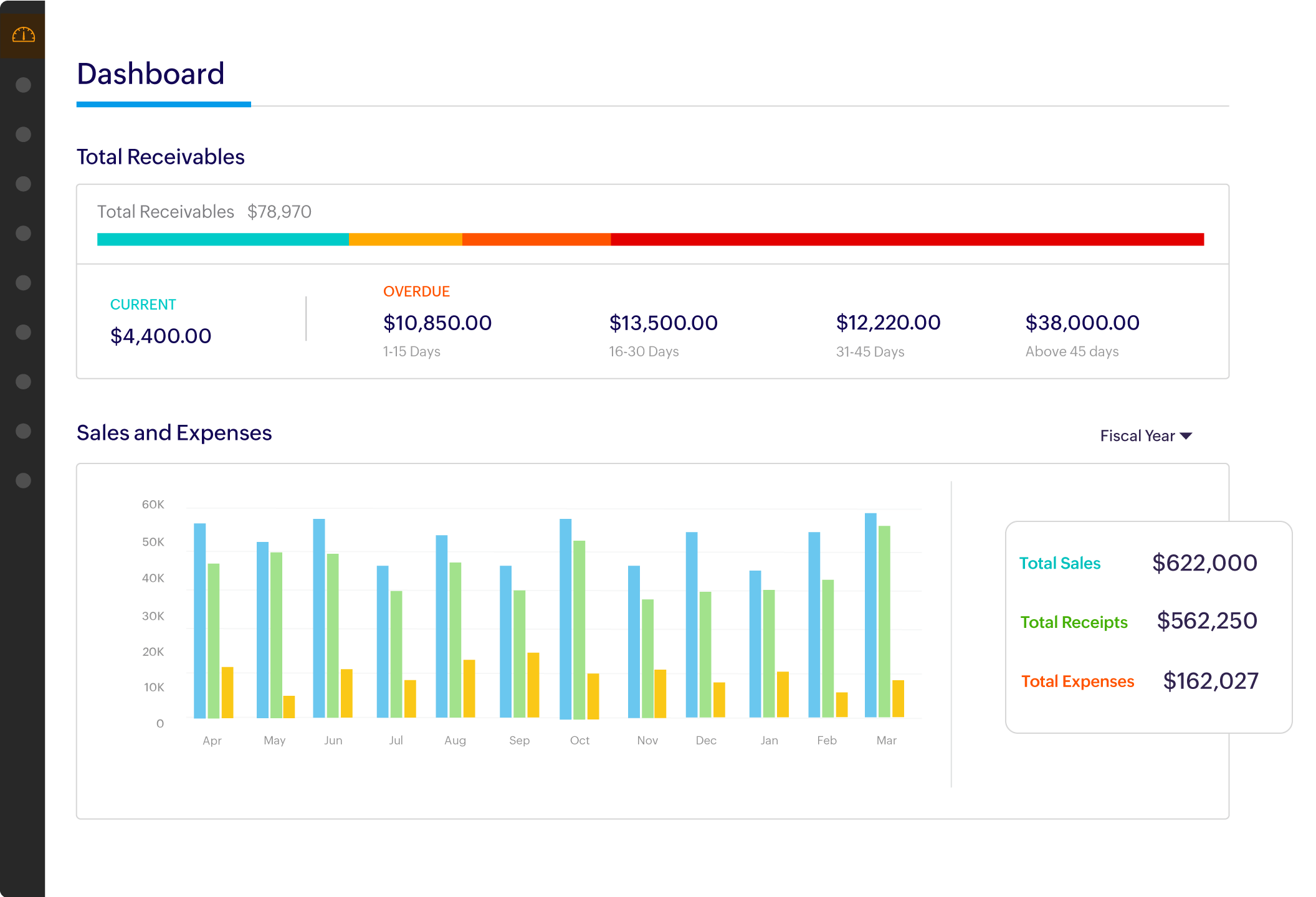
Zoho Invoice interface: what this capture shows
Dashboard Zoho Invoice presented on the official website. Logicelio uses this capture as a visual marker to read with its positioning "Free Billing with Recoverys, Spending and Small Project Tracking" and functions Billing, estimate and commercial documents, Financial tracking and data organization, Exports, portability and accounting exchanges. This image is not a trial of the software.
The capture comes from an official Zoho Invoice resource.
View Zoho Invoice on the official website →
What to remember before choosing Zoho Invoice
Zoho Invoice may suit a business that wants to organise quotations and payments received without an invoicing subscription. However, “free” does not describe the service’s capacity: the pricing FAQ consulted specifies two users, three projects and five hundred invoices per year. Check the scope that applies to your organisation. A small customer base can generate many invoices if every service or due date creates a new document.
Price checked on 27 September 2026; check the current price before choosing.
What Zoho Invoice offers on a daily basis
The offer includes recurring invoices and payment reminders. Define what triggers a reminder: a missed due date, a partial payment and a disputed invoice should not receive the same message. Automation becomes useful once those exceptions have been planned for.
These features link completed work to sales documents. Examine the quota of three projects before dividing all your assignments into projects. One project per client and one project per service produce different structures and capacity requirements.
A portal can reduce document cross-references, provided the recipient finds the right business and elements. In an agency, the buyer and the accounting department are sometimes two different people. Check recipients and accesses instead of using commercial contact systematically.
The FAQ describes a deletion process after prolonged inactivity: more than 180 days, followed by an additional 20-day period with advance notice. Do not confuse having no subscription with unattended archiving. Arrange your own backup of the documents you need.
When this option makes sense
Who it is for: independent with a limited volume of invoices and projects.
When to look at another approach: For full accounting or a large number of projects, compare a suitable management product; do not assume that Zoho Invoice has all the functions of Zoho Books or Billing.
Example: Maintenance subscriptions
A service provider invoicing thirty clients monthly already generates 360 annual invoices before one-off assignments. The 500-invoice limit may therefore matter more than the user count. Calculate volume using your actual invoicing model and prepare an alternative before reaching the limit. This estimate is a decision-making scenario, not a volume measured in Zoho.
Price: what you really need to budget
Limits that may change your mind
The pricing FAQ consulted specifies two users, three projects and five hundred invoices per year. Compare those limits with your organisation and actual volume; Zoho Books and Billing are not equivalent tiers of Zoho Invoice. The stated process following prolonged inactivity may lead to data deletion. Arrange backups and separately verify the scope of invoice transmission in France.
Sources of these limits
Three checks to see if Zoho Invoice suits you
Verify that recurring invoices and projects of the year are in quotas.
- Calculate the annual volume
Add one-time and recurring invoices. Keep a margin for new clients and monitor how correction documents are accounted for.
- Prepare recipients
On a fictitious bill, distinguish the contact that validates the performance from the one that rules. Check emails and access to the portal.
- Export before a break
If you temporarily stop trading, back up useful data and supporting documents. Free access alone is not an archiving policy.
Zoho Invoice facing the closest solutions
| Software | Positioning | Profile | Cost to watch |
|---|---|---|---|
| Zoho Invoice this review | Free invoicing with reminders, expenses and basic project tracking | self-employed professionals with limited invoice and project volumes | the quotas and a possible move to another Zoho product |
| Billing Now | Invoicing and expense tracking with an AI assistant | small teams that want to reuse their items and track their payments | the subscription, currency and checks on automated processing |
| Factomos | Commercial billing with payment tracking and Tempo time module | providers and small businesses that link specifications, execution and billing | the plan, project management features and payment services |
| Fraispro Micro | Micro-enterprise management with quotes, invoices, expenses and alerts | French micro-entrepreneurs who centralise their business operations | the level of alerts, reminders and annual commitment |
See all alternatives to Zoho Invoice →
Scope of the documentation
Interface language: incomplete documentary verification.
No third-party test cited; documentary review only.
Sources used for this review
Zoho Invoice: desk research dated 27 September 2026. No customer account, real payment or timed workflow was used. The presence of a feature alone does not establish compliance with French requirements.