Analysis of official documentation, with no testing on a paid account.
In this guide
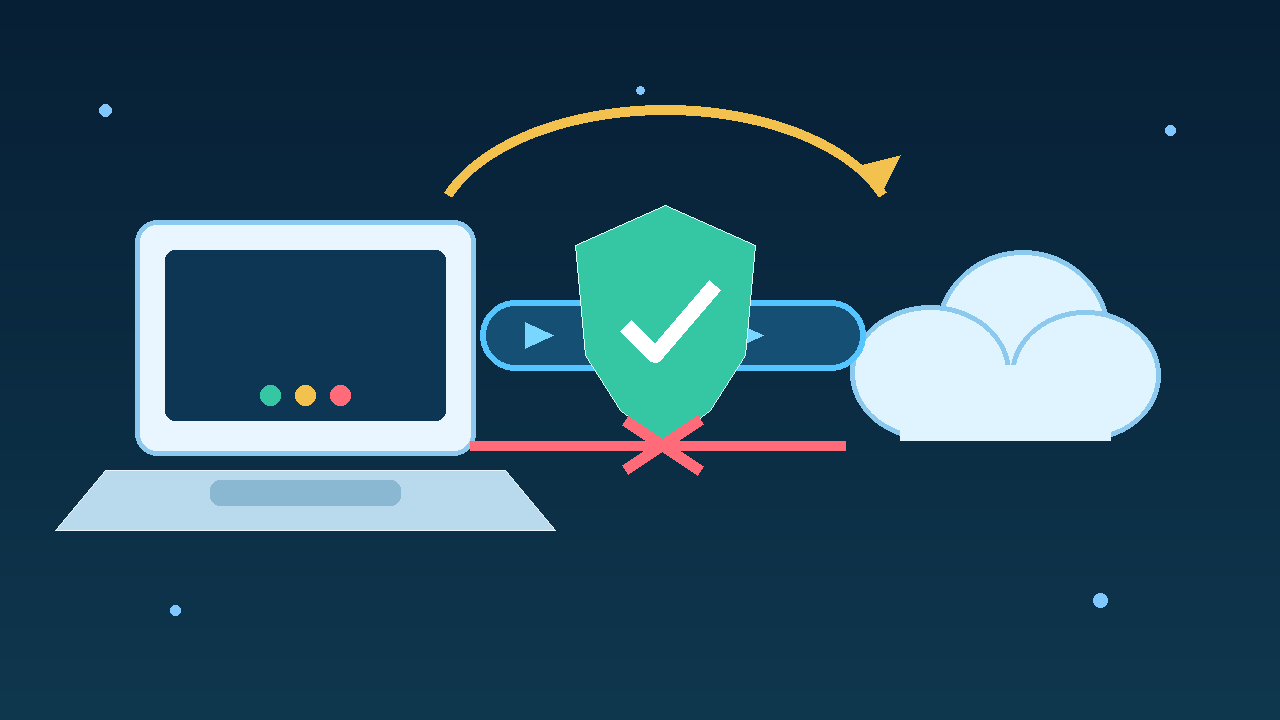
Enable auto-connect and choose a Kill Switch that actually blocks sensitive uses during an interruption. The first function attempts to restore the VPN. The second prevents the workstation or selected applications from resuming traffic before that restoration. Neither replaces the other.
Documentary review of official NordVPN help, without signing in to an account, changing a workstation or measuring real traffic.
Separate reconnection and blocking
The auto-connect asks NordVPN to connect when the application starts or when a network matching the rule is joined. Kill Switch intervenes while the tunnel is unavailable. It prevents software from continuing over the ordinary Internet connection.
This distinction addresses two different risks. Without auto-connect, a person may forget to restart the VPN after a reboot. Without blocking, a few seconds of interruption may be enough for a synchronisation tool, browser or business application to resume traffic directly.
| Moment | Useful adjustment | Expected result |
|---|---|---|
| Workstation startup | Application launch and auto-connect | The tunnel is requested without waiting for manual action. |
| Unexpected interruption | Internet or app Kill Switch | The selected traffic does not resume over the direct route. |
| Manual disconnection | Windows mode that also blocks manual disconnection | The workstation remains offline until a tunnel is active. |
| Captive portal | Documented temporary procedure | The portal is completed before protection is re-enabled. |
Choose the blocking level
NordVPN help describes two Internet Kill Switch modes on Windows. The default mode blocks access after an unexpected interruption to an active VPN connection. The stricter mode also blocks access when the person disconnects manually or no VPN connection is active.
The strict mode suits a workstation that must never operate outside the tunnel. It can make diagnosis less intuitive: a person who disconnects to test the network no longer has Internet access until the VPN reconnects or the setting changes. The default mode allows more freedom after a manual disconnection, but assumes that action is understood and controlled.
NordVPN also documents an app Kill Switch on Windows. It closes selected programs when the VPN connection is lost. This can protect a specific business tool without cutting off every use, but closing it may interrupt unsaved work. Check autosave and session recovery before applying it.
Configure the Windows workstation
- Enable NordVPN to launch when Windows starts.
- Under Connection and security, enable auto-connect and keep the automatic protocol unless a documented need requires a manual choice.
- Choose the Internet Kill Switch behaviour: unexpected interruption only, or complete absence of VPN, including after manual disconnection.
- If you use the app Kill Switch, add only the programs whose traffic must stop. Note that these programs will be closed.
- Record the selected setting, the reason and the recovery procedure available to the team.
The NordVPN Windows guide explicitly combines launch at startup and auto-connect to protect the workstation as soon as it starts. This configuration covers Windows 10 64-bit and Windows 11 in the reviewed documentation.
Worked example: test an interruption without sending data
Hypothetical example: a small team uses a browser for its CRM and a file synchronisation application. It wants both to stop communicating if the VPN drops, then resume only after reconnection.
- Close client records and use an internal account without sensitive data.
- Enable the strict Internet Kill Switch mode and auto-connect.
- Open a neutral internal page and verify that NordVPN reports an active connection.
- Deliberately disconnect the VPN from the application. The workstation should lose network access in this mode.
- Reconnect NordVPN and verify its status first, then reload the neutral page.
- Restart the workstation during a maintenance window and verify that the application launches and restores the tunnel before work resumes.
This check does not measure a network leak or prove the security of the entire configuration. It verifies only the expected visible behaviour: blocking while the tunnel is absent, then resumption after the connected status returns.
Plan for captive portals
In a hotel, station or coworking space, Wi-Fi may require a sign-in page before opening Internet access. NordVPN explains that auto-connect and Kill Switch can prevent this page from loading because no tunnel can yet be established.
The official procedure is to disable these two settings temporarily, complete the portal, reconnect NordVPN, then re-enable auto-connect and Kill Switch. Treat this exception as a short operation: do not open email, CRM or file synchronisation during direct access. If the workstation cannot accept this window without a VPN, use an already approved network or postpone the work.
Adapt the rule to other platforms
Names and behaviours vary. On iOS and the App Store version of NordVPN for macOS, NordVPN describes bypass prevention that acts at the routing level and attempts reconnection. On Android 8 or later, Kill Switch can block access system-wide, with always-on VPN depending on the system version. On Linux, the command nordvpn set killswitch on enables blocking and nordvpn settings displays its state.
The browser extension protects only browser traffic. The application covers the workstation. NordVPN advises against using the application and browser extension simultaneously because they can interfere. Choose the scope before copying a Windows setting to another device.
Diagnose without routinely removing protection
If the workstation remains offline, first verify the VPN status and Kill Switch mode. Blocking that matches the setting is not an Internet outage. Next try reconnecting, then the automatic protocol and another server according to official help. Do not reset the network before preparing Wi-Fi access and VPN settings that may be erased.
If interruptions recur, record the network, time, server and protocol without storing identifiers or sensitive addresses. Compare another network or workstation before broadening exceptions. Permanently disabling Kill Switch hides the symptom but also removes the intended block.
Final check for a small team
- Are launch at startup and auto-connect both enabled?
- Does the Kill Switch mode also cover manual disconnections when necessary?
- Do applications closed by Kill Switch save their work before the interruption?
- Does the captive-portal procedure state when to re-enable both protections?
- Does each platform have guidance suited to its actual behaviour?
- Does the maintenance test verify blocking and then reconnection, in that order?
Limits of this method
This guide is a documentary review. It demonstrates neither the absence of leaks, nor resistance to an attack, nor compliance with a security policy. Instrumented network testing and centralised administration may be necessary for a team with strong requirements.
To choose the product scope, see the NordVPN review and comparative NordVPN and Surfshark. The guide to NordVPN split tunneling covers a deliberate application exception, which must not be confused with resuming after an interruption.
Partner link
Sources and method of this analysis
NordVPN: understand Kill Switch modes ; NordVPN: configure auto-connect ; NordVPN: launch and use the Windows application ; NordVPN: connect behind a captive portal ; NordVPN: distinguish the application from the extension Reconnection, blocking and temporary exception settings are combined in a recovery procedure for a professional workstation. Sources reviewed on 3 November 2026. Methodology · Trade transparency · Report correction.