
In what case watch LastPass?
LastPass is relevant for teams that want to centralize IDs and reduce shared passwords informally. If your priority is open source, self-hosting or very detailed technical control, compare Bitwarden before choosing.
In this review
LastPass at a glance
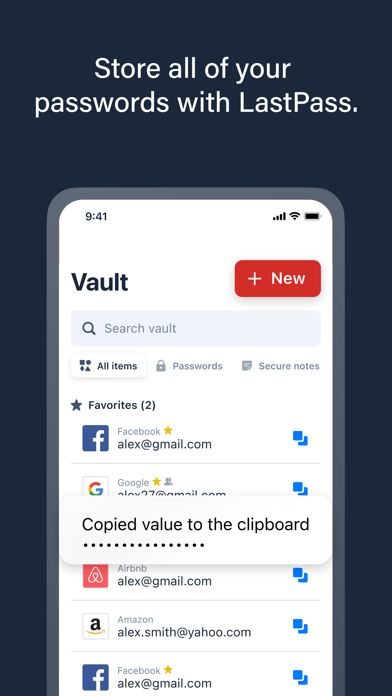
LastPass interface: what this capture shows
Box LastPass presented in the official application form. Logicelio uses this capture as a visual cue to read with its positioning "Password Manager with Sharing, Auto Filling and Team Administration" and functions Automatic Filling and Boxing, Identifier and Folder Sharing, MFA and Access Functions. This image is not a trial of the software.
The capture comes from an official LastPass resource.
View LastPass on the official website →
What to remember before choosing LastPass
LastPass compares on access to the vault from devices used daily and sharing procedures. Its security history must also be part of the decision: it would be incomplete to present only the functions and the tariff. The review below distinguishes the current commercial boundaries from publicly documented incidents.
the type of licence, members and multi-device perimeter.
What LastPass offers on a daily basis
The comparison distinguishes computers from mobile devices, with only one category available on Free. Someone who works on a computer and then accesses their credentials on a phone needs to compare the offer that covers both uses. Device count and device category are separate constraints.
LastPass published information on the theft of vault backups and the data affected during the incidents of 2022, then recommended actions in March 2023. This history is a concrete element of evaluation; it alone does not certify or measure the current safety of the product.
Importing the same identifiers into another vault moves their storage. This does not replace the passwords of the services concerned. For a historically exposed account, follow the vendor recommendations and arrange the rotation of important accesses according to your situation.
Define who owns the accounts and who can view the shared items. The removal of a member must not be confused with the oblivion of the secrets he has already seen. Prepare the necessary changes when leaving, especially for admin accounts.
When this option makes sense
Who it is for: users who want to compare their device fleet with their sharing needs.
When to look at another approach: Do not choose Free assuming simultaneous use between computer and phone. Do not consider a change in manager as the automatic replacement of all passwords involved in a previous incident.
An account already in use for several years
The first question is its history and the quality of the protection measures already carried out. Then compare the cost and functions required. A decision to stay or migrate must include the recovery and secrets of external services, not just the application of the safe.
Budget: compare the right scope
Budget LastPass: the license type, members and multi-device perimeter.
Limits that may change your mind
Do not choose Free assuming you can use it simultaneously on a computer and phone. Changing password manager also does not automatically replace every password affected by an earlier incident. The comparison distinguishes computers from mobile devices, with only one category available on Free. Someone who works on a computer and then accesses their credentials on a phone needs to compare the offer that covers both uses. Device count and device category are separate constraints.
Three checks to see if LastPass suits you
Check the computer-telephone route and prepare decisions for recovery or migration of a vault.
- Identify devices
Note the categories used and check their coverage in the proposed plan.
- Assess account history
Identify the official recommendations applicable to its date of use, without considering a mere export as a complete remedy.
- Test with fictitious inputs
Check fill, share and remove access to demo accounts. Then document the continuity procedure.
LastPass facing the closest solutions
| Software | Positioning | Profile | Cost to watch |
|---|---|---|---|
| LastPass this review | Personal and Professional Password Manager | users who want to compare their device fleet and sharing needs | licence type, members and coverage across devices |
| 1Password | Password manager with sharing and recovery procedure | freelancers and teams that want to organise access without sharing passwords through messaging | membership, type of subscription and renewal conditions |
| Bitwarden | Password management with individual offers and organizations | users who want to keep a clear backup and transmission procedure | the personal or team offer and the necessary recovery functions |
| NordPass | Password management with personal, family and professional offers | users who alternate between multiple devices and want to clarify their access | the plan and the number of people who need access |
See all alternatives to LastPass →
Scope of the documentation
LastPass pricing: no amount was recorded for this review.
Interface language: incomplete documentary verification.
No third-party test cited; documentary review only.
Sources used for this review
Documentary review of 27 September 2026. Incidents are reported since vendor publications; no current security certification is issued.