
Is monday CRM worth considering?
Yes if you recognize yourself here: teams enjoying visual and configurable workflows. CRM visual and customizable commercial workflows. Less suitable for: teams wanting a very prescriptive CRM ready for use. In this case, look at an alternative of the same category.
In this review
monday CRM at a glance
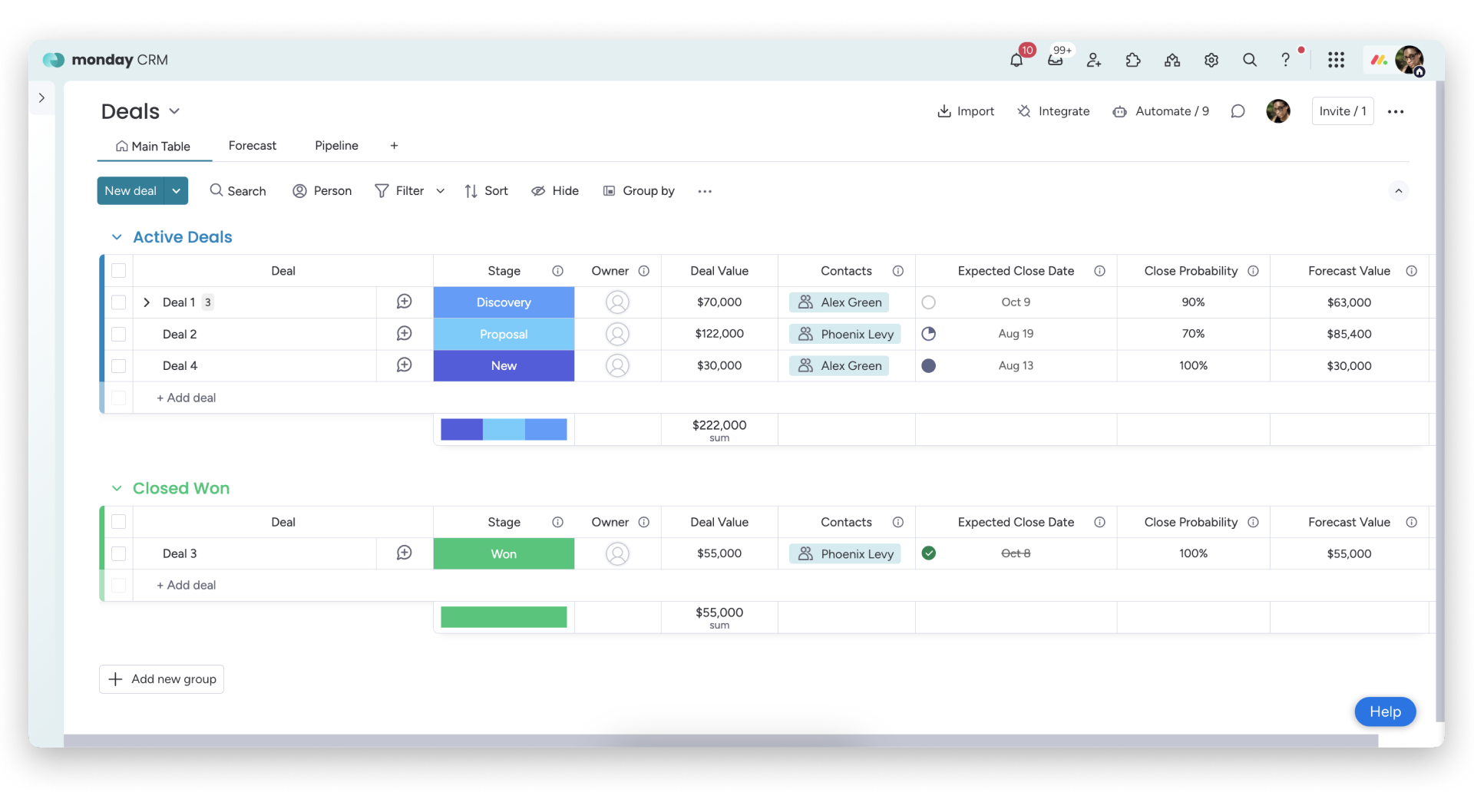
Official visual of monday CRM: what it represents
monday CRM Deals board published in the help centre. This is an official product visual, distinct from an interface screenshot. Logicelio relates it to the product’s positioning, “Visual CRM and customisable sales workflows”, and to these features: customisable pipelines, contact management and automations. It makes no claims about elements that are not visible in the image.
The visual comes from an official monday CRM resource.
View monday CRM on the official website →
What to remember before choosing monday CRM
monday CRM is for a team that wants to adapt its sales space to its way of working. This freedom is useful when a file passes between several people. It also creates a responsibility: someone has to decide which fields are reliable, what steps make sense, and what automations can affect files.
Price checked on 26 September 2026; check the current price before choosing.
Original Test Title: Monday Sales CRM review 2026
What monday CRM offers on a daily basis
The support documentation specifies a minimum of three seats, followed by tiers in increments of five. A team of four therefore needs to budget for five seats, and a team of six for ten. Compare the total actually purchased: multiplying the displayed price by the exact headcount may underestimate the budget.
monday CRM and monday work management are separate products. Their shared use of boards does not mean a single licence covers every need. Identify which tasks concern sales and which concern delivery before committing to two paid workspaces.
Offers differentiate between automations and available integrations. A change of status rule, notification and synchronization can meet different needs. Draw trigger events and check their consumption in the chosen plan instead of counting only the number of rules.
A trade table can contain a lot of information without improving the decision. Limit mandatory fields to those that trigger an action or make a forecast verifiable. Keep a written definition of the amount, expected date and responsible person; otherwise the dashboards will aggregate different agreements.
When this option makes sense
Who it is for: teams that have a manager to maintain their business organization.
When to look at another approach: For a single person, the minimum number of seats can weigh heavily. A team without setting manager should start with a very short process before multiplying tables and rules.
A team of four salesmen
A good starting point is a quotation for five seats in the plan that covers the automations you need. The team must then check that it can change one rule without disrupting other records. If nobody takes responsibility for this maintenance, the promised flexibility may mainly add administration work.
Price: what you really need to budget
Limits that may change your mind
For a person working alone, the minimum seat count can be costly. A team without someone responsible for configuration should start with a short process before adding boards and rules. The support documentation specifies a minimum of three seats, followed by tiers in increments of five. A team of four therefore needs to budget for five seats, and a team of six for ten. Compare the total actually purchased: multiplying the displayed price by the exact headcount may underestimate the budget.
Three checks to see if monday CRM suits you
Organise qualification, quotes and follow-ups for a small team without creating duplicate notifications.
- Set four steps
Describe for each step an entry condition and an expected action. Have the same fictitious files filed by two people; their answers must converge.
- Trigger one rule
Test a follow-up on an internal record, then change its status twice. Check for duplicates and verify that the history is visible before adding more rules.
- Calculate the cost of the next hire
Calculate the subscription with the current number and then with one more person. Add the other necessary products and actions, distinguishing between annual commitment and monthly payment.
What TechRadar actually tested
This test was carried out by TechRadar, not by Logicelio. I cite it to provide a perspective based on actual use, without adopting its verdict as my own.
The protocol announced: Multi-day test with data import, automation, AI and complete CRM course.
Monday CRM is considered intuitive and very customizable, but several functions remain reserved for the top planes and the minimum purchase of seats can affect small teams.
Read the original test on TechRadar ↗monday CRM facing the closest solutions
| Software | Positioning | Profile | Cost to watch |
|---|---|---|---|
| monday CRM this review | A CRM configurable around tables and business processes | teams with a manager to maintain their business organization | the purchased seat tier, the CRM plan and action volumes |
| Capsule CRM | A relationship book related to opportunities and projects | small service teams who want to follow the next commercial actions | users, the level of commercial tracking and the possible marketing module |
| Pipedrive | Sales pipeline-focused CRM | sales teams seeking a highly practical pipeline | the users and additional modules |
| Zoho CRM | A structural CRM with modules, automations and differentiated roles | teams whose trade rules are sufficiently precise to justify an ongoing configuration | editing the organisation, user types and advanced functions required |
See all alternatives to monday CRM →
Sources used for this review
Documentary review of 27 September 2026. No actual sales account or productivity benchmark was used.