Analysis of official documentation, with no testing on a paid account.
In this guide
- Read the four statuses without confusing them
- Assign each event to the right person
- Diagnose a rejection before resubmitting
- Treat a refusal as a business decision
- Reconcile payment received status with the actual payment
- Hypothetical example: from rejection to partial payment
- Automate only after defining the exceptions
- Limits to retain in the procedure
Desk research based on official rules and specifications, without testing in an accredited platform account.
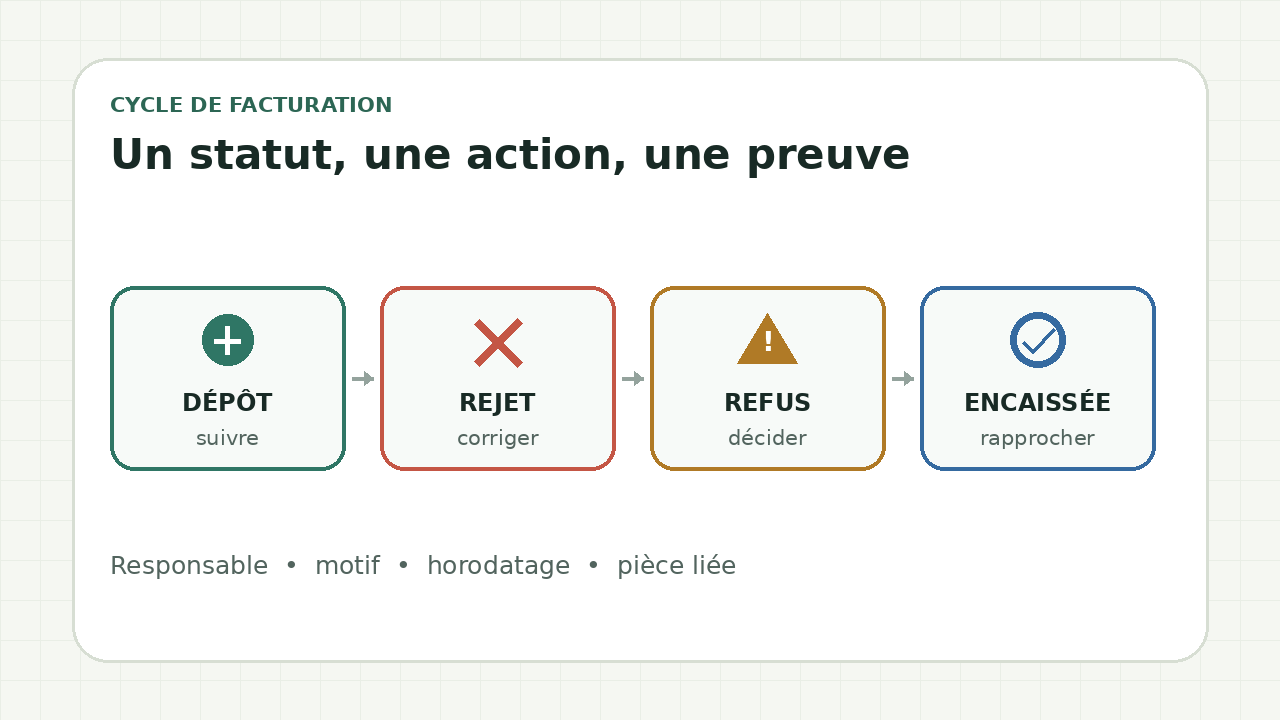
Submission, rejection, refusal and payment describe different stages. Submission and rejection come from the platform. Refusal comes from the recipient. The payment received status records payment for the relevant transactions. Assign an owner, action and supporting evidence to each event before automating the next step.
Read the four statuses without confusing them
| Status | What it establishes | First useful action |
|---|---|---|
| Deposit | The platform accepted and timestamped the invoice. | Retain the identifier and timestamp, then track delivery. |
| Rejection | The platform rejected the file during its checks, for example because of its format or inconsistent amounts. | Read the technical reason, correct the relevant data and retain the report. |
| Refusal | The recipient refused the invoice, for example because it was sent to the wrong recipient or contains disputed information. | Obtain the business reason and decide whether to correct the file, issue a credit note or discuss it with the customer. |
| Payment received | The payment date and amount received have been recorded for the relevant transactions. | Reconcile the amount actually received and handle any remaining balance separately. |
Submission therefore proves neither customer approval nor payment. A rejection should not be sent to sales as a dispute. A refusal cannot be resolved by automatically resubmitting the same file.
Assign each event to the right person
| Event | Owner of the initial review | Proof to be kept |
|---|---|---|
| Rejection on submission | Person preparing or submitting the invoice | Reason, affected file, date and correction applied |
| Recipient refusal | Owner of the customer account | Reason received, discussion and decision on a credit note or new invoice |
| Full or partial payment | Person reconciling bank transactions and invoices | Value date, amount, payment reference and balance |
| Missing or inconsistent status | Accredited platform owner | Identifiers, screenshots or exports, and any support ticket |
This allocation prevents a blocked invoice from being left between accounting, sales and support. It also retains the reason for a correction instead of silently replacing a value.
Diagnose a rejection before resubmitting
- Find the document identifier and the exact reason provided by the platform.
- Classify the reason: file structure, missing mandatory data, inconsistent amount or identification issue.
- Compare the rejected value with the commercial document and customer data.
- Follow the procedure required by your platform and accounting rules. Do not edit an issued invoice as if it were a draft.
- Retain the initial report, the correction and any new identifier.
Public documentation describes the common statuses, but screen labels and correction workflows depend on the platform. A guide that invented a universal button would be misleading.
Treat a refusal as a business decision
Start by separating three situations: the wrong recipient, a verifiable invoice error, or a disagreement over delivery or service. Each requires a different response. An error may require a correction under the applicable rules. A dispute requires discussion and a documented decision. An incorrect recipient requires checking the customer file before resubmission.
Retain the customer's reason and the person who decided what to do next. This prevents an automated reminder from requesting payment of an invoice that has already been refused.
Reconcile payment received status with the actual payment
For the relevant transactions, record the date and amount actually received. A partial payment must not hide the balance. Retain the bank reference, reconciled amount and date used. The guide to checking payment before a reminder explains this check.
The status is not a substitute for bank reconciliation. It also does not prove that the accounting entry has been reviewed.
Hypothetical example: from rejection to partial payment
A small agency submits an invoice for €1,200 excluding tax, €240 VAT and €1,440 including tax. The platform rejects it because the file total does not match the line items. The agency retains the report, finds the incorrect value and follows its platform's correction workflow.
The customer then refuses the corrected document because the purchase order reference does not match the file received. The account owner checks the document, records the reason and follows the appropriate accounting procedure. The customer later pays €720. The agency reconciles this amount, records the date and partial payment for the relevant transaction, and keeps the remaining balance visible.
This example illustrates the method. It does not describe an invoice actually processed or the interface of a particular platform.
Automate only after defining the exceptions
- A rejection opens a technical task with its reason, never a customer reminder.
- A refusal pauses reminders until the account owner makes a decision.
- A partial payment updates the balance without closing the invoice.
- A missing or inconsistent status creates a manual review with the relevant identifiers.
In October 2026, the ministry reported that problems transmitting statuses could disrupt automated processing. Check that the status is present and consistent before triggering an irreversible action.
Limits to retain in the procedure
The rules define common statuses and how they circulate. Platforms may provide additional statuses and different workflows. Check their documentation for the available fields, permissions and corrections. The general guide to electronic invoicing in 2026 places these exchanges within the reform timetable. The guide to accredited platforms and compatible solutions helps distinguish the different roles.
Sources and method of this analysis
DGFiP: understand lifecycle statuses ; Légifrance: statuses and the parties responsible for updating them ; DGFiP: external B2B specifications, version 3.2 ; Ministry for the Economy: operational monitoring of the reform The regulatory statuses and their owners are checked against DGFiP specifications and the ministry's operational monitoring. Sources reviewed on 1 November 2026. Methodology · Trade transparency · Report correction.