Analysis of official documentation, with no testing on a paid account.
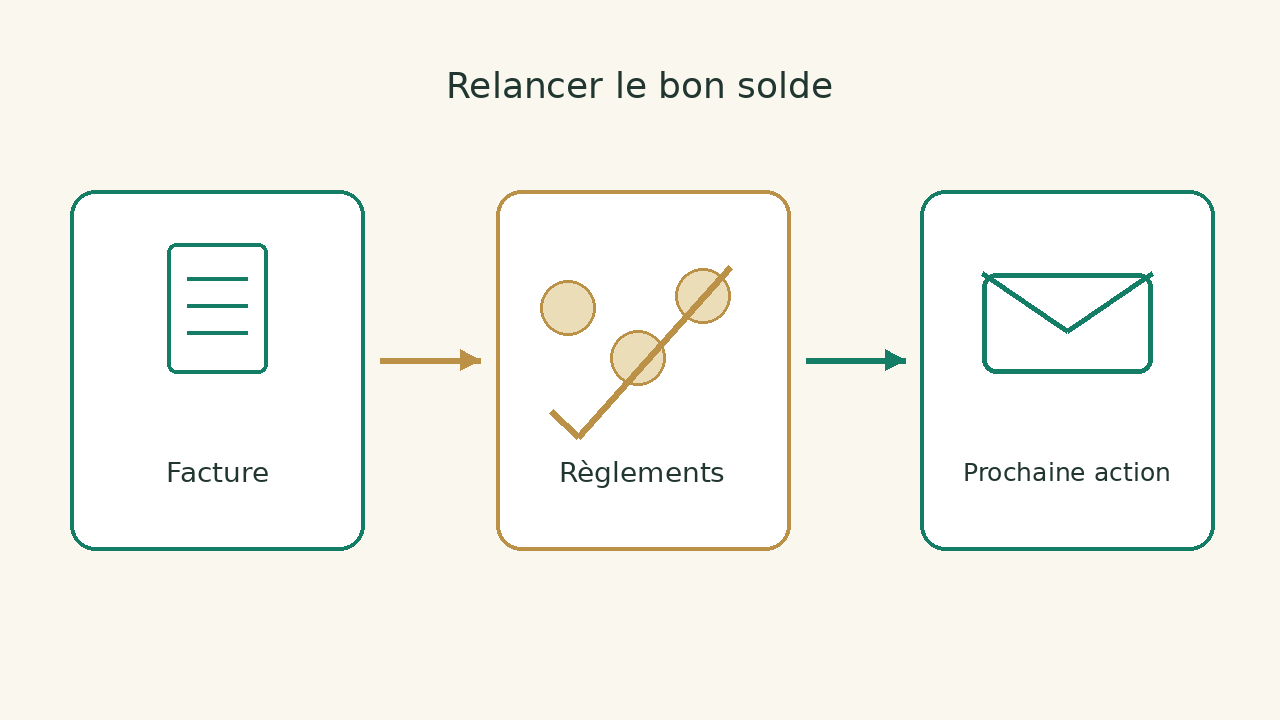
In this guide
- Before the message, check that the invoice remains due
- Distinguish the payment due date from the reminder schedule
- Sort blocking before selecting a message
- Prepare a workable follow-up sheet
- A friendly message centered on resolution
- Automate only what follow-up can stop
- Choose the software from the complete folder
Before the message, check that the invoice remains due
An invoice shown as “unpaid” may reflect a payment received but not reconciled, a partial transfer, a missing document or a disagreement about the service provided. Sending the same reminder for these four situations mainly creates unnecessary exchanges. For a freelancer or small business, the priority is to understand the case before triggering an automated sequence.
This guide proposes a follow-up method and an amicable message to adapt. It is based on French administrative sources and the Indy billing guide. The perimeter is an invoice addressed to a professional customer in France; a legal proceeding, a particular customer or an international file require a different analysis.
Distinguish the payment due date from the reminder schedule
Find the invoice, agreed terms and expected settlement date. Public Service Enterprise presents the period of principle between professionals and the time limits negotiated, subject to conditions and with sectoral exceptions. It also recalls that penalties may apply without a previous reminder. The schedule chosen to send an amicable message therefore does not change the terms of payment of the contract alone.
Do not copy a "J+5, J+15, J+30" rhythm as if it were a universal legal obligation. The Indy guide suggests a reminder schedule and distinguishes this recommendation from statutory deadlines. Our method is to choose the next action according to the cause of the problem: send a missing document; reconcile a reported payment; handle a dispute with the person responsible for the case.
For penalties, use the applicable terms and the current administrative guidance. This guide provides neither a fixed rate nor a ready-to-apply legal calculation. If the due date, contract or amount is disputed, have the case checked before automating the next steps. Check the invoice against the terms of sale; our guide invoice, down payment and have helps to distinguish documents.
Sort blocking before selecting a message
| Finding | To be checked | Proposed action |
|---|---|---|
| No payments recovered | Due date, correct recipient, invoice and documents sent | Request the expected settlement date and possible reason for blocking. |
| Payment announced | Reference, date, amount and account recipient | Check reconciliation before sending another reminder. |
| Partial payment | Amount received, justified balance and possible down payment | Repeat the exact balance, not the initial total per reflex. |
| Delivery or contested invoice | Nature of disagreement and person responsible for resolving it | Suspend repetitive messages and address identified disagreement. |
| Bill sent to bad service | Accounting service address and expected order reference | Correct the routing and note the new contact. |
The table describes management decisions suggested by Logicelio. It does not alter any right to payment. In your software, keep a note explaining why a payment reminder is on hold: “payment awaiting reconciliation” and “open dispute” must not become two forgotten cases. Assign someone responsible and a next review date to each note.
Prepare a workable follow-up sheet
For each invoice, record its reference, customer, due date, total, payments already identified and the balance to check. Add the customer's latest reply and the next action. The record must show the payment found, any obstacle and the person responsible for resolving it.
Keep tracking in the billing file: close balance, reason for blocking, person in charge of follow-up and date of next action. Software data and supporting documents remain the references; copying amounts into a parallel file can create a second balance difficult to maintain.
Consider this example: an invoice for 1 000 € has received a payment of 400 €. The calculated balance is 600 €, before any credit note or other adjustment that needs checking. If the CRM still sends a message asking for 1 000 €, the problem is not how firm the wording is: the follow-up does not account for the payment received. This calculation checks the outstanding balance to request.
A friendly message centered on resolution
Write a short message to the person who can move payment forward. Attach the invoice or make it accessible without exposing other customers' information. Check payment details through your usual process; do not introduce an improvised change of bank details in a reminder.
Hello [interviewer],
We take stock of the invoice [reference], which expired on [date]. After verification of the settlements received, the balance outstanding is [amount confirmed]. The invoice is attached to this message.
Could you confirm the expected payment date? If payment has already been made, please provide its reference so we can reconcile it. If a document or correction is holding up processing, please tell us which one and who should receive it.
Thank you, [usual signature and contact information].
This template is original and adaptable; it does not constitute a formal demand for payment. Replace every field before sending and adjust the message to the case. If you do not know the balance, do not fill in an estimated amount. A good message makes a useful reply easier: a date, payment reference, missing document or specific disagreement.
Automate only what follow-up can stop
Before enabling a sequence, choose the conditions that must stop further messages: a recorded payment, an allocated credit note, an identified dispute or a payment commitment that needs checking. Make sure this information reaches the system that triggers the message. A delayed bank sync can leave an invoice in the wrong category; our guide to synchronisation in Indy processes deviations to be examined.
Prepare internal test cases: a paid invoice, a partial balance, a disputed invoice and a case with no response. For each, first write down the expected message or stopping point. Then check behaviour in your own configuration before any live sending. We do not assume that Indy, Axonaut or a connector all trigger the same sequence; their features and permissions must be checked in the relevant account.
- Can a person stop the sequence without deleting the invoice?
- Is the balance updated before the message is generated?
- Is a client's answer visible to the person managing the file?
- Do the messages already sent and the decisions made remain recognizable?
Choose the software from the complete folder
If your main problem is payment reconciliation, start by examining bank data and invoice references. If the problem concerns communication between sales and administration, check instead who can see the documents, replies and statuses. The reviews Indy and Axonaut, and the billing category, broaden the choice without suggesting that follow-up features work identically in every product.
Use this method to review cases before sending a friendly payment reminder. Leave contractual disputes and the initiation of debt collection to the appropriate professional. The success criterion is simple: the amount, the reason for the delay and the next action are explained, rather than a series of messages being sent without follow-up.
Sources and method of this analysis
Public Service Entrepreneur : professional delays and late payment ; Indy: information and recommended schedule for friendly payment reminders The administrative source sets out the general rules; the checklist, fictional balance calculation and friendly message are Logicelio proposals, with no individual legal advice or reminder sent. Sources consulted on 9 October 2026. Methodology · Trade transparency · Report correction.