Analysis of official documentation, with no testing on a paid account.
In this guide
In Indy, deferred card purchases and the monthly debit are not classified in the same way. Categorise each purchase by type, then classify the total debit as Deferred debit card. Otherwise, the same month may appear to contain each expense twice.
Method. Documentary review of three Indy help pages on 20 November 2026 and a fictional month reconciliation. No bank account or Indy account was used.
Separate purchases from the monthly debit
The card records purchases throughout the month. The current account is debited only for the total on the due date. Indy says purchases should retain their expense category, while the settlement shown on the current account receives the Deferred debit card.
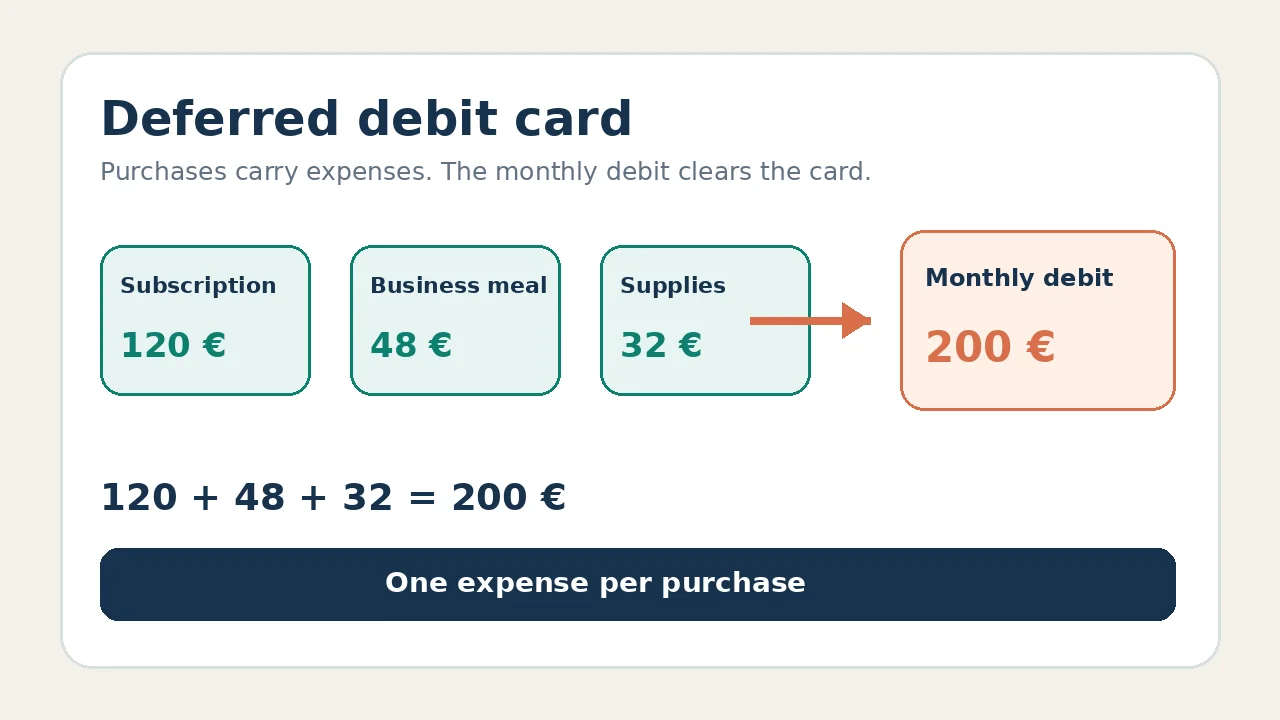
Fictional example: a €120 subscription, a €48 business meal and €32 of supplies total €200. The three purchases carry the accounting categories. The €200 debit clears the card account; it is not a fourth expense.
| Line | Treatment | Check |
|---|---|---|
| Subscription, €120 | Category matching the service | Receipt and purchase date |
| Meal, €48 | Category matching the meal | Receipt and business purpose |
| Supplies, €32 | Category matching the purchase | Receipt and amount |
| Monthly debit, €200 | Deferred debit card | 120 + 48 + 32 = 200 € |
Reconcile the month without mixing up dates
Filter transactions by account, period and deferred debit card. Indy also documents filters by amount, category, receipt and type. The display is limited to 400 transactions, so shorten the period if a broad search reaches that limit.
Do not force a statement total into the calendar month of the purchases. Indy notes that a statement may include payments from the previous month. Start with the statement period, add the purchases shown there, then compare that total with the current-account debit.
If the total debit differs from the visible purchases, first look for a missing transaction, refund or timing difference. Do not create a fictional expense to make the difference disappear.
Handle incomplete history
During banking-history validation, Indy accepts original electronic PDF statements to cover a missing period. The document must not be a scan and must match the synchronised account. According to the reviewed help page, this step is not available on the Essentiel plan.
Indy allows only one deferred debit card to be added. With several cards, the help page describes a separate treatment: the synchronised card’s settlement can be classified directly, while other amounts may need splitting. Check your bank’s case in the help page before changing a settlement, because Indy also documents exceptions for American Express, Bred and BoursBank.
For a genuinely missing transaction, follow the troubleshooting in the guide to Indy bank synchronisation. The Indy review places this function in the wider software choice.
Partner link
Sources and method of this analysis
Indy: how deferred debit cards work ; Indy: filter and explore transactions ; Indy: complete banking history Documentary review of three Indy help pages and a fictional month reconciliation. No bank account or Indy account was used. Sources reviewed on 20 November 2026. Methodology · Trade transparency · Report correction.