Recover FEC and supporting documents separately
For the FEC, open Documents, select the financial year, then FEC and Download. For supporting documents, go through Documents, Accounting, then Accounting export and enable the inclusion of attachments. Accounting export requires a paid plan; check the ZIP file received before sending the records.
Analysis of official documentation, with no testing on a paid account.
We confronted the Indy export help pages with DGFiP guidance on the structural control of the FEC, the 29 September 2026. The Logicelio contribution is a method of preparing and receiving documents; it does not constitute a certification of your accounting.
In this guide
- Where to download the FEC and the supporting documents in Indy?
- From the request of the recipient
- Choose the documents for your plan
- Export proofs with their correct dates
- Control the FEC without turning it into a worksheet
- Figing an understandable working version
- Do not terminate until approved
- References and scope of this guide
Where to download the FEC and the supporting documents in Indy?
Two separate workflows are described in the official help documentation, rechecked on 11 October 2026. Preparing the FEC on the free plan does not provide access to its export: the Indy plan comparison table limits accounting export to a paid plan.
- For the FEC: open Documents, select the relevant financial year, then FEC and Download. Keep the original file. Source: Recover FEC.
- For supporting documents: Open Documents, Accounting, then Export Accounting. Choose the dates, enable the inclusion of the supporting documents and request the email. You receive a ZIP archive. Source: download the supporting documents.
- Before transmission: Note the time and date of extraction, open a copy of the files, and then have the recipient confirm what they were able to use.
Is the button missing, or does the ZIP lack the expected supporting document?
Record the plan used, the financial year selected and the name of the requested document. For a missing document, also check the date range and inclusion option. Report the exact result to support from your account. Do not cancel solely on the basis of an email received if the records have not been checked.
The titles and rights visible in your account remain to be checked.
From the request of the recipient
A bank requesting a balance sheet, an accounting firm taking over the bookkeeping and an authority requesting a file in a prescribed format do not necessarily expect the same set of documents. Before downloading, ask for the document list, relevant financial year and accepted formats. Specify whether you are sending interim figures or finalised accounts. Include this information with the records sent.
For a resumption by a firm, also specify the date from which it will intervene. Who deals with pending operations? Who corrects a missing piece? Who sends a statement already prepared? These responses avoid that a task is performed twice, or that each assumes that it falls under the other. The comparative Indy and Tiime Examine the organization with a firm.
Make a simple inventory with four columns: expected document, period, received file and point to be confirmed. A line may remain marked "not applicable" if the recipient confirms it. However, an absent file should not disappear from the list. Keep the question open until you know if it is missing or does not meet your plan.
Choose the documents for your plan
Thehelp Indy for BNC lists, among other items, tax return 2035, the trial balance, general ledger, FEC and accounting journal. It distinguishes accounting documents from returns and states that documents may change when transactions are modified. Download from Documents by selecting the required year, rather than automatically keeping the displayed financial year.
The page on companies presents another set, with balance sheet, profit and loss account and IS related documents. It indicates a document-by-document download. Do not use a BNC list as a universal list for a SASU. The fact that a help page mentions a document does not mean that it will be relevant or available for each status and subscription.
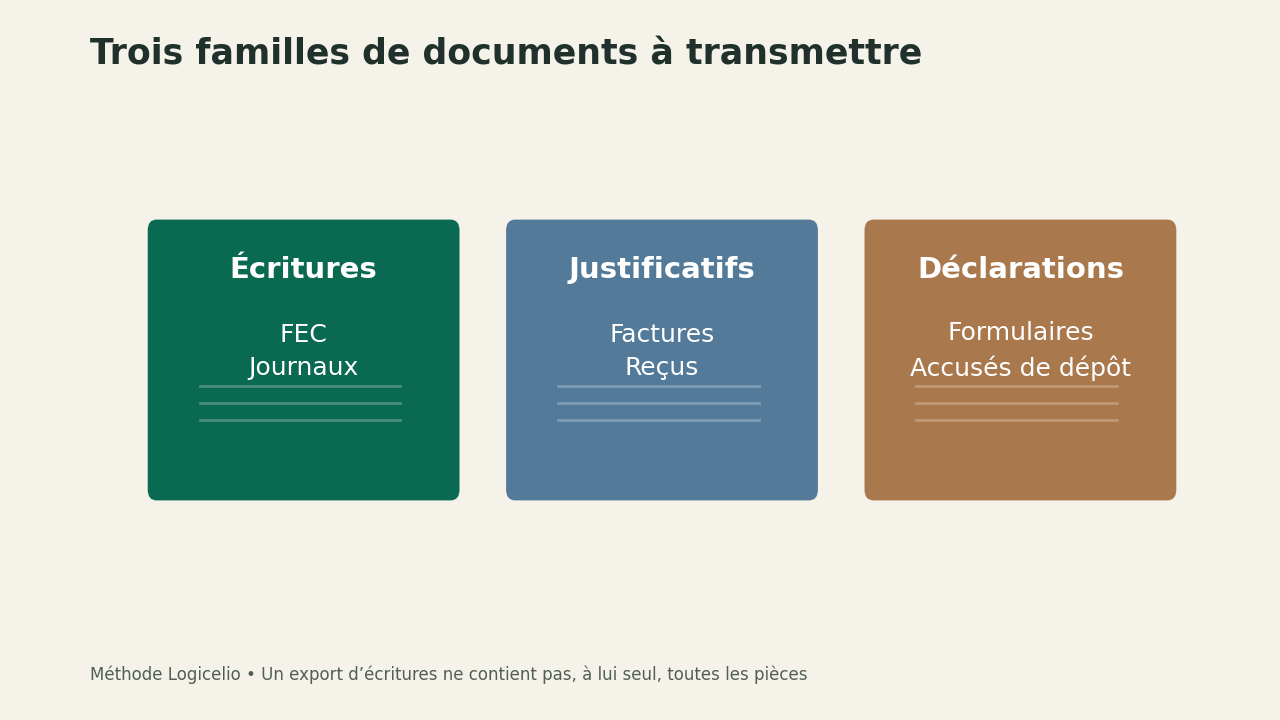
| Family to be distinguished | Examples to be requested | Question of receipt |
|---|---|---|
| Accounting entries and statements | FEC, balance, general ledger | Correct financial year and usable format? |
| Supporting documents | Invoices, receipts, attached documents | Are the documents readable and linked to their transactions? |
| Statements | Documents applicable to your plan | Prepared version or confirmed transmission? |
This classification helps organise the handover; it does not claim that every document is mandatory for every business. A micro-enterprise does not automatically need the same records as a company. If your tax regime changed along the way, have the periods to separate confirmed before producing a single export.
Export proofs with their correct dates
The documentation of supporting documents describes an export from Documents, then Accounting and Accounting export. Select the date range and request inclusion of supporting documents; the result is emailed as a ZIP archive. Check this option explicitly: downloading accounting entries without their documents does not fulfil the same request.
Once received, unzip a copy of the archive and open several different types of file. A photo may be too blurry, an invoice may span several pages or a document may have the same name as another. Check the actual content, not just the number of files. A folder containing a hundred files can still be incomplete if the most important supporting documents are missing or unreadable.
Then choose a few recognizable transactions: a large expense, a client settlement and a refund, for example. Ask if you can find the corresponding piece from the reference or date. This sample check does not attest to the completeness of the file; it allows for the quick identification of an untapped organization before the complete shipment.
Control the FEC without turning it into a worksheet
The Indy’s guide to the FEC refers to a technical format and the control tool of the DGFiP. For its part, the DGFiP specifies that Test Compta Demat checks the file structure and reports anomalies. A satisfactory structural result is not a validation of all accounting decisions contained in the entries.
Keep the original export exactly as produced. If you want to examine the data in a spreadsheet, work on a clearly identified copy. Saving a file again can change separators, dates or leading zeros without an obvious visual difference. Do not send this viewing copy in place of the original simply because it seems easier to open.
If a control detects an anomaly, keep the correct message, file and export settings. Address them to the appropriate interlocutor rather than individually correct a column to remove the warning. A correction must remain consistent with the source folder. Control is a way to locate a difficulty, not a contest of getting a green box.
Figing an understandable working version
If a transaction changes after you download the export, that export may differ from the records in Indy. Record the date the export was generated in your inventory and keep the files you sent together. If you need to export again, tell the recipient which files replace the previous set. Avoid mixing a recent trial balance, older supporting documents and an FEC from a third export.
We suggest creating a folder for each financial year and each transfer, followed by a short accompanying document: period covered, extraction date, provisional items and open questions. The recipient must be able to identify the version they are handling without relying on the latest verbal message. For a large transfer, use the agreed channel and check the recipient’s address before sharing; these documents may contain customer and supplier data.
Do not terminate until approved
The Indy plan comparison table distinguishes FEC preparation from export, with export described as a paid feature. Check your plan's entitlements while you still have access to the records. Our comparison of Essentiel, Plus and Autonomie explains this point without confusing preparation with actual recovery.
Ask for a useful acknowledgement: do the files open, cover the agreed period and allow for the start of work? "Email received" answers only to the question of transport. Keep a list of the items still expected and the name of the person responsible for providing them. If movements are absent upstream, the synchronization guide helps deal with the cause rather than exporting a deficiency.
You can then decide whether to maintain or discontinue the subscription according to the remaining corrections and contractual conditions. The Indy review remains the point of entry to evaluate the tool; here, the success criterion is different: a third party must be able to understand and exploit the submitted file, with its clearly stated limits.
Partner link
References and scope of this guide
Separate the document families, keep the original files and define a receipt check with the recipient, without confusing technical validation with accounting certification. Primary Sources Consulted on 29 September 2026: Indy plan comparison table ; Source: Recover FEC ; documentation of supporting documents ; help Indy for BNC ; page on companies ; Indy’s guide to the FEC ; DGFiP specifies that Test Compta Demat checks the file structure