Analysis of official documentation, with no testing on a paid account.
In this guide
- Choose the action according to the risk
- Create an inventory before changing access
- Transfer ownership while the member is still present
- Create and test an .rtb backup
- Hypothetical example: twelve boards before a departure
- Remove the member without losing or exposing content
- Final handover check
- Limits to keep in the decision
Documentary review of the Miro Help Center, without accessing a workspace or removing a member.
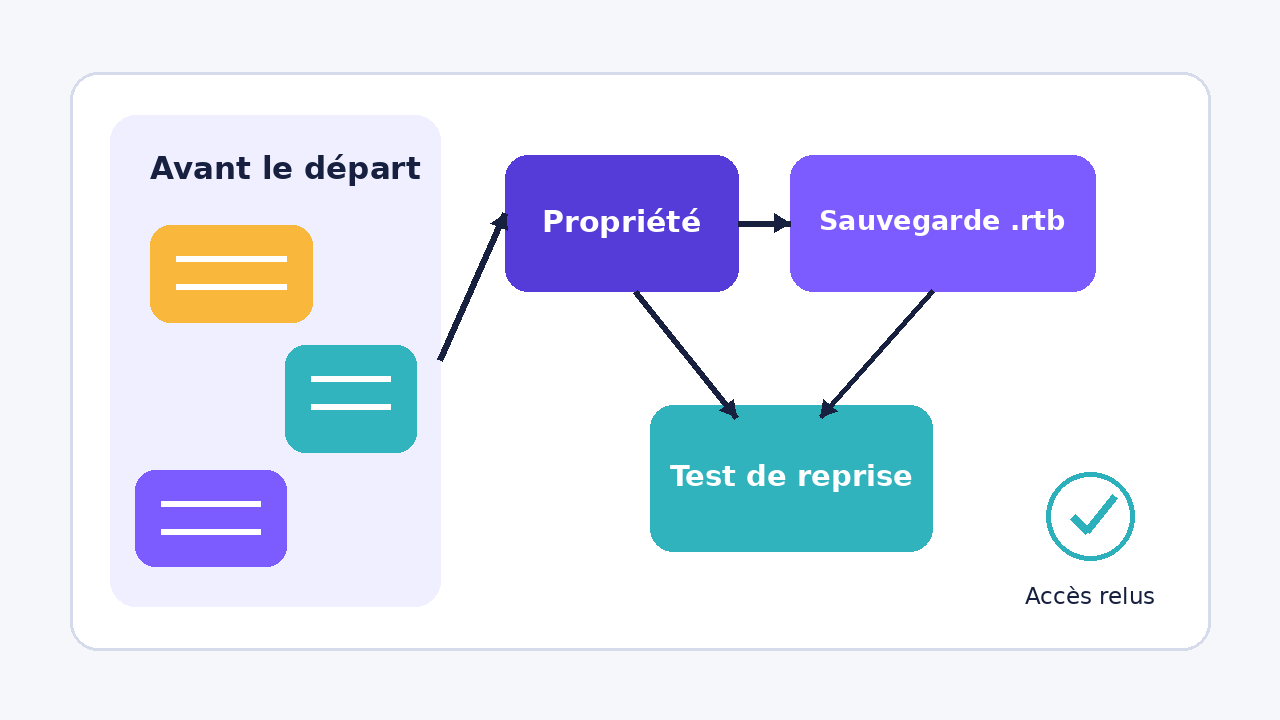
Before a member leaves, start by transferring ownership of boards that are still in use. Add a .rtb backup when the plan and role allow it, then test its restoration in the team that must retain the content. The backup complements the transfer: it replaces neither access rights nor the review of public links.
Choose the action according to the risk
| Situation | Main action | Point to check |
|---|---|---|
| The owner is still available | Transfer each active board to a member of the same team. | The ownership transfer is described as irreversible. |
| An independent copy is required | Download an .rtbbackup, then import it into a paid team. | Eligible plan, authorised role and a maximum 1 GB file in the interface. |
| The member is no longer available | Ask an administrator to reassign content when removing the member. | Explicitly choose the recipient and do not delete useful resources. |
| The board was shared through a public link | Review or remove this sharing setting after reassignment. | Removing the member does not revoke a public link they retained. |
The transfer keeps the board in its team and changes the person responsible for it. A backup creates an archived copy that can be restored as a new board. These are two different responses: prioritise transfer for day-to-day continuity and a backup for a recoverable copy.
Create an inventory before changing access
- List the boards the person owns and separate active boards, archives and tests.
- For each active board, choose a member of the same team who can take responsibility for it.
- Identify boards shared with the whole team, guests or through a public link.
- Record the Miro plan and the role of the person who must download the backup.
- Choose a representative board to test transfer and restoration before processing the rest.
This list must be reviewed by the person who actually manages the projects. An administrator may see resources to reassign without knowing which ones are still used for a client delivery. The business review must therefore take place before the account is removed.
Transfer ownership while the member is still present
Miro states that the owner can assign ownership to another member from the sharing settings. The new owner must belong to the same team. An external person who is merely invited to the board is not enough: they must first become a team member under the organisation’s rules.
Once confirmed, the transfer cannot be undone through this process. Start with a non-critical board, check the new owner, then continue one board at a time. If the owner has already left, Miro’s help centre directs you to the administrator, who can remove the member and reassign their content.
Create and test an .rtb backup
Board backup is documented for Starter, Business, Enterprise and Education plans, from the browser or desktop application. Downloading is limited to the owner, co-owner or, on Enterprise, an authorised Content Admin. The Free plan therefore does not provide this backup process.
The .rtb file can be imported by a user into a paid team. Miro then creates a new board whose title includes ‘Restored’. The interface limits both downloads and imports to 1 GB. Above this limit, Miro recommends splitting the board, using board versions or contacting support for the import.
- Download the backup from the board menu or its menu on the dashboard.
- In the destination team, use the backup import command.
- Open the restored board and compare the areas that are essential to the team’s work.
- Check its owner, its location and the people who need access.
- Keep the file with a date and the board name in the company’s designated backup location.
Miro does not provide bulk backup of several boards through this process. Set an order of priority instead of attempting a last-minute export.
Hypothetical example: twelve boards before a departure
An agency is preparing for the departure of a project manager who owns twelve boards. Seven support active projects, three document completed projects and two are tests with no recovery value.
The agency transfers the seven active boards to two managers in the same team. It downloads and restores a backup of one client board to verify the process, then backs up the three useful archives. The two tests are reported to the administrator for deletion. Finally, it reviews the public links for client boards before removing the member. This example illustrates a method; no operation was carried out in a Miro account.
Remove the member without losing or exposing content
When an administrator removes a member, Miro allows ownership of their boards, spaces or templates to be passed to another member, or those resources to be deleted. On the plans covered by the help article, deleted boards can still be restored by an administrator for 90 days. This period is a safety net, not a handover method.
A removed member loses access to team content, but Miro states that they may retain access to boards shared through a public link if they kept those links. After reassignment, review the sharing settings of sensitive boards and remove access that is no longer required.
Final handover check
- Every active board has a named owner who is present in the team.
- At least one representative backup has been restored in the target team.
- Backup files meet the documented limit and are dated.
- Publicly shared boards have been reviewed after removal.
- The people responsible know which boards were transferred, archived or deleted.
This review separates three risks: losing operational ownership, lacking a reusable copy and leaving sharing open. A change of owner alone does not automatically address the other two.
Limits to keep in the decision
The roles, plans and processes cited are those documented by Miro on 1 November 2026. Enterprise rules may depend on Content Admin permissions. A backup does not prove that every external integration will continue to work in the destination team. For a critical board or one larger than 1 GB, test recovery before the departure and use official support if the import fails.
Sources and method of this analysis
Miro: back up and restore a board ; Miro: transfer board ownership ; Miro: remove a member and reassign their content ; Miro: leave a team and lose access to boards Roles, plans, backup limits and reassignment rules are combined in a handover method before a member leaves. Sources reviewed on 1 November 2026. Methodology · Trade transparency · Report correction.