Analysis of official documentation, with no testing on a paid account.
In this guide
- Synchronization, export and restoration are not equivalent
- Start with the information that makes the company run
- Notion: Keep content without promising an identical space
- CRM: preserve complete records and their attachments
- Define frequency from acceptable loss
- Separate access and protect exports
- Check a recovery scenario before the incident
Your contacts, projects and documents can all live in online software. This does not yet tell you how to recover them if an account becomes inaccessible, if an error spreads or if you leave the service. A useful backup must enable a specific activity with legible data to resume.
This literature review distinguishes the possibilities announced by Notion and Pipedrive from the general recommendations of Cybermalveillance.gouv.fr. Sources consulted on 8 October 2026.
Synchronization, export and restoration are not equivalent
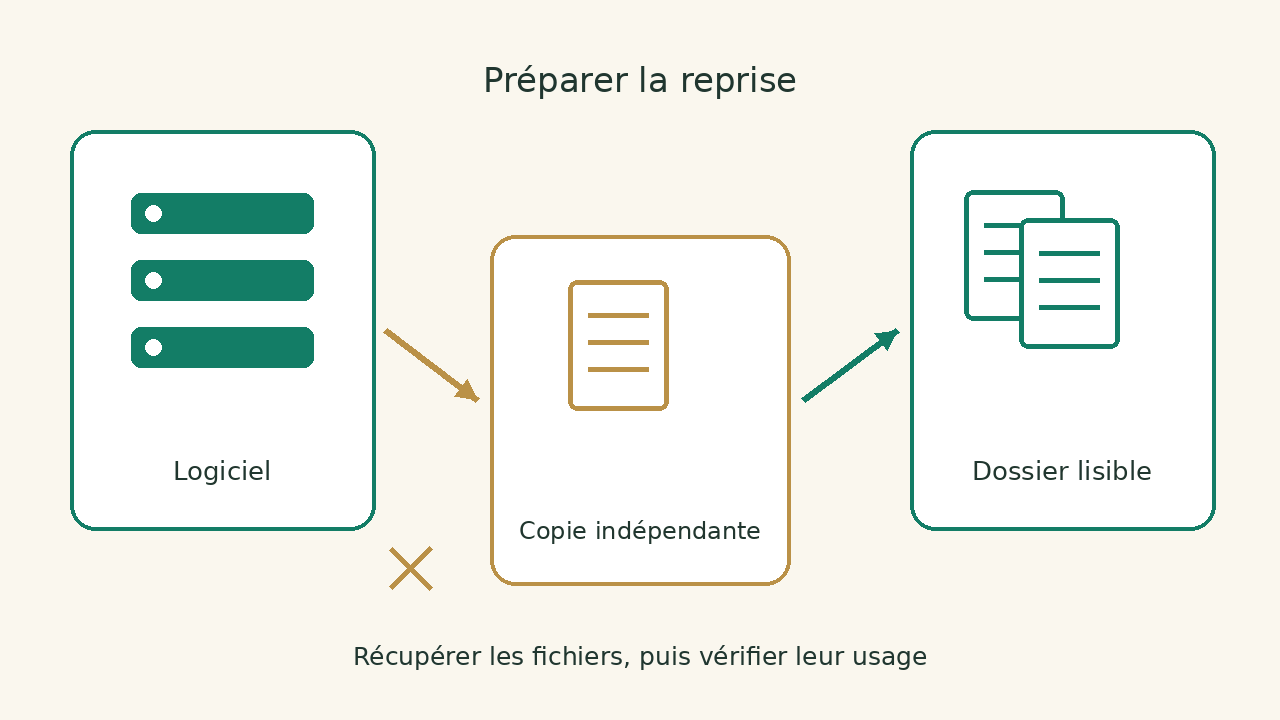
Synchronisation connects systems. It can also propagate a deletion or change you did not want. An export creates a set of files at a given moment. A restore makes usable information available again, with the context needed to work.
These mechanisms may complement each other, but their results differ. Copying an array of contacts keeps certain values. Also take back associated activities if necessary. Keeping a file of documents can make it possible to read them without rebuilding permissions, automations or links between pages.
The question to be asked of the supplier is therefore precise: what incident does his mechanism cover, for how long and with what procedure? Ask separately what happens after deletion, account closure and departure of the service. A general promise of data protection does not necessarily describe these three situations.
Start with the information that makes the company run
List the data needed for a working day: appointments, deals requiring follow-up, customer documents, open tasks and billing information. For each set, identify the software, the person responsible and a way to read it outside the service. Do not choose a backup solely by storage volume.
We propose a checklist based on the task you need to restore rather than the software’s name. For example, “retrieve upcoming appointments” is a more verifiable need than “back up the CRM”. The former helps you define which fields and supporting documents to keep, then check whether the recovered file meets that need.
| Use to be restored | Information required | Evidence to be sought |
|---|---|---|
| Follow up on a deal | Contact, amount, step, next action | Readable folder and relation between objects |
| Continue a project | Tasks open, responsible, documents | Due dates and supporting documents available to view |
| Find a procedure | Text, files, useful internal links | Operating content without connection to source account |
Add files hosted elsewhere and only linked from the software. A page may appear complete while depending on one piece on another storage. The copy must cover what you need to resume, not just the first visible screen.
Notion: Keep content without promising an identical space
Notion documents the export of HTML, Markdown and CSV content for databases, with downloaded files. Export does not automatically contain the pages to which the person making it does not have access; some restrictions also depend on the space and its settings.
The vendor specifies that the workspace cannot be instantly recreated by re-importing this export. For a small team, our advice is to choose the procedures and documents that must remain legible separately. The availability of files and the exact reconstruction of space are two objectives to check independently.
Open a copy of the files in a review folder and go through the priority content. Check the images, attachments and links that make the procedure understandable. Downloading a ZIP file does not prove that every important document has been recovered and can be read by its intended recipient.
The Notion review and Notion and Asana comparison the organization of work. Add the recovery of information to your criteria before building a space on which all procedures depend.
CRM: preserve complete records and their attachments
In Pipedrive, export depends on permissions and data visibility. The documentation specifies that the associated activities, notes and files must be recovered separately. Documents stored in Google Drive are not included in the overall export. A list of contacts alone does not therefore represent all commercial work.
For your recovery plan, decide how to read a complete case without the usual interface. Files can be assembled in a folder documented or reconciled by an identifier. The important thing is to keep the link between the person, the company, the follow-up and the relevant documents.
The guide change from CRM without losing data explains the connections and import control. For a backup, start by proving reading and completeness; a reimport to another service requires additional verification.
Define frequency from acceptable loss
Ask how much work you could do again if the last copy was dated the previous day or week. The answer depends on the data. Procedures that rarely change and an agenda that evolves every day do not necessarily call for the same frequency.
We recommend documenting this acceptable loss for each dataset and assigning someone to check it. A backup schedule without an owner can leave a recurring error unnoticed for a long time. A success notification must be checked against the actual presence and content of the files.
Cybermalveillance.gouv.fr recommends regular backups, copy protection, offline media when applicable and functional checks. Choose a device that reduces the risks common to the original data, instead of keeping all copies under the same fragile access.
Separate access and protect exports
An export can gather more information than a user usually sees. Limit its consultation to those who need it, plan its encryption when its sensitivity justifies it and document where to find the means of decryption. A protected file becomes unusable if the only person who knows the key is missing.
Avoid leaving download links open in a collective conversation or shared box without rules. After recovery, place the copy in the intended location and keep the date and perimeter. Also decide which old versions to keep: multiply files without description complicates recovery and exposes more data.
Sharing and recovering access is a complementary topic. The comparative LastPass and Bitwarden review this organization; keep copies of business data in addition to the password manager.
Check a recovery scenario before the incident
We propose to choose a representative folder, then find its information from the copy with the accesses provided for the resumption. Work in a separate environment and avoid overwriting production data during this check. If a real restoration is necessary, define its perimeter and be accompanied according to criticality.
Record what is missing, what remains readable and what still depends on the provider. Successfully opening a file does not establish that a complete restoration has been achieved. The expected result is a verified task: finding a contact, understanding a task or reading a procedure with its supporting documents.
When selecting a new tool, also review the export documentation, necessary permissions and recovery limits. Find solutions in the categories productivity and project management and CRM. The most comfortable service on a daily basis must also allow you to prepare for the continuity of your activity.
Sources and method of this analysis
Cybermalveillance.gouv.fr : backups and functional verification ; Notion: exports and space reconstruction limits ; Pipedrive: scope and export permissions The sources distinguish the recoverable content in the above-mentioned tools from the uses to be checked upon resumption of activity. Sources consulted on 8 October 2026. Methodology · Trade transparency · Report correction.