Analysis of official documentation, with no testing on a paid account.
In this guide
Changing CRM is not just moving contacts. The relationship between a company, its interlocutors, business and activities gives value to the data. A well-filled file can therefore produce an unusable CRM if associations, leaders or future re-launches disappear.
This method proposed by Logicelio is based on the Pipedrive and HubSpot documents consulted on the 8 October 2026. It prepares a migration; it does not report a client operation or a test of such software. The examples are used to prepare the recovery; they do not contain any real business data.
Define what should work on the first day
Before exporting, draw up a list of the necessary routes: finding a customer, understanding an open business, identifying the person in charge and carrying out the next action. Add the necessary documents for follow-up. A team can agree to consult separate archives; they can hardly work if tomorrow's appointments are not found.
Classify the data into three sets: current activity to be resumed, history to be retained and information to be processed before transfer. An unused field does not necessarily have its place in the new tool. Conversely, an old note may explain an important commitment. Sorting must be decided with the people who use this information.
The selection of CRM for small businesses and comparative Pipedrive and HubSpot serve to choose a destination. This guide deals with another decision: how to prove that the data remains usable after the change.
Exporting objects, not just a contact list
Pipedrive documents exports by list view or data type. User permissions and visibility limit what it can recover. An export made with a restricted account does not automatically constitute a complete copy of the company.
The documentation also states that associated activities, notes and files must be exported separately, and that files stored in Google Drive are not included in the overall export. These differences require an inventory of the documents to retrieve. A column containing a link is not the document itself.
We recommend keeping a raw copy of each export and then preparing the changes in a working copy. Record the date, filters, account used and number of lines. This statement will help to understand a different perimeter without confusing a voluntary exclusion with a loss.
Keep IDs and rebuild links
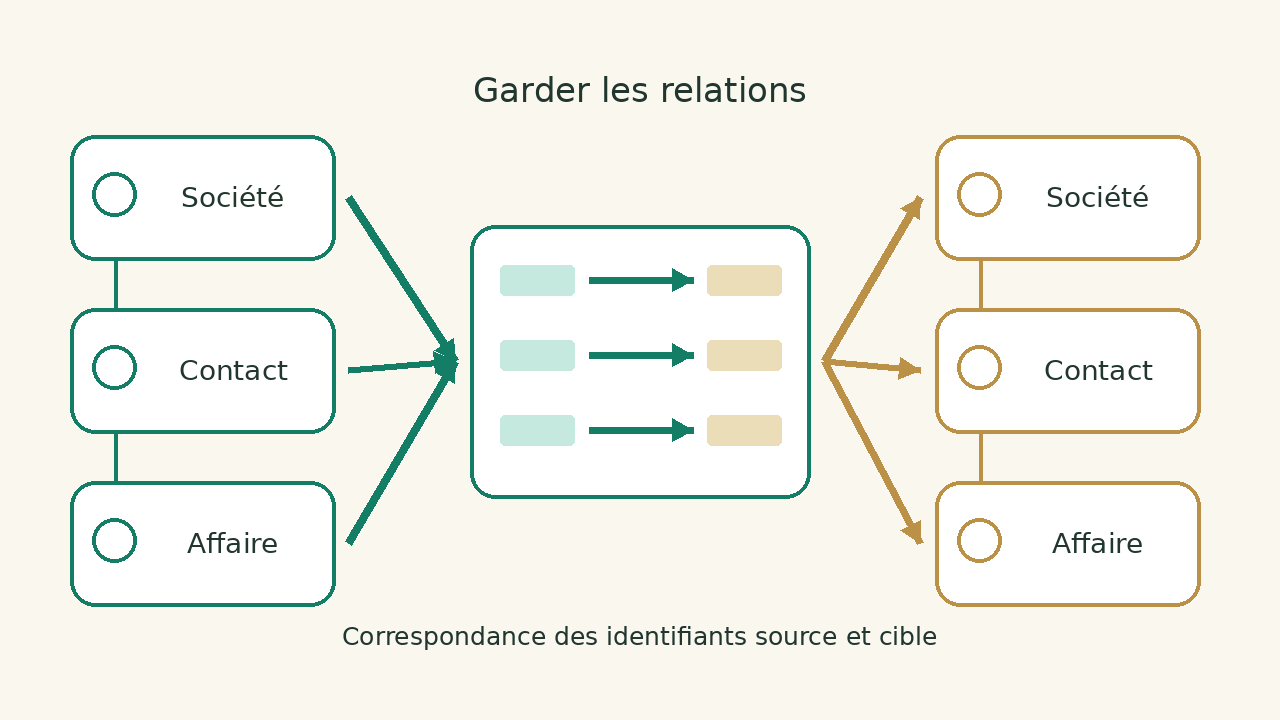
The name of a company is not always enough to identify a card. Two institutions can share a name, and the same contact can occur for several organizations. Keep an ID column from the source system and plan a match to the target system.
| Source object | Key to keep | Correspondence to be checked |
|---|---|---|
| Organization | Source organization identifier | Target enterprise and owner |
| Contact | Source contact identifier | Target contact and associated organization |
| Case | Source case identifier | Pipeline, stage, company and interlocutor |
| Activity | Source activity identifier | Related case, deadline and responsible |
HubSpot distinguishes record creation, updates and associations. Imports use unique identifiers according to the objects and chosen use case. Do not put a Pipedrive identifier in a HubSpot Record ID column on the assumption that they refer to the same record: these identities belong to two different systems.
For the destination, document the role of each key using the selected official procedure. A source key can serve your mapping table, while a destination identifier updates an existing record. Confusing the two can create duplicates or prevent objects from being linked correctly.
Clean without erasing the business context
Set a rule for duplicates before merging them. Compare coordinates, organization, and history; do not merge only on an identical name. Keep track of decisions that group several old cards under a new identity.
Check date formats, number separators and list values. A step called "send quote" may not have a direct equivalent in the new pipeline. Prepare an explicit table that describes the destination of each old step, including lost or archived business.
Decide how to handle record owners who have left the company as an organisational matter. You can reassign an active deal to a current team member without rewriting the historical author of every note. Separate the fields needed for action from those that explain the past.
Run acceptance checks on a representative sample
The first import must cover various cases, not the easiest ones. Prepare a company with multiple contacts, an open case, a closed case, future activity and attachments. Also include a known duplicate case and a custom field used by the team.
After import, open each folder and follow the user path. Is contact associated with good society? Does the case have the right amount and the right step? Is the next action visible to her manager? Are the documents accessible with the usual rights? Counting imported lines does not answer these questions.
HubSpot states that existing emails, meetings, notes and tasks cannot be updated by import. Check how each activity type behaves before rerunning a corrected file. Another import attempt does not necessarily replace the previous items.
Organize a switch with a possibility of return
Set a point after which new data is entered in the new tool. Without this rule, two CRMs can receive simultaneous changes, making reconciliation difficult. Identify integrations still writing to the old system: forms, email, automation and quotation tools.
Before this switch, prepare for the recovery of changes since your first export. Choose who checks this recovery and who allows the opening to users. Do not terminate the old service until the necessary elements and records are controlled and accessible.
The reverse must be described without promising that it will be instantaneous. If the team has already created new cases in the target, it will be necessary to decide how to keep them and avoid double follow-up. A simple return connection to the old CRM does not automatically reconcile the data.
Validate team work after transfer
Ask users to perform their usual actions with their own level of access. A migration may seem complete for an administrator and leave a salesman without his contacts. Also check shared views, notifications and automations that trigger external communication.
Keep the export log, field correspondence and list of accepted deviations. These documents are used for further correction and do not depend solely on the person who made the import. To study the functions and limitations of the destinations listed, find the fact sheets Pipedrive and HubSpot and the category CRM.
Sources and method of this analysis
Pipedrive: export formats, permissions and limits ; HubSpot: preparation of files and identifiers ; HubSpot : import of several objects and limits of activities The selected documentation limits Pipedrive exports and HubSpot import mechanisms; the proposed control remains to be applied on your perimeter. Sources consulted on 8 October 2026. Methodology · Trade transparency · Report correction.