In this guide
Leave the validated quote and check the final amount
In Shine Invoice, the documented procedure creates the deposit from the estimate, then the balance from the same estimate. These features are available from Start. Then check the deposit deduction and the payment received before sending the last document.
Analysis of official documentation, with no testing on a paid account.
This review describes Shine Invoice, which can be used separately from the professional account Shine. The routes and limits come from the helpers consulted the 22 October 2026.
Check that the offer covers the entire journey
The official comparative presents Free for simple invoicing, with up to five customers and no conversion of quotes into invoices. The help pages on deposits and balances identify Start as the entry point. A free plan therefore does not mean the entire workflow described here is free.
Before adopting the tool, list your needs: converting quotes, requesting deposits, sending manual or automatic reminders and working with another person. Automatic reminders and collaboration are included in Plus in the comparison consulted. Check the plan actually offered when subscribing instead of choosing solely by invoice count.
Keep a clear version of what the client accepts
The guide creation of the estimate goes through Invoicing > Quotes. Select the customer, line items, terms and validity period, then send the document. The interface distinguishes draft, pending, acceptance and invoicing stages.
Check the nature of the service, deliverables and agreed settlement schedule before dispatch. If the perimeter changes then clarify the new version before creating the next invoice. Ask for confirmation of the last amount and keep the accepted version. Keep the necessary exchanges to understand the project with its references.
Create the deposit from the relevant quote
According toaid on the down payment, the quote must have been sent and accepted. In the quote list, open its three-dot menu, create the deposit invoice and set an amount or percentage. Check the document before sending it: the correct customer, quote and amount.
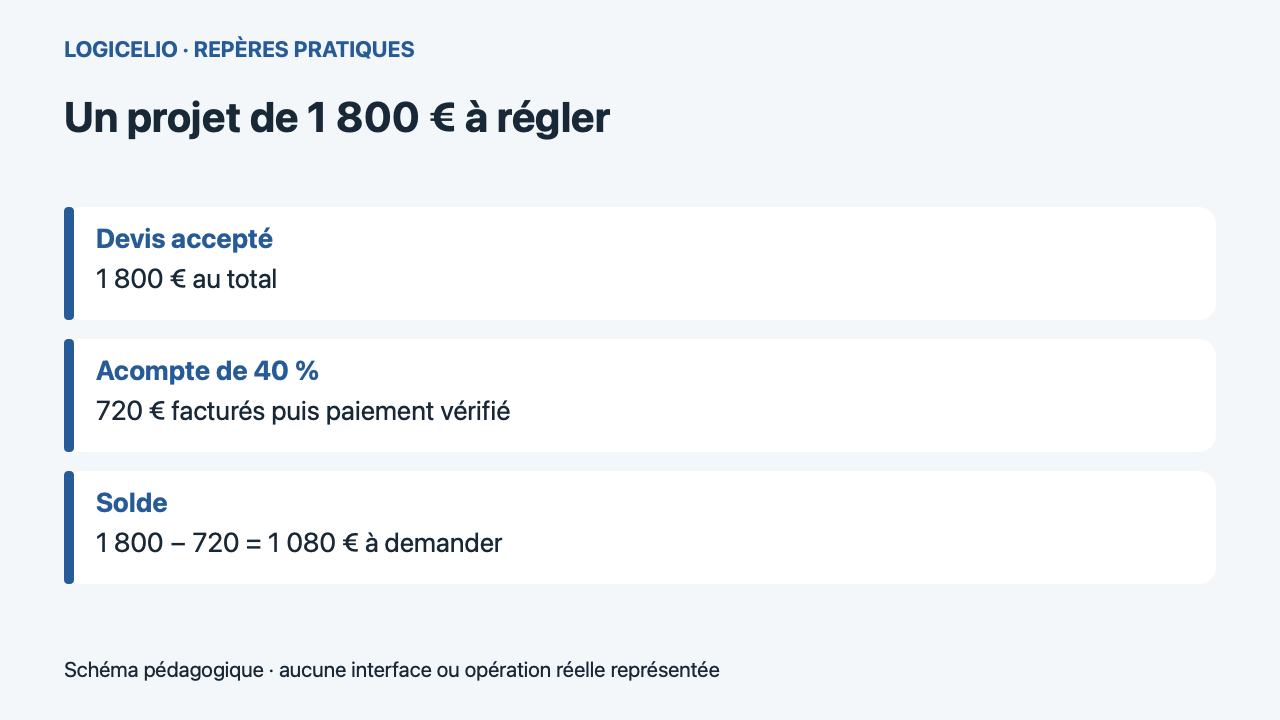
Let us take this case: a mission agreed for 1 800 € to pay, including 40 % on startup. The calculation gives 1 800 × 0,40 = 720 €. If these 720 € are received, the expected additional amount is 1 080 €. These amounts illustrate the monitoring of the settlement; they do not define any plan or rate of VAT.
Distinguish billed deposit and money received
The balance invoice returns to Invoicing > Quotes. Open the quote's three-dot menu and choose to create the balance invoice. The help documentation asks you to check that the deposit has been deducted, then finalise and send the invoice.
| Situation | What we know | Monitoring |
|---|---|---|
| Payment sent | 720 € have been requested | Find the payment |
| Deposit received | 720 € were cashed | Keep payment reference |
| Balance prepared | 1 080 € remain in the scenario | Check deduction before shipment |
Match the amount deducted from the final document to the payment received. If the deposit remains unpaid, review all the documents and payments before sending a reminder. Avoid automatically requesting 1 800 € on top of a deposit already received, or treating the whole project as paid merely because the quote has been invoiced.
Check an entire folder before generalizing
To evaluate the solution, prepare a representative project with your usual conditions. Check what the client sees, the reference between the documents and how to recover the data. If the project is cancelled or corrected after issue, consult the procedure and your accounting partner before changing its follow-up. The objective is to find the agreed amount, the amounts received and the gap remaining in a single reading.
Partner link
Sources and method of this analysis
Shine Invoice: Create and send a quote ; Shine Invoice: Create a deposit ; Shine Invoice: create balance invoice ; Shine Invoice : compare offers Reading the Shine Facture help pages together separates plan limits, quotations, deposit invoices and balance invoices. Sources consulted on 22 October 2026. Methodology · Trade transparency · Report correction.