
In what case watch Adobe Acrobat?
Adobe Acrobat deserves a test if you are looking for a complete PDF environment with creation, conversion and signature. Reproduce your main scenario and check portability before adopting the tool.
In this review
Adobe Acrobat at a glance
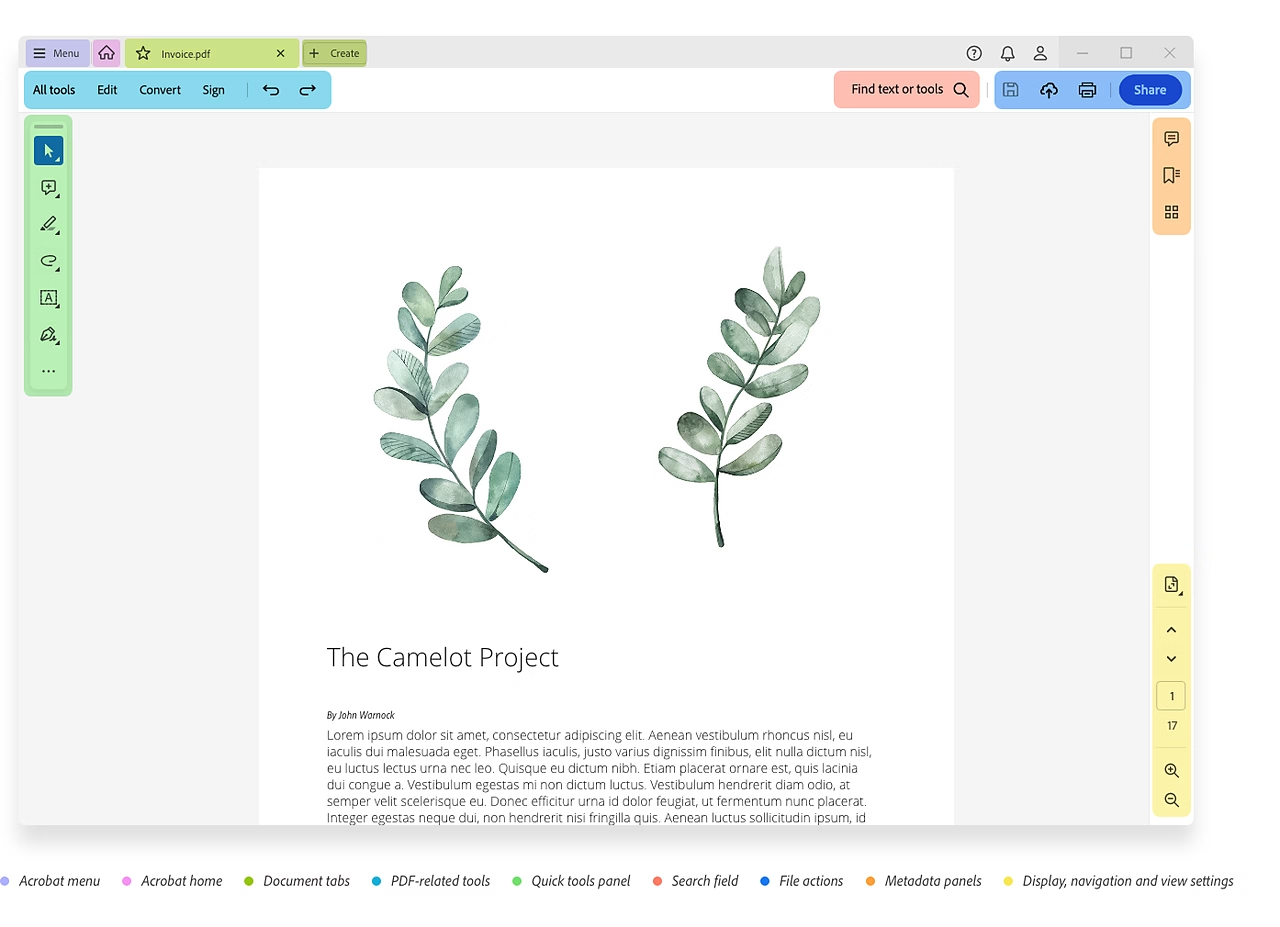
Adobe Acrobat interface: what this capture shows
New Acrobat interface presented in Official Help Adobe. Logicelio uses this capture as a visual marker to read with its "PDF, electronic signature and document workflow" positioning and the functions Document creation or processing, Data collection, signature or transformation, Workflow, validations and automations. This image is not a trial of the software.
The capture comes from an official Adobe Acrobat resource.
View Adobe Acrobat on the official website →
What to remember before choosing Adobe Acrobat
Acrobat chooses to read, modify, recognize a scan or remove information before sharing. These tasks do not all require the same offer. The key point is to check the result in the final file, as a visually correct document may still contain data to be removed.
the necessary editing, contract and documentary functions.
What Adobe Acrobat offers on a daily basis
Adobe’s comparison matrix distinguishes the plans and their advanced features. Start with a representative sample of documents to identify what you need: conversion, forms, OCR or redaction. A broader subscription is justified only if these operations are necessary.
Adobe distinguishes the marking of zones and the application of their removal. An area prepared for scouring is not yet a clean final document. Keep a protected original copy and check the version for sharing.
Documentation combines caviarding and cleaning sensitive information. Check the searchable text, comments and associated items according to the document. Visual reading alone does not prove that the information has disappeared.
On a scan, check amounts, dates and names after recognition. An error of a number can change the meaning of a document while remaining discreet. The ease of searching or copying must be distinguished from the accuracy of the recognized content.
When this option makes sense
Who it is for: Professionals who receive, correct and share PDF documents.
When to look at another approach: Drawing a black rectangle on information does not amount to deleting it. Use the intended function and also check hidden or attached information before release.
Acrobat: Making a PDF usable without disseminating sensitive data
A screen-readable PDF may contain erroneous text recognition or information that was thought to be hidden. For a small business, the choice of Acrobat must be based on the file to be delivered: searchable archive, editable document or redacted copy. These operations require different controls before transmission.
What the vendor documents
Documentation consulted on
The Acrobat OCR transforms the image into searchable text. When recognition is uncertain, the software can signal a suspicious word by keeping its visible image and a recognized text behind; Adobe describes a correction procedure.
Adobe: correct recognised text ↗The help of Acrobat Pro describes the caviaring tool, the application of deletions and the option to clean hidden information, then the recording of the redacted document. Marking an area to remove and applying removal are two distinct steps.
Adobe: Remove Sensitive Information ↗
Previous editorial version: .
| Your situation | Key point to check | Decision proposed by Logicelio |
|---|---|---|
| Archive scanned invoices | Search for a name, read the amounts and compare with the original image. | Correct errors that change the meaning before depending on the recognized text for a classification. |
| Edit Document Received in Scan | Text, layout and possible offsets in the exported copy. | Keep the original and reread the result; recognizing the text does not certify its fidelity. |
| Share a copy without private contact information | Applied deletion, hidden information and file attached to the message. | Using the verified redacted copy; a graphic rectangle on the text is not enough to demonstrate its removal. |
A demo copy to check after recording
Prepare a fictional PDF containing a name, an address and an amount with a character that is difficult to read. On a copy, compare the recognised text with the image, then correct the differences. For redaction, distinguish areas marked for removal from removals actually applied. Do not use any client documents to learn the procedure, and keep the original separate from the file intended to leave the company.
Open the saved PDF in another player. Check the search, copy and paste and accessible properties, and confirm that the file name is the copy to be transmitted. These proposed controls do not constitute confidentiality certification or testing by Logicelio. For a sensitive document, apply your organization's control and validation rules before sending.
Acrobat becomes useful when work is done on PDF content, recovery and preparation for a recipient. To read some documents without transforming them, first compare a simple reader. When the OCR or caviardage is required, check that the selected edit covers these functions and that the team knows how to control the final file.
A team that shares client files
The priority need is a reliable preparation and control procedure. Acrobat Pro deserves a comparison if its advanced functions meet this circuit. The presence of a cache tool does not exempt a validation of the file before sending.
Budget: compare the right scope
Budget Adobe Acrobat: the necessary editing, contract and documentary functions.
View offers from Adobe Acrobat →
Limits that may change your mind
Drawing a black rectangle over information is not the same as removing it. Use the dedicated feature and check hidden or supplementary information before sharing. Adobe’s comparison matrix distinguishes the plans and their advanced features. Start with a representative sample of documents to identify what you need: conversion, forms, OCR or redaction. A broader subscription is justified only if these operations are necessary.
Sources of these limits
Three checks to see if Adobe Acrobat suits you
Prepare a shared copy of a demo PDF containing text, comments and information to remove.
- Select Operations
Identify OCR, modification and deletion required before selecting the offer.
- Apply cleaning
Work on a fictitious copy and complete deletions with the intended functions.
- Check File
Re-open it in an independent reader, search for deleted terms and check for related information.
Control the actually transmitted document
An Acrobat check can begin with two copies of the same file: the original kept in a protected location and the version intended for the recipient. In the second copy, search for a word that should have been removed, try selecting the text and inspect the comments. For a scan, compare the recognised figures with the original document before putting them in a table. These checks address different risks: confidentiality for redaction, accuracy for OCR and readability for conversion. List the operations you need before comparing Standard and Pro, then have the person responsible for sending the final file approve it.
Adobe Acrobat facing the closest solutions
| Software | Positioning | Profile | Cost to watch |
|---|---|---|---|
| Adobe Acrobat this review | PDF tools with editing and protection functions according to offer | Professionals who receive, correct and share PDF documents | necessary editing, contract and documentary functions |
| Nitro PDF | PDF Edition with Documentary Tools and Separate Signature Product | Teams that regularly work with PDF files and want to clarify their signature requirements | the PDF product, workstations and any Nitro Sign service |
See all alternatives to Adobe Acrobat →
Scope of the documentation
Adobe Acrobat pricing: no amount was recorded for this review.
Interface language: incomplete documentary verification.
No third-party test cited; documentary review only.
Sources used for this review
Documentary review of 27 September 2026. No confidential document processed or certification of compliance issued.