
In what case watch CleverReach?
CleverReach deserves a test if you are looking for email campaigns and marketing scenarios for a small team.
In this review
CleverReach at a glance
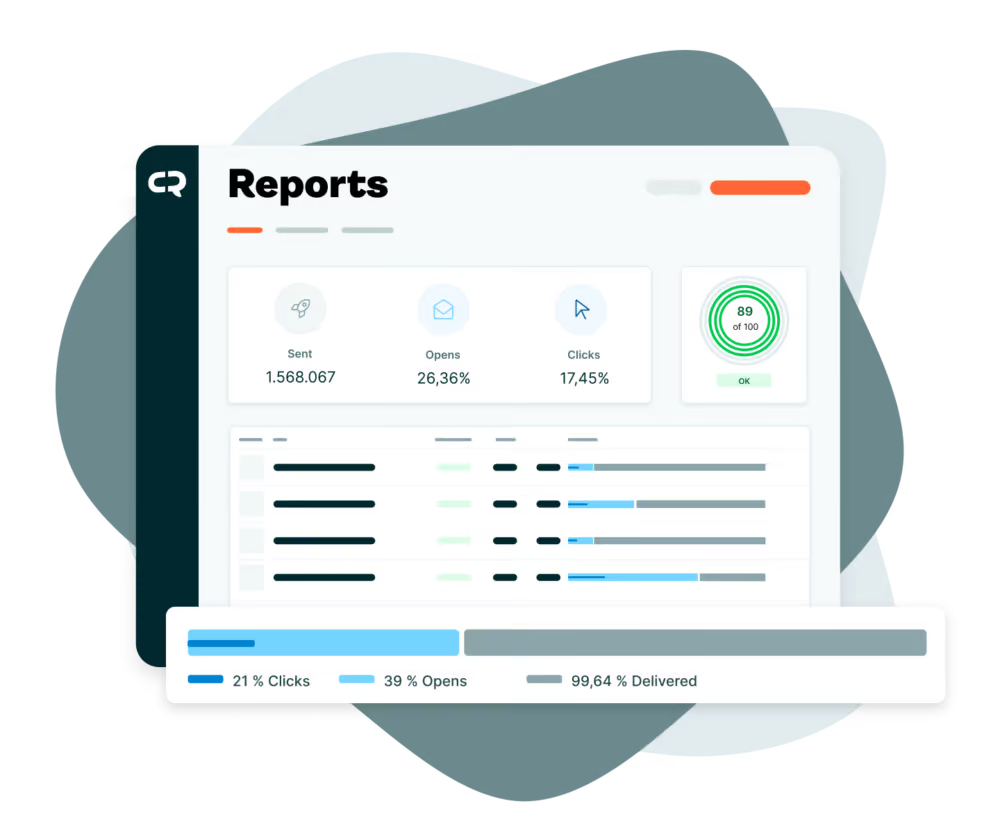
CleverReach interface: what this capture shows
Reporting dashboard presented by CleverReach. Logicelio uses this capture as a visual marker to read with its "marketing email, newsletters and automations" positioning and the functions Creating and sending campaigns, Contact Segmentation and Management, Automation and Scenarios. This image is not a trial of the software.
The capture comes from an official CleverReach resource.
View CleverReach on the official website →
What to remember before choosing CleverReach
CleverReach allows you to approach the newsletter as a regular appointment or as a one-time communication. These uses do not have the same budget. Prepare your year of mailings before comparing a subscription and a prepaid solution: calm months count as much as campaign periods.
recipients, shipments and the level of automation.
What CleverReach offers on a daily basis
The grid indicates 250 recipients, 1 000 monthly emails and an automation workflow for Lite. This combination makes it possible to evaluate a simple route. Several forms that feed the same sequence do not prove that several independent routes are available.
The vendor specifies that the monthly price displayed for the year is a representation of the annual total paid in advance. Integrate this cash outage and termination conditions into the choice, especially if your business is seasonal.
The Pro description includes unlimited automations and A/B tests. A business that only wants to keep customers informed may not need these features; one running several workflows should calculate their cost from the outset.
The support distinguishes several tariff modes, including prepaid. Compare on the same calendar: frequency, size of segments and periods without sending. A low recurring price is not automatically the best annual total for very occasional communication.
When this option makes sense
Who it is for: companies that want to adapt the subscription to their pace of communication.
When to look at another approach: Having many lists does not make automation unlimited. Check the recipient quota, sending frequency and number of workflows in the plan separately.
An event organizer
A business active on only a few dates should compare the cost of inactivity between two campaigns. If it adds ongoing support for subscribers, its needs may shift towards a subscription. The decision should follow the actual schedule, not a general software ranking.
Budget: compare the right scope
Budget CleverReach: Recipients, shipments and automation level.
View offers from CleverReach →
Limits that may change your mind
Having many lists does not make automation unlimited. Check the recipient quota, sending frequency and number of workflows in the plan separately. The pricing table lists 250 recipients, 1 000 monthly emails and one automation workflow for Lite. This combination lets you assess a simple workflow. Several forms feeding the same sequence do not prove that several independent workflows are available.
Sources of these limits
Three checks to see if CleverReach suits you
Compare a monthly newsletter with an activity that focuses its messages on three annual events.
- Draw Year
Place each campaign and estimate the number of recipients. Also count the automatic home messages.
- Test workflow
Enter an internal address, then remove it from the route. Check that the following message respects its situation.
- Calculate both models
Compare subscription and prepaid for the established schedule, with the same functions and full payment terms.
Build calendar before package
A seasonal business may need several newsletters close together, followed by long periods without sending. For CleverReach, describe these peaks separately from the annual average. Include automatic messages that continue between campaigns and the new recipients expected. Then compare regular-plan and prepaid terms against this schedule; a monthly average alone hides the weeks that actually determine the capacity needed. Prepare one row per campaign with its date, planned segment and recipient count. Distinguish one-off sends from automatically triggered messages. This table lets you ask CleverReach a precise question about the appropriate plan without assuming every contact will receive every newsletter.
CleverReach facing the closest solutions
| Software | Positioning | Profile | Cost to watch |
|---|---|---|---|
| CleverReach this review | Newsletters with segmentation and automation depending on the plan | companies that want to adapt the subscription to their pace of communication | recipients, email sends and the level of automation |
| AWeber | Collection of subscribers, newsletters and e-mail route | creators and small businesses that maintain a regular audience | the level of subscribers, the frequency of sending and the functions retained |
| Benchmark Email | Creating campaigns and managing email contacts | small teams who prefer a short newsletter circuit | active contacts, email sends and additional access |
| Brevo | Email campaigns, automations and sales tracking with separate limits | small teams that assess campaign-day capacity, automation contacts and user access separately | same-day sending volume, contacts in automations and extra modules or user access |
See all alternatives to CleverReach →
Scope of the documentation
CleverReach pricing: no amount was recorded for this review.
Interface language: incomplete documentary verification.
No third-party test cited; documentary review only.
Sources used for this review
Documentary review of 27 September 2026. No delivability rate or commercial result specific to Logicelio is advanced.