Is EngageBay CRM worth a visit?
EngageBay deserves a try if your team is wasting time circulating information between CRM, emailing and support. Its interest depends on the volume of contacts, the automations really needed and the ease with which everyone finds the next commercial action.
In this review
EngageBay CRM at a glance
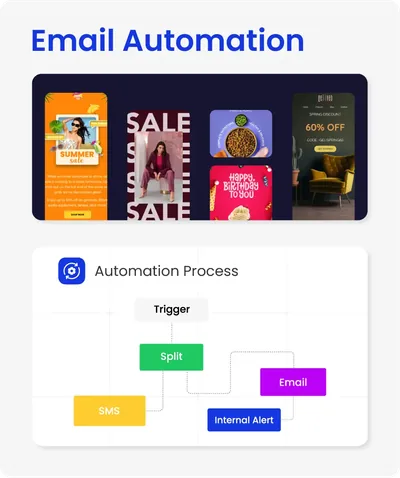
EngageBay CRM interface: what this capture shows
Overview CRM published on the official website of EngageBay. Logicelio uses this capture as a visual cue to read with its positioning "CRM and marketing combined for small teams" and the functions Contacts and opportunities, Campaigns and sequences, Automation. This image is not a trial of the software.
The capture comes from an official EngageBay CRM resource.
Discover the free EngageBay CRM →
Partner link
What to remember before choosing EngageBay CRM
EngageBay brings together CRM, emailing and support; its free offer can be used to check the route, but the contact ceiling and user billing make the team cost decisive.
Price checked on 26 September 2026; check the current price before choosing.
What EngageBay CRM offers on a daily basis
The contact sheet and the business allows to follow the exchanges and the steps of the pipeline. Import a sample of prospects and measure the clarity of daily tracking.
EngageBay presents email marketing and tracking functions. Check the sending volumes, segmentation and options of the plan before migrating your campaigns.
Workflows connect marketing and sales. Reproduce a follow-up and check the conditions, execution logs and limits of your plan.
The product includes chat and support features. Test continuity between an incoming enquiry, the customer record and sales follow-up.
What to know about EngageBay CRM
- 01
The All-in-One pricing table lists 250 contacts on Free and 500 on Basic. It also presents separate marketing, sales and support plans: compare the All-in-One scope before comparing prices.
- 02
Basic adds email templates, pop-ups, scoring and integrations, among other features. In the pricing table checked, more advanced marketing automation and A/B testing appear in Growth.
- 03
The page displays several price panels depending on the duration of payment, and each amount is indicated per user. Check the length and number of seats in the basket before holding a call price.
When this option makes sense
Who it is for: small businesses wanting to track sales, campaigns and support in one tool.
When to look at another approach: If your priority is a highly customized commercial pipeline or large-scale marketing automation, compare functions and boundaries with more specialized tools. Also check the necessary integrations and recovery of your data before centralizing all exchanges.
Price: what you really need to budget
Limits that may change your mind
The official pricing table separates several CRM tiers; check the limits on contacts, automations and users. The verified entry-level price is 0 US$/user/month (Free), with paid plans starting at 14,99 US$/user/month, billed annually. EngageBay combines CRM, marketing and service in one suite; check the contact, automation and user limits of the intended plan before replacing several specialist tools. Test the pipeline, user permissions, automation and marketing modules you actually need before buying more licences.
Sources of these limits
Three checks to see if EngageBay CRM suits you
EngageBay brings together marketing, sales and support, but its separate offers are not interchangeable with All-in-One. Prepare a journey through these modules.
- Contact and business
Import some leads with their attributes, then open an opportunity. Check duplicates and continuity of business history.
- Follow-up and support
Describe a follow-up followed by a customer request. Check which automations and support features the selected plan includes.
- Contacts and seats
Compare your contact database with the Free and Basic limits. Include the users and check the billing period before comparing two per-seat prices.
Separate marketing contact and commercial opportunity
For EngageBay CRM, start from a prospect that fills out a form but does not yet have a qualified project. Define the information that justifies the pipeline and the information that is used only to customize the messages. Assign an official to the next commercial action. This distinction avoids turning any subscription to a newsletter into an opportunity and comparing sales tables powered by different rules.
EngageBay CRM facing the closest solutions
| Software | Positioning | Profile | Cost to watch |
|---|---|---|---|
| EngageBay CRM this review | CRM and marketing combined for small teams | small businesses seeking to track sales, campaigns and support in the same tool | Number of contacts, users and automations depending on the plan |
| HubSpot | CRM, marketing, sales and customer service | businesses seeking to bring marketing, sales and service together | the hubs, seats, marketing contacts and advanced features |
See all alternatives to EngageBay CRM →
Scope of the documentation
Interface language: incomplete documentary verification.
No third-party test cited; documentary review only.