
Is Kinsta worth considering?
Yes if you recognize yourself here: professional websites where performance and support justify a higher budget. Premium WordPress hosting. Less suitable for: small sites for which shared hosting is sufficient. In that case, consider an alternative in the same category.
In this review
Kinsta at a glance
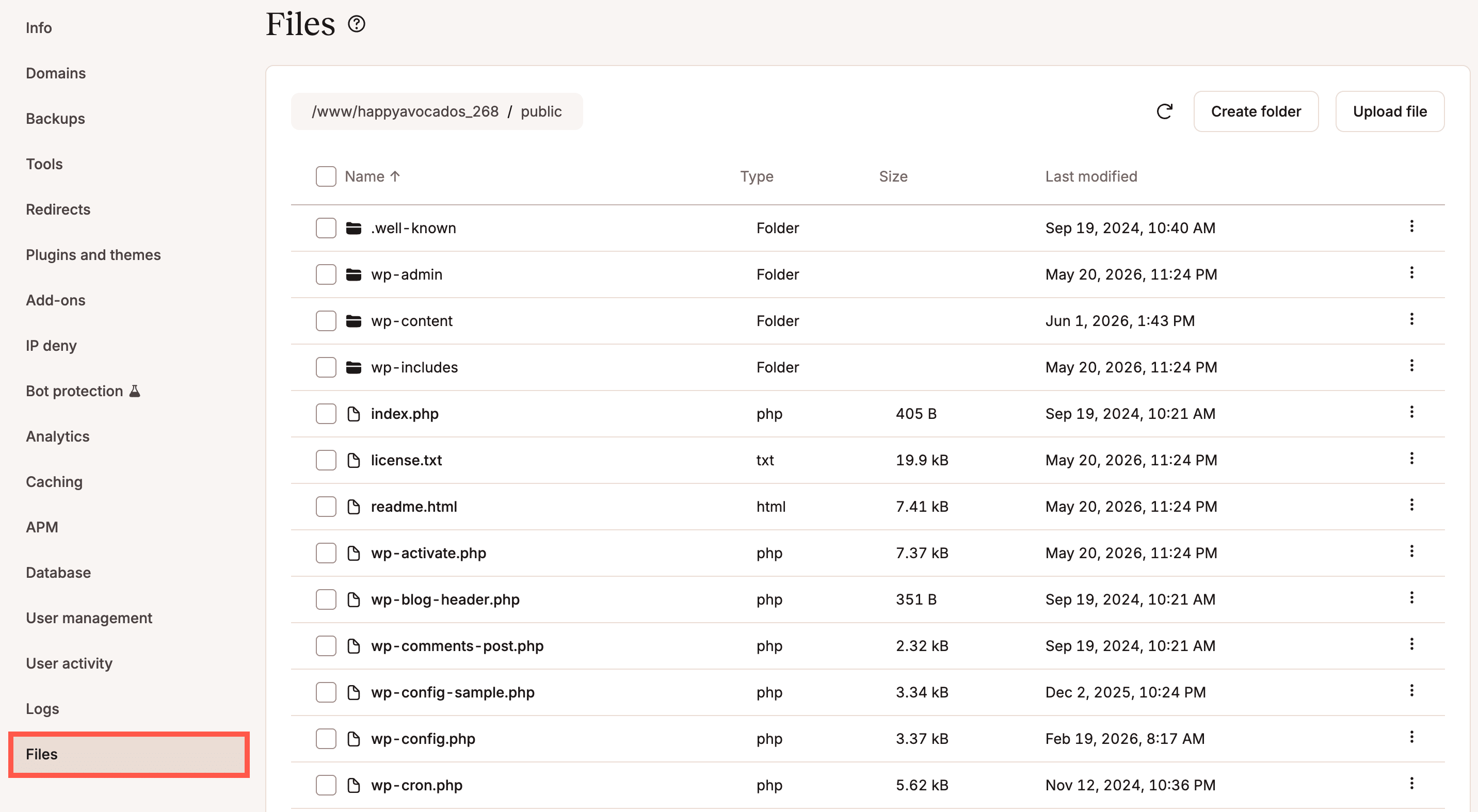
Official visual of Kinsta: what it represents
File manager integrated into MyKinsta, launched in June 2026. This is an official product visual, distinct from an interface screenshot. Logicelio relates it to the product’s positioning, “Premium WordPress hosting”, and to these features: managed WordPress hosting, CDN and edge features, and staging and backups. It makes no claims about elements that are not visible in the image.
The visual comes from an official Kinsta resource.
View Kinsta on the official website →
What to remember before choosing Kinsta
Compare Kinsta in terms of day-to-day WordPress site management: making changes without exposing visitors to them, reverting to a healthy version and understanding resource usage. For a small business, the question is the value of this assisted operation. More expensive hosting may be justified by a specific need for continuity, without attributing to it speeds measured elsewhere.
Price checked on 26 September 2026; check the current price before choosing.
Original Test Title: Kinsta review
What Kinsta offers on a daily basis
Kinsta documents a separate pre-production environment for each WordPress installation. Use it to check an update with your pages and forms. A copy that opens correctly does not yet prove that the sending of a form or payment works.
The documentation distinguishes common backups and frequency or outsourcing options. A showcase site and a shop that receives orders every hour do not have the same need. Define acceptable data loss before selecting frequency.
The pricing tables distinguish plans by visits or bandwidth, among other criteria. Record the exact metric in the quote, its thresholds and the overage terms. Do not assume that your analytics statistics match the hosting provider’s usage counter.
Kinsta restores a backup to preproduction. This route helps to check its content before an online release. For a store, think about the commands that appear from the backup: a global return can erase recent data.
When this option makes sense
Who it is for: WordPress sites for which maintenance and back-up have operational value.
When to look at another approach: A managed package does not automatically support all editorial decisions, extensions and configuration errors. Define who maintains the application.
A shop whose orders cannot disappear
The choice should relate to the backup frequency and procedure for recovering recent data. The mere presence of a restore button is not enough. Have the protocol defined before migrating, then compare the full cost of this continuity.
Price: what you really need to budget
Limits that may change your mind
A managed package does not automatically support all editorial decisions, extensions and configuration errors. Define who maintains the application. Kinsta documents a separate pre-production environment for each WordPress installation. Use it to check an update with your pages and forms. A copy that opens correctly does not yet prove that the sending of a form or payment works.
Sources of these limits
Three checks to see if Kinsta suits you
Check a WordPress update and restore on an isolated copy of the site.
- Prepare copy
Identify critical pages, forms and extensions. Prevent actual actions from the test copy.
- Check back
Restore a demonstration state and compare content, media and route operation.
- Calculate operating costs
Add backup options and possible overruns to the package. Allocate alerts to a person in charge.
What TechRadar actually tested
This test was carried out by TechRadar, not by Logicelio. I cite it to provide a perspective based on actual use, without adopting its verdict as my own.
The protocol announced: Hosting evaluation WordPress managed, performance, backups, security and interface.
TechRadar has good performance, daily backups and a solid infrastructure, but also storage limits, visits and lack of telephone support.
Read the original test on TechRadar ↗Kinsta facing the closest solutions
| Software | Positioning | Profile | Cost to watch |
|---|---|---|---|
| Kinsta this review | Hosting WordPress managed with operating tools | sites WordPress for which maintenance and back-up have operational value | installations, package metric, storage and backup options |
| Bluehost | Hosting and domain services with inventory options | site creators who want to understand the full bill and deadlines | duration of hosting, domain, ancillary services and their renewals |
| Cloudways | Cloud hosting managed with resources and options to size | teams able to track their consumption and hosting components | active resources, backups, bandwidth and options |
| Hostinger | Web hosting, WordPress and website builder | self-employed professionals and small businesses seeking simple, affordable hosting | the commitment term, renewal and number of websites |
See all alternatives to Kinsta →
Sources used for this review
Documentary review of 27 September 2026. No speed benchmarks, actual migration or production restoration.