
Who is this tool for?
Yes if you recognize yourself here: small businesses/SMEs wanting to reconcile bank, payments and financial management. To decide, separate the need for account and payments from accounting production work. If you are looking primarily to establish your accounts, consider with your firm the necessary additional solution.
Partner link
Qonto considers itself less as a simple billing software than as a business account around which to register billing, payments and financial management; the number of sub-accounts and means of payment quickly make the difference.
When to look at another approach: Companies looking for complete accounting production software.
Features and everyday use
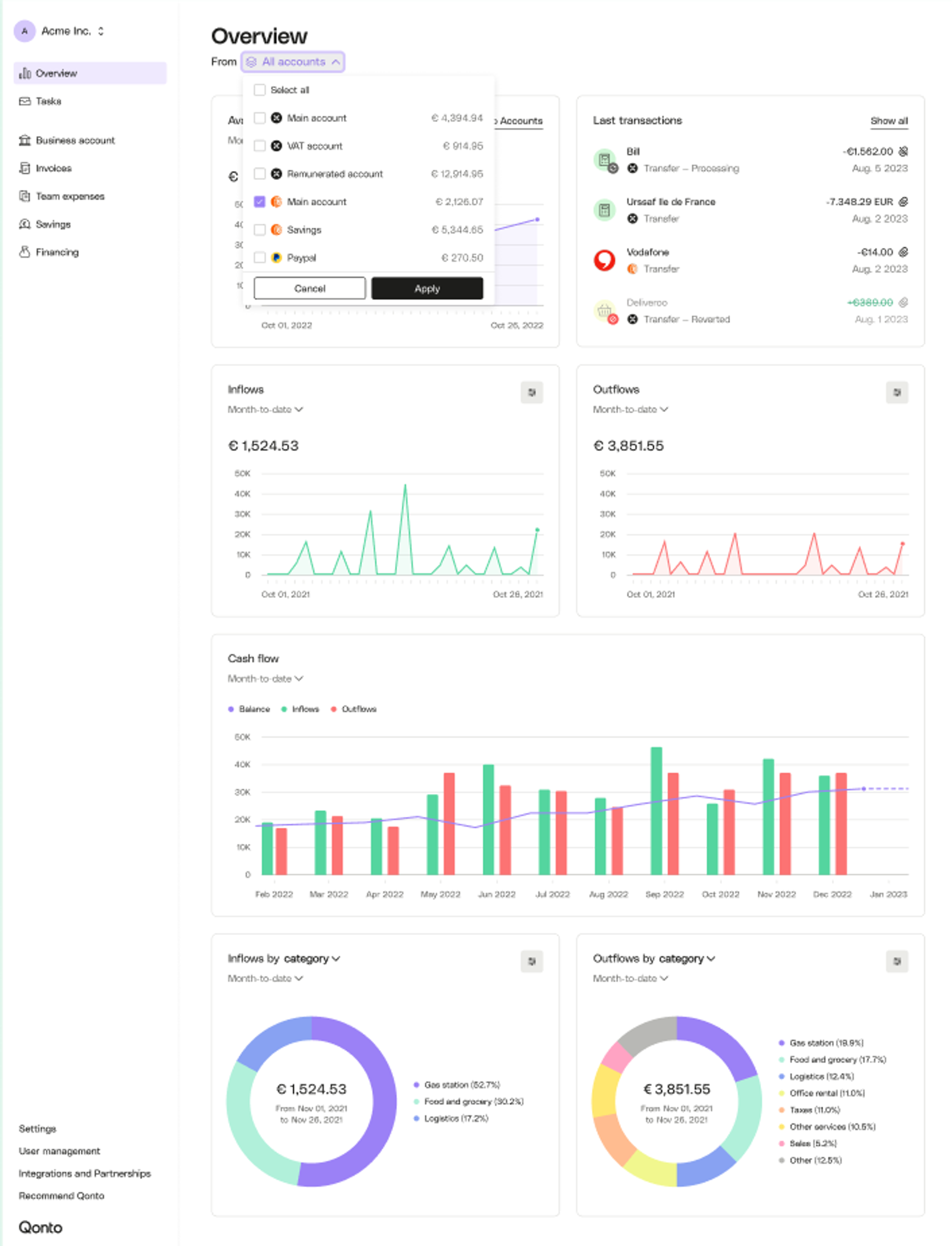
Official visual of Qonto: what it represents
Financial overview published in the Qonto help centre. This is an official product visual, distinct from an interface screenshot. Logicelio relates it to the product’s positioning, “Business accounts, invoicing and bookkeeping preparation”, and to these features: a business account, customer invoicing and supplier invoice management. It makes no claims about elements that are not visible in the image.
The visual comes from an official Qonto resource.
To choose an account, start with your usual transactions: transfers, direct debits and the cards you need. Compare their volumes with the transactions included in the plan and identify overage charges before comparing the monthly price.
The customer journey starts at the quote and continues until the settlement. During the trial, check the creation of an invoice, its correction, payment tracking and the exports expected by your accountant. Distinguish these requirements from separately invoiced modules.
A supplier invoice is a document received that must be checked and paid. Check how it is collected, linked to the supplier, approved and then matched to payment. A duplicate or missing supporting document must remain identifiable before the records are sent to the accounting firm.
For team expenses, review cards, limits, access rights and supporting documents together. Ask the accounting firm which export or connection it uses: sending documents and transactions does not replace preparing the accounts.
What to know about Qonto
- 01
Listed pricing for freelancers starts at €9 excluding VAT/month for Basic, €19 for Smart and €39 for Premium with annual billing.
- 02
Basic includes a French IBAN, 30 transfers per month and personalized quotes/invoices.
- 03
Smart and Premium levels increase the number of sub-accounts and management capabilities.
Pricing and terms
Price checked on 26 September 2026; check the current price before choosing.
Limitations to consider
The review highlights the interface, ease of getting started and integrations while questioning limitations compared with a traditional bank and reliance on support. The verified entry price is 9 €/month excluding VAT (Basic, annual billing). Qonto covers a business account, expenses, invoicing and bookkeeping preparation, but does not replace full accounting software for every situation. Check users, banking, exports, tax returns and collaboration with accountants: obstacles often emerge after the basic task of issuing an invoice.
Sources of these limits
Linking payments to management monitoring
For Qonto, model a representative month with recurring payments, card purchases and supporting documents to send. Distinguish operations performed by the person running the business from those delegated to a team member. The business account, cards and invoicing features meet complementary needs; check how they fit with the accounting firm's work before concluding that they replace all management tracking. Volumes and permissions determine the suitable plan.
Checks and examples
Three checks to see if Qonto suits you
In Qonto, compare the bank plan with the operation of your business: transfers, cards, proofs and access of the accountant do not meet the same need.
- A month of bank movements
Count your usual transfers and direct debits, then compare that volume with the plan’s quota. Distinguish included transactions from additional charges.
- Expenditure with proof
Prepare an expense per card and follow the associated piece until it is consulted by the accountant. Review the employee's ceilings and rights.
- Billing and optional modules
Create a quote and then a demo bill. Check which customer and supplier tools are in the account and which add a subscription.
Alternatives and guides
Qonto facing the closest solutions
| Software | Positioning | Profile | Cost to watch |
|---|---|---|---|
| Qonto this review | Business account, invoicing and accounting preparation | small and medium-sized businesses seeking to connect banking, payments and financial management | the plan, number of users, cards and transactions |
| Shine | Two offers to distinguish: professional account and Shine Invoice | independents who choose their billing separately from their professional account | subscribed service, customer base and level of automation |
Sources and methodology
Title of test cited: Opinion on Qonto: my feedback after 5 years of use
What Impli actually tested
This test was carried out by Impli, not by Logicelio. I cite it to provide a perspective based on actual use, without adopting its verdict as my own.
The protocol announced: Feedback on several years of using Qonto for professional account, invoices and daily expense tracking.
The return highlights the interface, the speed of ownership and integrations, while questioning the limits facing a classic bank and the dependence on support.
Read the original test on Impli ↗