
In what case watch Sender?
Sender deserves a test if you are looking for an email combination, SMS and accessible automation.
In this review
Sender at a glance
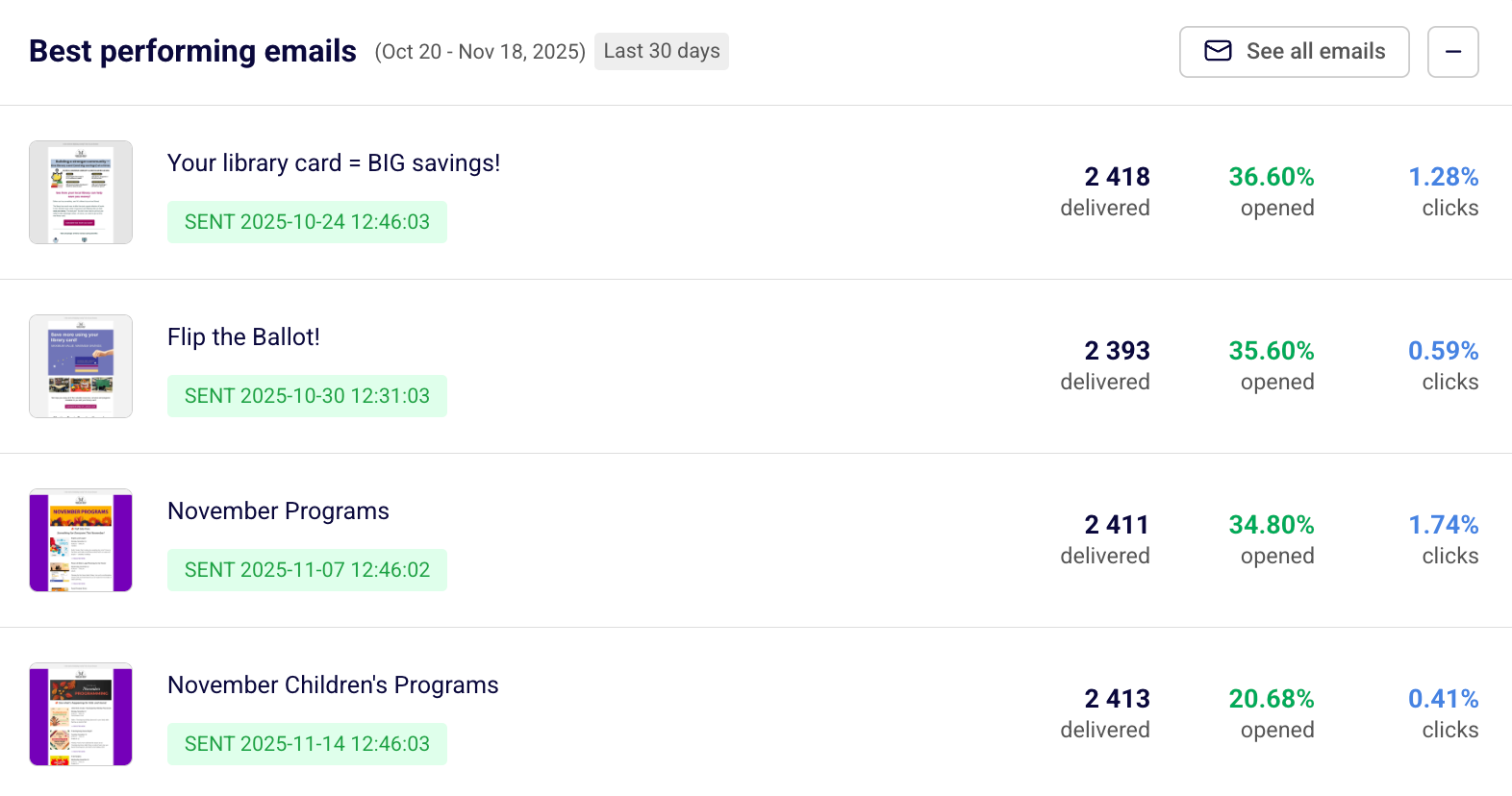
Sender interface: what this capture shows
Report of the best-performing emails published in the help center Sender. Logicelio uses this capture as a visual cue to read with its positioning "Email and SMS marketing with automations" and the functions Creation and sending of campaigns, Segmentation and management of contacts, Automations and scenarios. This image is not a trial of the software.
The capture comes from an official Sender resource.
View Sender on the official website →
What to remember before choosing Sender
Sender offers an entry point to build a newsletter and a welcome route. Its free quota may be interesting, but the decision must also take into account the frequency of publication, the brand displayed and the people working on the account. An available volume does not replace a well-qualified audience.
the subscriber level, dispatches and accesses of the team.
What Sender offers on a daily basis
Free Forever lists 2 500 subscribers and 15 000 emails per month. With a list at the subscriber limit, six complete editions would already use that theoretical quota before welcome messages. Leave room for sequences and new sign-ups instead of planning to use the exact maximum.
The free plan retains Sender branding. Check where it appears in messages and signup forms before promising an experience entirely under your own brand. This may justify a paid plan even when the usage allowances are sufficient.
The help documentation describes seats with roles in paid plans. Separate preparation, approval and administration. A team member reviewing content does not necessarily need the same permissions as someone changing the integration or sending settings.
Paid tiers link database size and sending quotas. Assess how both will develop. Doubling the list while adding a weekly sequence can increase requirements faster than the subscriber count alone suggests.
When this option makes sense
Who it is for: small businesses that want to start with a defined sending volume.
When to look at another approach: If more than one person has to intervene with separate rights, compare the plan that covers these accesses from the start. The budget of a team is not only derived from the number of subscribers.
An independent who publishes every week
The free can cover a first organization if the list and automations remain in the ceilings. The switch to payer must be anticipated when collaboration or visual identity becomes important, even if the email quota is not yet exhausted.
Budget: compare the right scope
Budget Sender: the subscriber level, the sending and access of the team.
Limits that may change your mind
If several people need access with different permissions, compare a plan that covers those roles from the start. A team’s budget cannot be derived solely from its subscriber count. Free Forever lists 2 500 subscribers and 15 000 emails per month. With a list at the subscriber limit, six complete editions would already use that theoretical quota before welcome messages. Leave room for sequences and new sign-ups instead of planning to use the exact maximum.
Sources of these limits
Three checks to see if Sender suits you
Prepare a month of newsletters and a welcome, with a review circuit adapted to the size of the team.
- Count the month loaded
Add newsletters and automatic messages for existing and new subscribers.
- Read the course
Check the form, visible mark and welcome message on the phone with internal addresses.
- Preparing for growth
Estimate the next landing and the necessary accesses. Check the exportation of the articles before assigning the entire hearing to the service.
Reserve sending capacity for automations
A Sender calendar should include host emails in addition to scheduled newsletters. To prepare your budget, distinguish messages sent to the entire list from those sent to a segment or triggered after registration. Plan the course of action if a campaign needs to be corrected. This projection does not measure delivability; it is used to verify that the quota chosen covers the editorial rhythm and the automations actually planned.
Sender facing the closest solutions
| Software | Positioning | Profile | Cost to watch |
|---|---|---|---|
| Sender this review | Newsletters, segmentation and automation email | small businesses that want to start with a defined sending volume | level of subscribers, dispatches and team access |
| AWeber | Collection of subscribers, newsletters and e-mail route | creators and small businesses that maintain a regular audience | the level of subscribers, the frequency of sending and the functions retained |
| Benchmark Email | Creating campaigns and managing email contacts | small teams who prefer a short newsletter circuit | active contacts, email sends and additional access |
| Brevo | Email campaigns, automations and sales tracking with separate limits | small teams that assess campaign-day capacity, automation contacts and user access separately | same-day sending volume, contacts in automations and extra modules or user access |
See all alternatives to Sender →
Scope of the documentation
Sender pricing: no amount was recorded for this review.
Interface language: incomplete documentary verification.
No third-party test cited; documentary review only.
Sources used for this review
Documentary review of 27 September 2026. No sending to a real audience or ranking of delivability home.