
In what case watch Zoho Projects?
Zoho Projects is for teams who want to structure their missions and link execution and time tracking. If you most need a workshop visual chart or a documentary database, check that tracking tasks and hours really is your main problem before deploying a project portal.
In this review
Zoho Projects at a glance
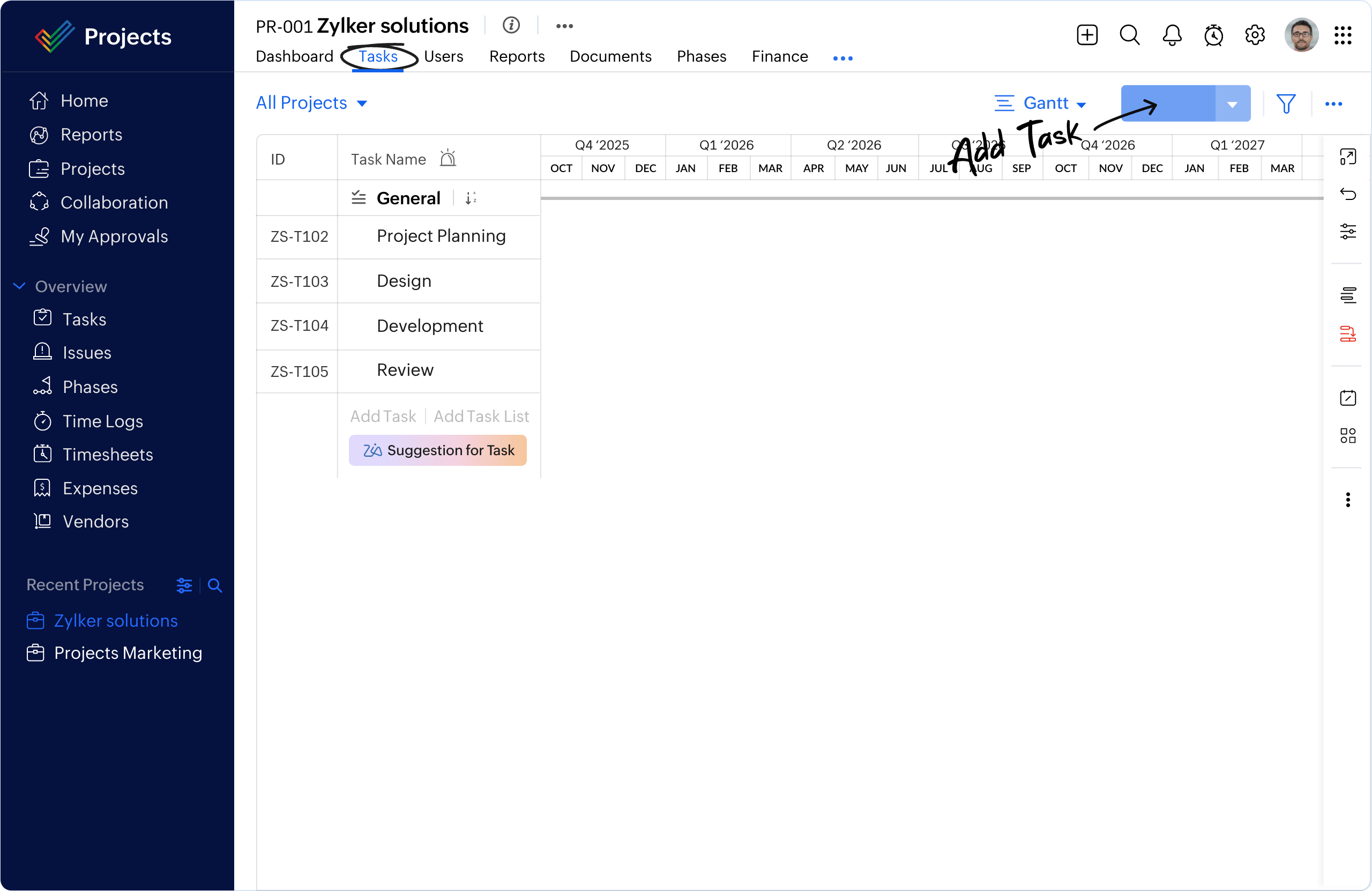
Zoho Projects interface: what this capture shows
Project management Zoho Projects presented on the official website. Logicelio uses this capture as a visual marker to read with its positioning "Project management combining tasks, time tracking and workflows according to the plan" and functions Projects, tasks and responsibilities, Views, planning and prioritization, Collaboration, comments and documentation. This image is not a trial of the software.
The capture comes from an official Zoho Projects resource.
View Zoho Projects on the official website →
What to remember before choosing Zoho Projects
Zoho Projects deserves to be reviewed if your team needs to track both the deliverables and the mission effort. Start by defining what the indicated hours should allow: allocate the charge, calculate a cost or prepare a bill. These objectives do not require the same validations. The presence of other Zoho applications in the company facilitates reflection, without making their integration automatically sufficient.
users, automations, portfolio functions and complementary products.
What Zoho Projects offers on a daily basis
The comparison consulted lists five users, three projects, 5 GB of storage and fifty workflow executions per month. This scope supports a limited team trial. Do not import the entire archive immediately: choose assignments that represent your different types of work.
Premium adds unlimited projects, timesheets, approvals and project budgets, among other features. Decide who can correct a time entry and who approves it. Without that rule, reports may mix planned time, logged time and time approved by the manager.
Enterprise presents the critical path, the schedule reference and a portfolio dashboard. These capabilities become meaningful when several projects compete for the same resources. Describe the arbitration that must be done by the person in charge before choosing this level.
The page distinguishes Zoho Projects from the Projects Plus offer, which combines several products. Check the licences and workflows needed for your use. A useful connector must specify what data is exchanged, how often and who fixes a failed transfer.
When this option makes sense
Who it is for: teams who want to structure their missions and link execution and monitoring hours.
When to look at another approach: If you most need a workshop visual chart or a documentary database, check that tracking tasks and hours really is your main problem before deploying a project portal.
Example: a service company that lacks visibility on its missions
A project may seem nearly complete while consuming more hours than expected. To understand the difference, distinguish production work, revisions and time spent waiting for the client. The pilot should therefore use a few categories of hours that help inform decisions. Adding more time-entry codes without explaining their purpose makes tracking less reliable. Roll the process out if managers can use the data to decide what action to take without rebuilding the records in a spreadsheet.
Budget: compare the right scope
Budget Zoho Projects: users, automations, portfolio functions and complementary products.
View offers from Zoho Projects →
Limits that may change your mind
Automation quotas vary by plan. Approving time entries and overseeing multiple projects may require an upgrade. Do not assume that apps in a bundle are included in a standalone Projects subscription. The help documentation describes exporting timesheets as XLSX files and enabling the approval workflow in the portal settings. Check these settings using a corrected entry before treating recorded hours as approved.
Sources of these limits
Three checks to see if Zoho Projects suits you
Follow a client mission with tasks, hours and validation keeping separate progress and budget consumption.
- Select three representative missions
Prepare a short mission, a mission with multiple validations and a recurring mission. Define their expected results before comparing views or models.
- Check an hour correction
Enter a fictitious time on the wrong task, then correct it and have it approved. Look at what the person in charge can understand about this correction and what appears in the final report.
- Close Report and Documents
Compare the project records, the hours included and the document intended for the client. Check exports and any data exchanges with another product before assuming that a single entry covers the entire process.
Zoho Projects facing the closest solutions
| Software | Positioning | Profile | Cost to watch |
|---|---|---|---|
| Zoho Projects this review | Project management combining tasks, time tracking and workflows depending on the plan | teams seeking to structure their assignments and connect execution with time tracking | the users, automations, portfolio features and additional products |
| Asana | Task and deadline management across multiple projects | teams whose deliveries depend on shared responsibilities and deadlines | the paid members, level of management features and additional options |
| ClickUp | Task, document and project view management in a shared workspace | small teams that want to bring several uses together with a designated administrator | the workspace seats, guest access, AI options and configuration |
| GanttPRO | Visual planning centred on a Gantt chart | managers who need to explain the sequence of project stages | the selected team size, plan and workload management needed |
See all alternatives to Zoho Projects →
Scope of the documentation
Zoho Projects pricing: no amount was recorded for this review.
Interface language: incomplete documentary verification.
No third-party test cited; documentary review only.
Sources used for this review
Zoho Projects: 27 documentary review September 2026. The amounts paid were not shown reliably on the page consulted; they remain to be confirmed in the currency and region of the account.