
In what case watch Asana?
Asana is for teams whose deliveries depend on shared responsibilities and deadlines. If your first need is a very free documentary base, start by defining the information to keep before choosing a tool especially organized around execution.
In this review
Asana at a glance
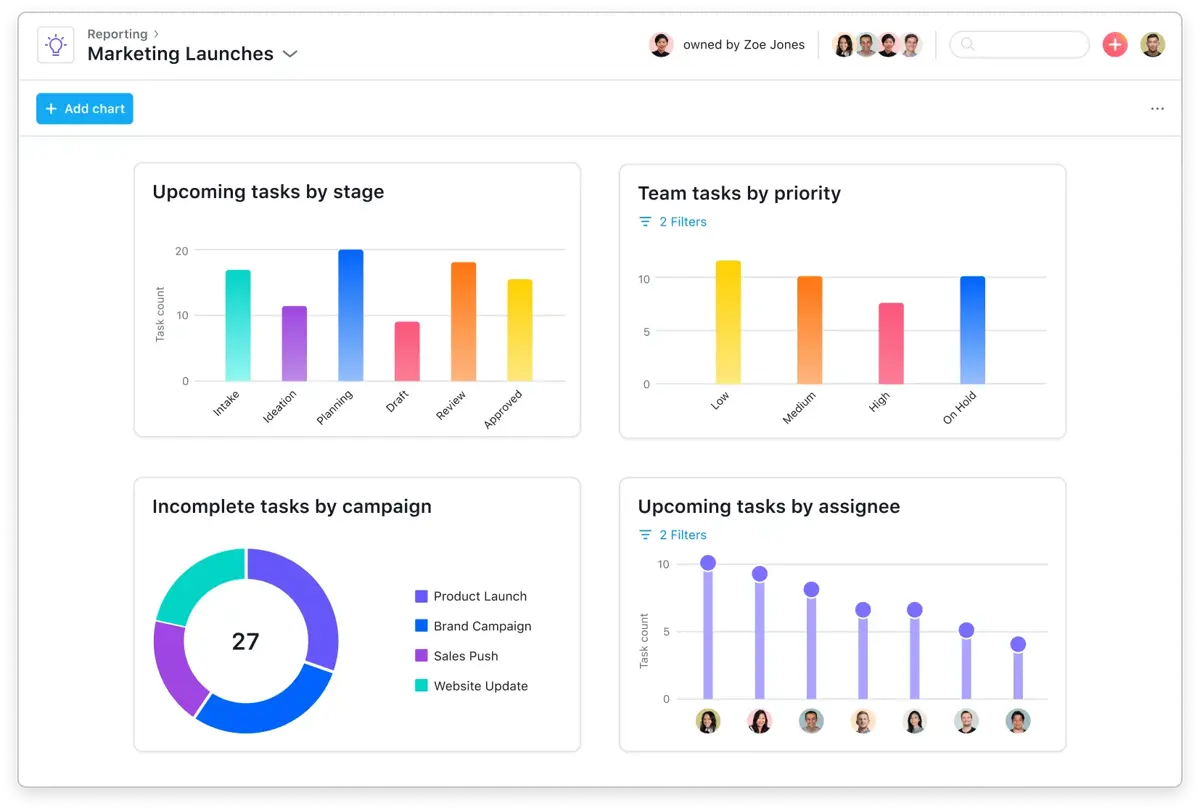
Asana interface: what this capture shows
Reporting dashboard published by Asana. Logicelio uses this capture as a visual cue to read with its position "Task and Timeline Management with management of multiple projects" and functions Tasks, projects and responsibilities, Timeline, objectives and portfolios, Rules, automations and functions AI. This image is not a trial of the software.
The capture comes from an official Asana resource.
View Asana on the official website →
What to remember before choosing Asana
Asana deserves to be studied when the main problem is coordinating commitments: who produces the deliverable, who validates it and what other task awaits its end. His interest depends less on the number of views available than on the discipline of the team. An unresponsible deadline and a completed task without validation remain unreliable information, even in a well presented dashboard.
paying members, management level and additional options.
What Asana offers on a daily basis
Personal is limited to two users. Tasks and projects are unlimited, with list, board and calendar views. For a team of two, start with a complete delivery workflow: preparation, production and approval. Give each stage an expected outcome. This keeps an action list from becoming a mere inventory with no decisions.
Starter adds chronology and Gantt views, custom fields, forms and automations. The right upscale criterion is a difficulty encountered in the project: if delays are understood without diagram, paying for this view alone does not necessarily solve a problem.
Advanced adds portfolios, goals and resource management. Before choosing it, describe the trade-offs you need to make between projects. Someone assigned to several deliverables must be able to flag a workload conflict; otherwise, a portfolio merely groups several optimistic schedules together.
The grid distinguishes time tracking by integration in Personal, native tracking in Advanced and a Timessheets & Budgets option. Distinguish estimated hours, hours and billable hours from your specifications. Data useful for planning is not automatically ready to be billed.
What to know about Asana
- 01
Personal is free for up to 2 users with unlimited tasks and projects.
- 02
Starter is listed at $10.99 per user/month with annual billing and adds, among other features, Timeline, Gantt, reporting and unlimited automation.
- 03
Advanced is displayed at 24,99 $ per user/month annually and adds portfolios, objectives and resource management.
When this option makes sense
Who it is for: teams whose deliveries depend on shared responsibilities and deadlines.
When to look at another approach: If your first need is a very free documentary base, start by defining the information to keep before choosing a tool especially organized around execution.
Example: a small agency with two simultaneous deliveries
An agency can miss deadlines even when everyone keeps their own list up to date. In that case, the need is to make handoffs visible. Start with a small number of statuses, then record the decision made when approval is delayed. If the problem disappears, you have a reason to expand the approach. If colleagues keep negotiating dates elsewhere without updating the project, a higher plan will not change that habit.
Budget: compare the right scope
Budget Asana: paid members, management level and additional options.
Limits that may change your mind
Personal is suitable for a maximum pair. To decide on the plan, separate planning, portfolio and time monitoring needs: they are not all at the same level. Confirm the number of seats charged before validating the budget. The official FAQ describes JSON or CSV project exports; check their contents on your folder, as a tab file does not show that the pieces and all decisions will be recoverable in the desired form.
Sources of these limits
Three checks to see if Asana suits you
Organize a customer delivery with writing, editing and validation by checking the effect of a delay.
- Write closure rules
Choose a recent mission. For each task, note the expected result and the person authorized to validate it. Ask a colleague to resume the file without your oral explanation.
- Introduce a realistic delay
Decal a step that conditions delivery and identify those who need to act. See if the change leads to a decision or only an additional notification.
- Preparing the exit of the project
Ask for an export of the demo file and compare it to your required archive list: tasks, decisions, comments and exhibits. Do not assume that a summary file replaces all these elements.
Asana facing the closest solutions
| Software | Positioning | Profile | Cost to watch |
|---|---|---|---|
| Asana this review | Task and deadline management across multiple projects | teams whose deliveries depend on shared responsibilities and deadlines | the paid members, level of management features and additional options |
| ClickUp | Task, document and project view management in a shared workspace | small teams that want to bring several uses together with a designated administrator | the workspace seats, guest access, AI options and configuration |
| GanttPRO | Visual planning centred on a Gantt chart | managers who need to explain the sequence of project stages | the selected team size, plan and workload management needed |
| Nozbe | Organisation of tasks and discussions linked to projects | small teams that want to find discussions alongside the work to be done | the Premium users, active projects and history retention |
See all alternatives to Asana →
Scope of the documentation
Asana pricing: no amount was recorded for this review.
Interface language: incomplete documentary verification.
No third-party test cited; documentary review only.
Sources used for this review
Asana: 27 documentary review September 2026. The proposed exercises are controls to be performed by the player; Logicelio does not present here a timed trial or a deployment performed.