Analysis of official documentation, with no testing on a paid account.
In this guide
A salesperson leaves the company on Friday. Their deals have a new owner in HubSpot, but a quote still awaits a reply, a follow-up task remains assigned to the old account and a prospect can still book through their calendar. The dashboard makes the transfer look complete, yet the customer risks losing their contact. This scenario is fictional. It shows why a handover should be assessed through the records taken over and contact channels, rather than simply a changed name.
The perimeter is the continuity of customer tracking: HR output, retention obligations and removal of accesses in other software require their own procedure.
Start with commitments to clients
List open cases and follow-up clients. For each file, find the last commitment made: call back after a demonstration, send a proposal, confirm a date or verify a settlement. A case without further explicit action is an information to be clarified with the commercial manager, even if its amount and stage are given.
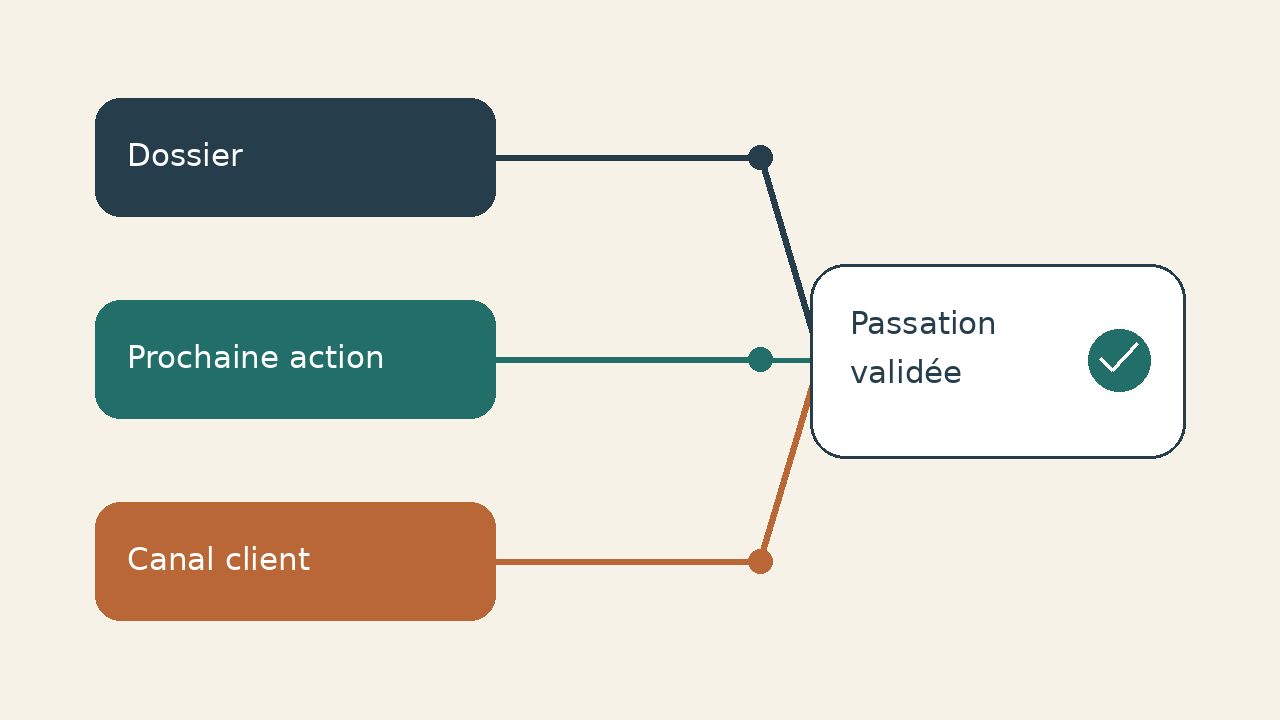
We propose to separate three decisions. Who's taking over the relationship? What action does it take? Which channel will the customer be able to reach him? This separation avoids confusing the liability displayed in the CRM with the actual possibility of continuing the conversation. Do not copy a whole personal box into a handout spreadsheet: note the necessary references in the professional record for this.
| To be noted | Procurement issue | Proof of proposed resumption |
|---|---|---|
| Case and associated contact | Does the owner understand the need and the interlocutor? | Accessible folder and reread context |
| Next action dated | Who does what after the departure? | Audited task and accepted liability |
| Conversation underway | Where will the next answer come from? | Monitored channel identified |
| Appointment proposed | Will the slot lead to the right agenda? | Page and members checked |
| Automation | Is a rule still reassigning to the old account? | Rule reread, correction validated |
Reassign records, then check the tasks
The documentation HubSpot about owners describes the individual and mass attribution from the list of objects. The recipient must have an eligible licence and consultation rights on the subject matter. Select the perimeter to be taken over, assign the new owner, and then check a folder before extending the operation to other objects.
The owner of a business, the owner of a contact and the owner of a transaction can meet different responsibilities. For each object, choose what needs to change; avoid reassigning all historical contacts randomly to remove the outgoing name. A customer service or other commercial may already provide part of the relationship.
HubSpot documents an option to reassign unfinished tasks during a bulk change, in public beta. Do not assume that your account offers it or that changing an owner automatically transfers every task. Check task owners and deadlines separately. Assignments made by import do not notify the new owner; also agree on explicit confirmation from the person taking over.
Allocation workflows depend on subscription; their presence is not acquired in a small team. If a rule exists, review its criteria and recipients. A manual correction can be cancelled at the next run if the rule continues to point to the old user.
Distinguish personal messaging and team channel
A registered professional address connected to HubSpot belongs to a user. It's not a shared channel. The email connection documentation distinguishes this link from team addresses and excludes personal connection for a View-only license. Check that the receiver can write from HubSpot, beyond the file view.
The successor must use their own identity and appropriate permissions. Do not give them the departing colleague's password to keep a sequence running or retrieve a reply. Ask the email administrator to clarify what will happen to messages addressed to the former contact, under the organisation's internal rules. This process extends beyond changing the CRM record owner.
For a team address, check the authorized users, assignment and availability. The Inbox channel documentation specifies that routing depends on rules and licenses; a conversation can remain without attribution if no one is available. Identify who will monitor this queue after departure, instead of considering the channel connection as a support guarantee.
Read the appointments already released
See the booking links sent in the proposals, signatures and pages of the site. The planning page documentation distinguishes individual, group and rotational links. Team options require suitable offers and licenses, active users and connected calendars. Check the configuration available in your portal before promising automatic rotation.
Choose a destination for each link after the departure: the replacement colleague’s page, a team page or removal of a journey no longer needed. Replacing a link in a signature does not remove one already received by a prospect. Plan how to handle old links and appointments already agreed. For a team page, check its members, organiser and linked calendar, rather than assessing only the appearance of the public page.
Disable after transfer, delete with discernment
According to the HubSpot user withdrawal procedure, deactivation prevents connection but keeps profile and data for reports. She's not reassigning files. Personal professional messaging is offline, while team emails remain connected. Definitive deletion requires recreating the user if his return becomes necessary.
The procedure requires assets to be reviewed before removal and specifically flags appointments, templates and private application dependencies. Check connected services as well as the activities retained in the CRM. Involve the integration owner if the person leaving created an application used by the team.
We recommend approval by two people: the sales manager confirms the handover of records, and the administrator confirms that access and dependencies have been addressed. This arrangement is a Logicelio proposal. It does not turn deactivation into a complete security audit or establish that subscription costs automatically fall.
Brief acceptance checks for the customer journey
Consider this example: a small business assigns three deals to an incoming salesperson. One is waiting for a quotation, another for a demonstration, and the third for a reply sent to a shared address. For the first, the new owner opens the correct record and finds the commitment made. For the second, they check the task and booking calendar. For the third, they identify the queue and the person responsible for unassigned messages. Verify all three handoffs after changing the owners.
- Open a representative file with the rights of the owner, without temporarily giving him superior rights to hide a blockage.
- Confirm the next action, its date and responsible; distinguish a task transferred from a new task created in duplicate.
- Examine incoming channels and booking pages. If an end-to-end check is allowed, use a controlled folder and address, without requesting a true client in error.
- Review the rules that assign new files, and then note the exceptions still assigned to an administrator.
- Record validation and keep a list of open points for the first follow-up after departure.
This guide is suitable for a portfolio takeover in the same HubSpot. A change from CRM requires a separate migration control. Ambiguous associations may also require check duplicates before any merger. For a large team, several connected systems or a contentious start, make the perimeter specified by the responsible officials; do not replace their procedure with this grid.
The right end signal is concrete: the receiver knows what action to do, can access the file and knows the way to the next customer response. The withdrawal of the account closes this transfer; it does not do it for you. The HubSpot review complete this guide on the choice and limitations of the software.
Sources and method of this analysis
HubSpot: deactivation, suppression and assets to be reassigned ; HubSpot: record owners, tasks and subscriptions ; HubSpot: Personal Email Connection ; HubSpot: appointment pages and team conditions ; HubSpot: Inbox channels and routing ; HubSpot France: Sales Hub scope and editions Sources consulted on 10 October 2026. Methodology · Trade transparency · Report correction.