Analysis of official documentation, with no testing on a paid account.
In this guide
- Before merging, identify what you may lose
- Recognizing a duplicate: comparing identity and context
- Pipedrive and HubSpot: check available action
- Preparing a decision someone else can read again
- Consider this case: two records, one person, two follow-up histories
- Process one pair, then check the resulting record
- Avoiding the next import recreating the problem
- When it is better to keep two records
Before merging, identify what you may lose
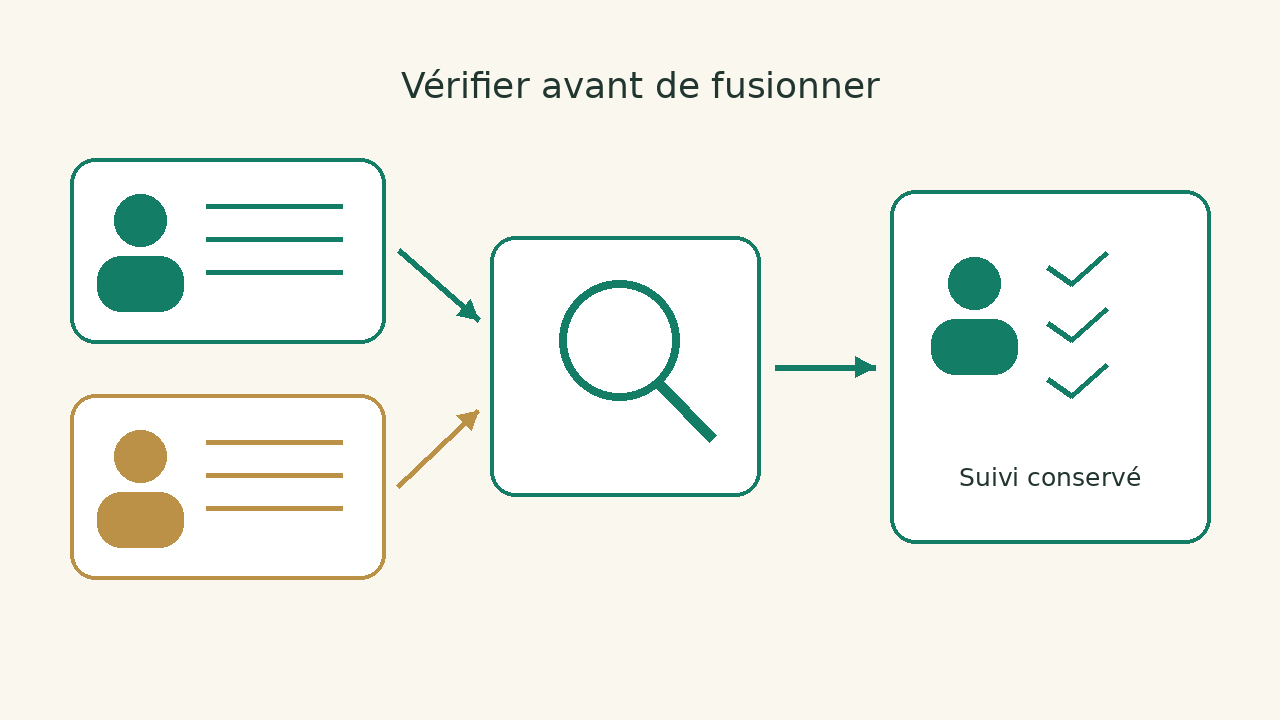
Two close lines can represent different people. A telephone standard can be used for several employees; a generic address can receive requests from an entire team. Before cleaning your CRM, ask a commercial question: after this operation, who will follow the file and what will be the next action? If the answer becomes less clear, the merger comes too soon.
This guide is for independent and small teams who find their prospects in several places. It proposes a decision grid, an example and a monitoring procedure. To change software, use our migration guide CRM.
Recognizing a duplicate: comparing identity and context
Start by separating the person, business and business. The same buyer can have several open opportunities: these are several projects to follow, not necessarily several contacts to remove. A person may also change employer. Its new business address does not make it possible to decide, on its own, what commercial relations should remain.
| Situation observed | Key issue | Proposed decision |
|---|---|---|
| Same person, old and new business address | Is the change confirmed by an identifiable source? | Examine a merger by keeping the historical context useful. |
| Same name and same company | Is it a homonym, a repeated importation or the same interlocutor? | Ask for confirmation before changing the records. |
| Two establishments within the same network | Are the teams, addresses and contracts separate? | Keep separate establishments where their monitoring so requires. |
| Address contact@shared, different names | Does this address identify a common box or person? | Keep people separate; document the shared box. |
Detection is used as a checklist to verify. Pipedrive explains its criteria : for people, a matching name is accompanied in particular by the same phone number, email address or organisation; for organisations, the name and address are compared. These criteria can surface two people with the same name within one company. We therefore recommend adding evidence of identity to each decision, rather than treating the suggestion as confirmation.
Pipedrive and HubSpot: check available action
Contact cleaning does not necessarily justify a change of CRM. First, check your account rights and the features offered in your subscription. The Pipedrive records and HubSpot give the context of the choice; the table below relates only to duplicates.
| Tool | Function and Precaution | Primary source |
|---|---|---|
| Pipedrive | The comparison lets you choose the primary record and preview the merge. Where information conflicts, the primary record takes precedence. The operation cannot be undone. | Fusion of duplicates |
| HubSpot | Manual merge of sheets and duplicate manager are distinct functions. HubSpot indicates that a merger cannot be cancelled. | Record merging |
| Manager HubSpot | Individual processing requires Professional or Enterprise; group processing requires Data Hub Professional or Enterprise, with the necessary permissions. | Duplicate management |
A "cancell" option may refer to a rejected suggestion, not a merger: Manager documentation HubSpot These operations are distinguished. Do not decide on the button name alone. Also check automation: HubSpot documents different behaviors for IDs and workflows based on activation of its main identifier storage beta. Record the context of your account before making changes; do not assume that an integration will find the record under the same identifier.
Preparing a decision someone else can read again
Open the two records side by side and note their identifiers, owners, associated companies and information sources. Add current deals and future activities. A record created yesterday through a form may contain an up-to-date address; an older record may hold the contract and an already agreed follow-up. Record age is therefore not enough to choose the primary record.
Before the operation, keep a record of the values and relationships you need to find afterwards. Limit the copy to necessary data and store it somewhere with access and retention rules defined by your company. CSV helps compare fields. Prepare the migration of attachments, relationships and automations separately. Our SaaS backup guide Explains this difference.
- Identity: What confirms that both cards represent the same person or company?
- Values: What address, phone and function should be used now? Which source confirms them?
- Monitoring: Who takes responsibility for the record, which deal stays open and what follow-up is needed?
- Dependencies: Does a form, synchronization or workflow refer to any of the identifiers?
- Dissemination: Are communication preferences consistent and need to be checked before a next campaign?
When two values contradict each other, write the expected decision field by field. Choosing a main card does not allow to discard all secondary information. Conversely, keeping everything without arbitration can keep two obsolete phones and two competing re-launches. The result must make the next commercial gesture understandable.
Consider this case: two records, one person, two follow-up histories
Consider an entirely fictional example. Record CRM-001 concerns Alex Martin, contains a “renewal” deal and has a follow-up assigned to the account owner. Record CRM-204 comes from a recent form with a new address and a request for a demonstration. Direct confirmation establishes that this is the same contact. That confirmation is an assumption of the scenario, rather than a check carried out by Logicelio.
| Element | Prepared choice | After merger control |
|---|---|---|
| Professional address | Hold the recent address confirmed; keep the origin of the old one if necessary. | The address used for the next answer is correct. |
| Business | Keep renewal and the demo request as two separate topics. | The two useful cases remain linked to the right contact. |
| Responsible | Appoint a person to arbitrate the follow-up, even if several colleagues are involved. | No one assumes that the other has already answered. |
| Future activities | Keep useful actions and remove only those confirmed as redundant. | Each commitment to the prospect has a next identifiable action. |
Process one pair, then check the resulting record
- Assign the decision. A person knows the file and can confirm the identity. Another can read ambiguous cases; the person who decides must also know the client.
- Prepare selected values. Decide which fields and relationships should be kept, then keep a trail of departure. If synchronization is active, identify who controls its consequences before editing the records.
- Review the overview. Compare the fields presented with your arbitration. In Pipedrive, preview before confirmation. If the screen does not check an important item, stop the transaction and consult the documentation or administrator.
- Immediately monitor follow-up. Find the business, useful history, future activities and responsible person. Check the result in the views used by the team and in the integrations concerned.
- Decide to continue. Do not pass to other pairs unless the first folder finds the information and the relationships expected. Suspicious cases remain separated with a note explaining why.
A useful check describes what you found, rather than only a reduced count. After merging, check the retained address and the next follow-up. If there is an error, do not attempt a series of further merges to compensate: document the resulting record and have a correction procedure checked. Recreating a record does not, by itself, undo the previous operation.
Avoiding the next import recreating the problem
After cleaning, look for the cause: form without reconciliation, repeated import, old connector or manual creation from a shared address. Fixing only the records leaves the source of the problem active. Identify the origin of several confirmed pairs and examine the common point before changing the process.
For a small team, three working rules may be sufficient to make the input more consistent: to search for the contact before creating it, to specify the institution concerned and to keep the source identifier when required by a transfer. Have your reconciliation rules reviewed on cases where the same address or name represents more than one person. A stable identifier may be more useful than a name, but its scope depends on software and integration: it is not a universal key.
Keep contact quality and case management objectives separate. A single contact may carry several quotes; two related companies may require two separate follow-ups. If your CRM does not represent these relationships as your business requires, compare the models described in Pipedrive or HubSpot and tools of the category CRM before considering migration.
When it is better to keep two records
Do not merge when identity remains uncertain, a contract distinguishes establishments, you do not see the necessary history or no one can explain the consequences of active integration. A sheet marked "to be checked" is an explicit decision. It avoids masking doubt behind an apparently clean base.
Apply your administrator's instructions and your company's communication rules. Check the permissions required in your configuration. The successful completion of the operation is a case whose identity, relationships and next action are verifiable.
Sources and method of this analysis
Pipedrive: comparison, overview and irreversible nature of mergers ; Pipedrive: criteria for detecting duplicates ; HubSpot: Fusion, Identifiers and workflows ; HubSpot: Duplicate Manager and Required Offers Sources consulted on 9 October 2026. Methodology · Trade transparency · Report correction.