Analysis of official documentation, with no testing on a paid account.
In this guide
- Read both thresholds before acting
- Know when Indy’s panel can help
- Determine the effective date
- Prepare the file before changing Indy’s settings
- Hypothetical example: a service crosses the higher threshold
- Also check eligibility for the Indy plan
- Check the first invoices after the switch
- Limits to keep in the decision
Documentary review of Indy’s help centre and official tax rules, without changing an account or sending a tax return.
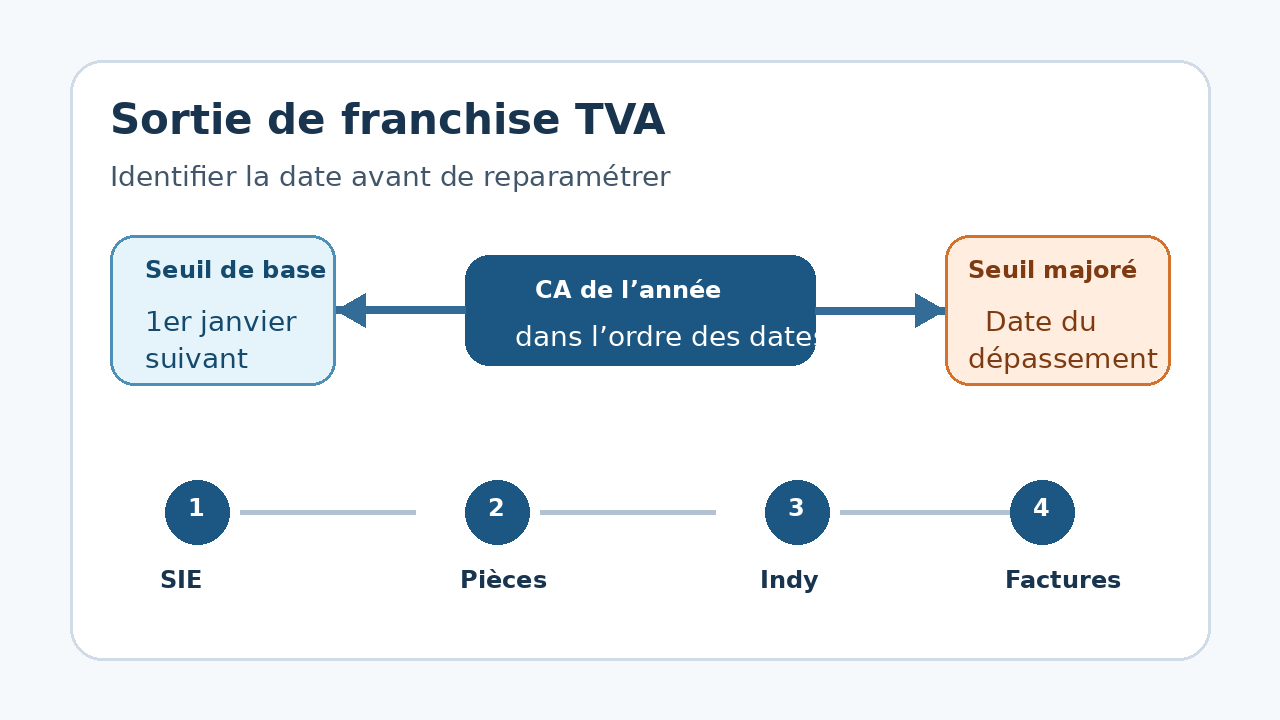
To switch to VAT at the correct time, do not confuse the basic threshold with the higher threshold. Exceeding the basic threshold may postpone the end of the exemption until the following 1 January. Crossing the higher threshold makes VAT applicable from the date it is exceeded. First identify your activity category, the date of the transaction that crosses the threshold and the limits of Indy’s tracking.
Read both thresholds before acting
| Activity in 2026 | Basic threshold | Higher threshold | General consequence |
|---|---|---|---|
| Services | 37 500 € | 41 250 € | Above the first without crossing the second: VAT from the following 1 January. Above the second: VAT from the date the threshold is exceeded. |
| Sale of goods and accommodation | 85 000 € | 93 500 € | The same logic applies, with the thresholds for this category. |
These amounts concern the basic VAT exemption and remain separate from the micro-business scheme ceilings. For a mixed activity, check both total revenue and the services portion. For a business created during the year, an EU transaction or a special activity, use the official rule that applies to your situation instead of extrapolating from the table.
Know when Indy’s panel can help
Indy’s help centre describes a ‘VAT exemption’ panel in the Dashboard tab. It displays revenue collected since the start of the year, the applicable thresholds and the estimated switch date. When the higher threshold is crossed, a ‘Switch to VAT’ process prepares the settings change.
This panel is unavailable for an activity that includes the sale of goods. Indy also states that some B2B services outside France and distance sales within the European Union can distort the displayed calculation. In those cases, keep a separate check and have the treatment confirmed by your business tax office or adviser.
Determine the effective date
- Classify the activity: services, sales, accommodation, mixed activity or a special scheme.
- Reconstruct calendar-year revenue in the order of the relevant transactions.
- Identify the first transaction that crosses the basic or higher threshold.
- Keep its amount, date, invoice and proof of payment where relevant.
- Check the effective date against the official tax rule before changing invoices.
BOFiP states that after the higher ceiling is exceeded, VAT applies to services and supplies whose chargeable event occurs from that date. It also states that a later payment for a service performed before the threshold was exceeded does not become subject to VAT for that reason alone. The date therefore cannot be derived from a simple total without examining the transaction.
Prepare the file before changing Indy’s settings
| Element | Why keep it |
|---|---|
| Revenue calculation by date | Show the transaction that triggers the switch and distinguish the basic and higher thresholds. |
| Message sent to the business tax office | Record the request to update the tax file and the contact date. |
| Tax office response and tax summary | Confirm the tax treatment and provide Indy with the requested setup documents. |
| List of invoices around the date | Check the VAT wording and treatment of each transaction without an automatic bulk correction. |
| Screenshot of the final settings | Keep the selected filing frequency and the activation date in the software. |
Indy’s process requires a professional impots.gouv.fr account, contact with the business tax office, then the tax summary and a screenshot of the VAT section in the tax portal. The stated response time from the tax office can be up to two weeks. This wait does not change the applicable tax date.
Hypothetical example: a service crosses the higher threshold
A consulting micro-business has €40,900 in tracked revenue for 2026. A new €600 transaction brings the total to €41,500, above the €41,250 higher threshold for services. It isolates the transaction, keeps the invoice and relevant evidence, then contacts its business tax office to confirm the effective date and filing scheme.
It does not convert every old invoice into a VAT invoice. It examines transactions around the date according to their chargeable event and the tax instructions, then completes the Indy setup with the requested documents. This example illustrates the method; it does not replace a tax analysis of the file.
Also check eligibility for the Indy plan
Indy states that service providers can remain eligible for the Autonomie plan when they become liable for VAT. However, according to the help article reviewed, a goods-selling or mixed activity that becomes liable is no longer compatible with this plan. The user retains access to some free features but must arrange VAT filings another way.
Check this consequence before starting the process: the VAT change can affect both the work required and the available plan, even if bank history remains accessible. See the Indy review for the general scope and the guide to Indy exports to prepare a handover to an accounting firm.
Check the first invoices after the switch
- The selected effective date matches the tax file and the settings.
- The ‘VAT not applicable’ wording is no longer used when VAT must be charged.
- The rate and taxable amount match the transaction, without adding one default rate to the entire catalogue.
- Earlier invoices are not changed automatically without a valid basis.
- The required returns, their frequency and their owner are identified.
This review prevents a settings button from being treated as full tax validation. The software helps with tracking and filing, but the business remains responsible for the date, invoices and supporting documents used.
Limits to keep in the decision
The thresholds and rules cited were verified for 2026. A voluntary VAT option, international activity, special scheme or legislative change can alter the answer. Indy’s panel is a tracking tool, not a decision binding on the tax authority. Have ambiguous situations confirmed before issuing the affected invoices.
Sources and method of this analysis
Indy: switch to VAT after the basic exemption ; Indy: how the VAT exemption panel works and its limits ; Indy: effect of switching to VAT on the Autonomie plan ; impots.gouv.fr: VAT obligations for micro-businesses ; BOFiP: consequences of exceeding the basic VAT exemption The Indy process is compared with the 2026 thresholds and the consequences of exceeding them published by the tax authority. Sources reviewed on 1 November 2026. Methodology · Trade transparency · Report correction.