
In what case watch Mailchimp?
Mailchimp deserves a test if you are looking for a known platform to manage campaigns, audiences and automations.
In this review
Mailchimp at a glance
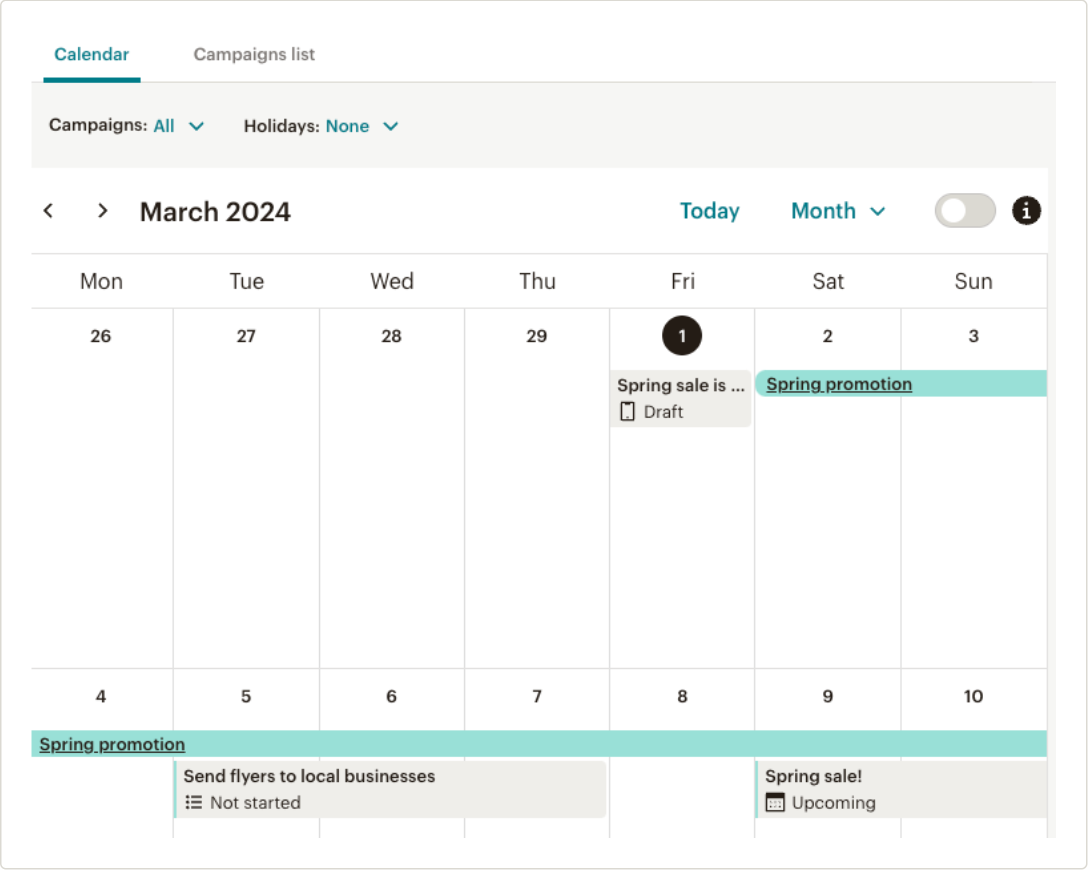
Mailchimp interface: what this capture shows
Mailchimp Campaign Manager Calendar illustrated in the official help. Logicelio uses this capture as a visual cue to read with its "marketing email, automation and audience management" positioning and the functions Creation and sending of campaigns, Segmentation and contact management, Automation and scenarios. This image is not a trial of the software.
The capture comes from an official Mailchimp resource.
View Mailchimp on the official website →
What to remember before choosing Mailchimp
To evaluate Mailchimp, start with your contact inventory. A base of several thousand lines is not necessarily an audience to which you wish to send the same message. Identify subscribers, past contacts and exclusions before calculating the cost or importing data.
counted contacts, email sends and the feature tier.
What Mailchimp offers on a daily basis
Mailchimp includes subscribers, unsubscribers and non-subscribers in its commercial account. This distinguishes between the cost of the base and the number of recipients of a campaign. Check the total billable instead of just the size of the segment you will write to.
The aid excludes from the count archived, cleaned or deleted contacts. Before any operation, decide what to keep and why. The cost reduction does not justify losing track of exclusions or reimporting an address as if it were newly registered.
The offers Free, Essentials, Standard and Premium cover different perimeters. First build a representative campaign and sequence, then note the blocked functions. The upper level must meet an established limit and a person capable of exploiting it.
The amount depends on the audience and email sends. Keep the assumptions used in your estimate: included contacts, sending frequency, automated messages and optional extras. Show the promotional period and renewal cost separately; the first month is not an annual budget.
What to know about Mailchimp
- 01
Mailchimp presents four levels of marketing: Free, Essentials, Standard and Premium.
- 02
The comparison page adjusts prices to the selected contact count and offers a 14-day trial on certain paid plans.
- 03
Functions and limits vary greatly between Essentials, Standard and Premium: the price displayed without audience size is not a good comparator.
When this option makes sense
Who it is for: teams who want to structure their audiences and campaigns in the same environment.
When to look at another approach: If no one can explain the status and source of the base, postpone the import. Changing a platform does not make a list better organized.
Example: contacts accumulated over several years
A company can keep buyers, quote requests and newsletter entries in the same file. Before migrating to Mailchimp, separate uses and status. The pilot's useful result is a basis that can be explained for targeting and cost, not just an error-free import.
Budget: compare the right scope
Mailchimp budget: counted contacts, email sends and the feature tier.
Limits that may change your mind
Mailchimp counts subscribed, unsubscribed and non-subscribed contacts, while archived, cleaned or deleted contacts are excluded. The recipient segment’s size therefore does not necessarily equal the billable size. Check statuses, sends and the plan before importing. Archiving must preserve your exclusion tracking; it must not cause accidental resubscription during a migration or new synchronisation.
Sources of these limits
Three checks to see if Mailchimp suits you
The first check Mailchimp is about contact status, before the layout of emails.
- Sort Test Base
Create a small fictional dataset containing a subscriber, an unsubscribed contact and a contact who has not subscribed. Record the expected status and sales approach for each. Do not import your real database just for a demonstration.
- Check Targeting
Prepare a campaign to a specific segment and reread the recipient list. Ask a colleague to explain the rules without oral help. A too fragmented audience can mask a forgotten exclusion.
- Compare two basic sizes
Simulate your current volume and that of a year of growth with the same pace of sending. Control level changes and potential exceedances before adopting a long commitment.
Mailchimp facing the closest solutions
| Software | Positioning | Profile | Cost to watch |
|---|---|---|---|
| Mailchimp this review | Campaign Platform and Audience Marketing Path | teams who want to structure their audiences and campaigns in the same environment | counted contacts, email sends and the feature tier |
| AWeber | Collection of subscribers, newsletters and e-mail route | creators and small businesses that maintain a regular audience | the level of subscribers, the frequency of sending and the functions retained |
| Benchmark Email | Creating campaigns and managing email contacts | small teams who prefer a short newsletter circuit | active contacts, email sends and additional access |
| Brevo | Email campaigns, automations and sales tracking with separate limits | small teams that assess campaign-day capacity, automation contacts and user access separately | same-day sending volume, contacts in automations and extra modules or user access |
See all alternatives to Mailchimp →
Scope of the documentation
Mailchimp pricing: no amount was recorded for this review.
Interface language: incomplete documentary verification.
No third-party test cited; documentary review only.
Sources used for this review
Mailchimp: documentation review dated 27 September 2026. No customer data was imported and no real emails were sent; pricing depends on an estimate tailored to your audience.