
In what case watch Wrike?
Wrike is for teams that coordinate multiple stakeholders and regular validation circuits. For a personal list or a few actions without dependencies, the construction of workflows and dashboards can take on more space than the work to be coordinated.
In this review
Wrike at a glance
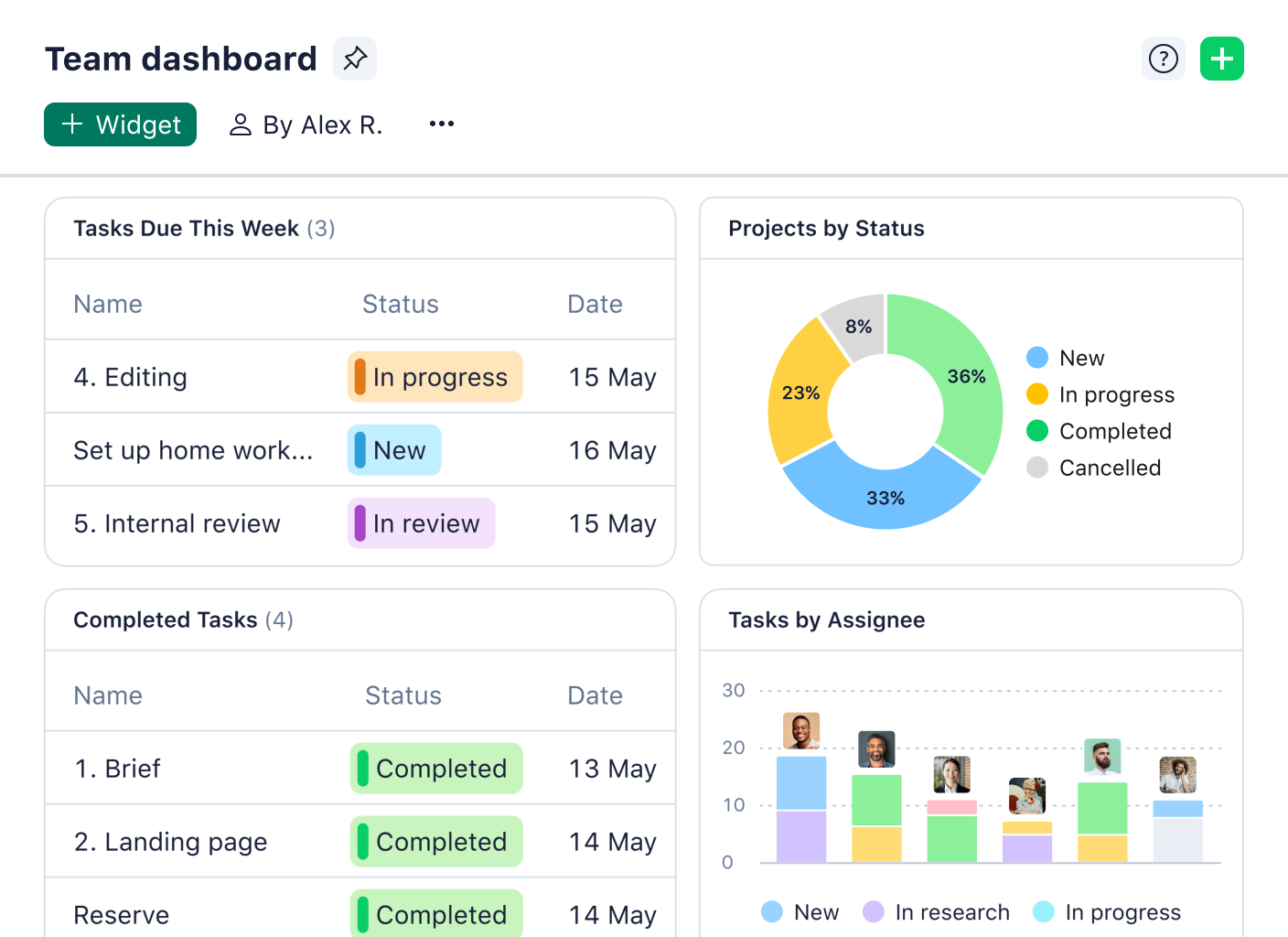
Wrike interface: what this capture shows
Dashboard Wrike presented on the official website. Logicelio uses this capture as a visual cue to read with its positioning "Project and workflow management with management uplift" and Project, Task and Responsibilities functions, Views, Planning and Prioritization, Collaboration, Comments and Documentation. This image is not a trial of the software.
The capture comes from an official Wrike resource.
View Wrike on the official website →
What to remember before choosing Wrike
Consider Wrike when work regularly moves between several people or departments and those handovers need tracking. Before comparing plans, describe a complete request from arrival to acceptance. The software should make this process easier for the team to follow, not simply produce an overview for its manager.
Price checked on 27 September 2026; check the current price before choosing.
What Wrike offers on a daily basis
Free offers project and task management with table and table views. Use this base to define observable statuses: waiting for a customer, in production and to validate should not hide the same problem. A specific category facilitates weekly meeting decisions.
Team is intended for two to fifteen users and adds features including an interactive Gantt chart and a shareable dashboard. Check that your team will remain within that range. Planned growth or a cross-functional group may change the tier you need before any extra feature is added.
In the comparison consulted, Business covers five to two hundred users. The minimum seat count matters for a small organisation. Ask which workflow settings require this tier and which can be handled with a simpler setup.
Pricing separates several extensions, including Wrike Integrate and Two-Way Sync, and places advanced resource planning in Pinnacle. Have the perimeter of an indispensable integration confirmed. The fact that a logo appears in a catalogue does not describe its sense of synchronization or its cost.
When this option makes sense
Who it is for: teams that coordinate multiple stakeholders and regular validation circuits.
When to look at another approach: For a personal list or a few actions without dependencies, the construction of workflows and dashboards can take on more space than the work to be coordinated.
Example: reduce waiting time in a communications team
A team may have enough production capacity yet lose several days between approvals. The first useful indicator is then time spent waiting for a response, not the total number of tasks. Configure the pilot around that handover and check whether everyone knows what to approve. Roll it out only if the situation becomes clearer without adding parallel boards.
Price: what you really need to budget
Limits that may change your mind
The Team plan covers 2 to 15 users and Business covers 5 to 200. Compare the number of seats you need to buy, rather than simply counting the people involved. Calculate the cost of essential synchronisation and integration add-ons separately. A restricted role is not always free: the documentation states that Contributor is a paid role and that the former Collaborator role has no longer been available to new accounts since 20 January 2025.
Sources of these limits
Three checks to see if Wrike suits you
Follow a creative request between the requester, production team and approver, observing where it waits.
- Describe a complete request
Gather the information needed to start, then identify those that often arrive too late. A person who is not on file must be able to tell if he or she is ready to produce.
- Replay a rejected validation
Return a deliverable to correction. Note where the decision is, which resumes the work and how one version replaces the other. Avoid the statutes that require you to ask orally what happened.
- Compare the estimate to the course
Associate each mandatory requirement with a function and plan. Add the extensions, the minimum number of seats and the commitment period before comparing the amount to your budget.
Wrike facing the closest solutions
| Software | Positioning | Profile | Cost to watch |
|---|---|---|---|
| Wrike this review | Project and workflow management with growing oversight capabilities | teams coordinating multiple contributors and regular approval processes | the minimum number of seats, options and level of resource management |
| Asana | Task and deadline management across multiple projects | teams whose deliveries depend on shared responsibilities and deadlines | the paid members, level of management features and additional options |
| ClickUp | Task, document and project view management in a shared workspace | small teams that want to bring several uses together with a designated administrator | the workspace seats, guest access, AI options and configuration |
| GanttPRO | Visual planning centred on a Gantt chart | managers who need to explain the sequence of project stages | the selected team size, plan and workload management needed |
See all alternatives to Wrike →
Scope of the documentation
Interface language: incomplete documentary verification.
No third-party test cited; documentary review only.
Sources used for this review
Wrike: documentary analysis dated 27 September 2026. The assessment covers public offers; no productivity measurement or promise of gains is attributed to Logicelio.